OpenCode MCP
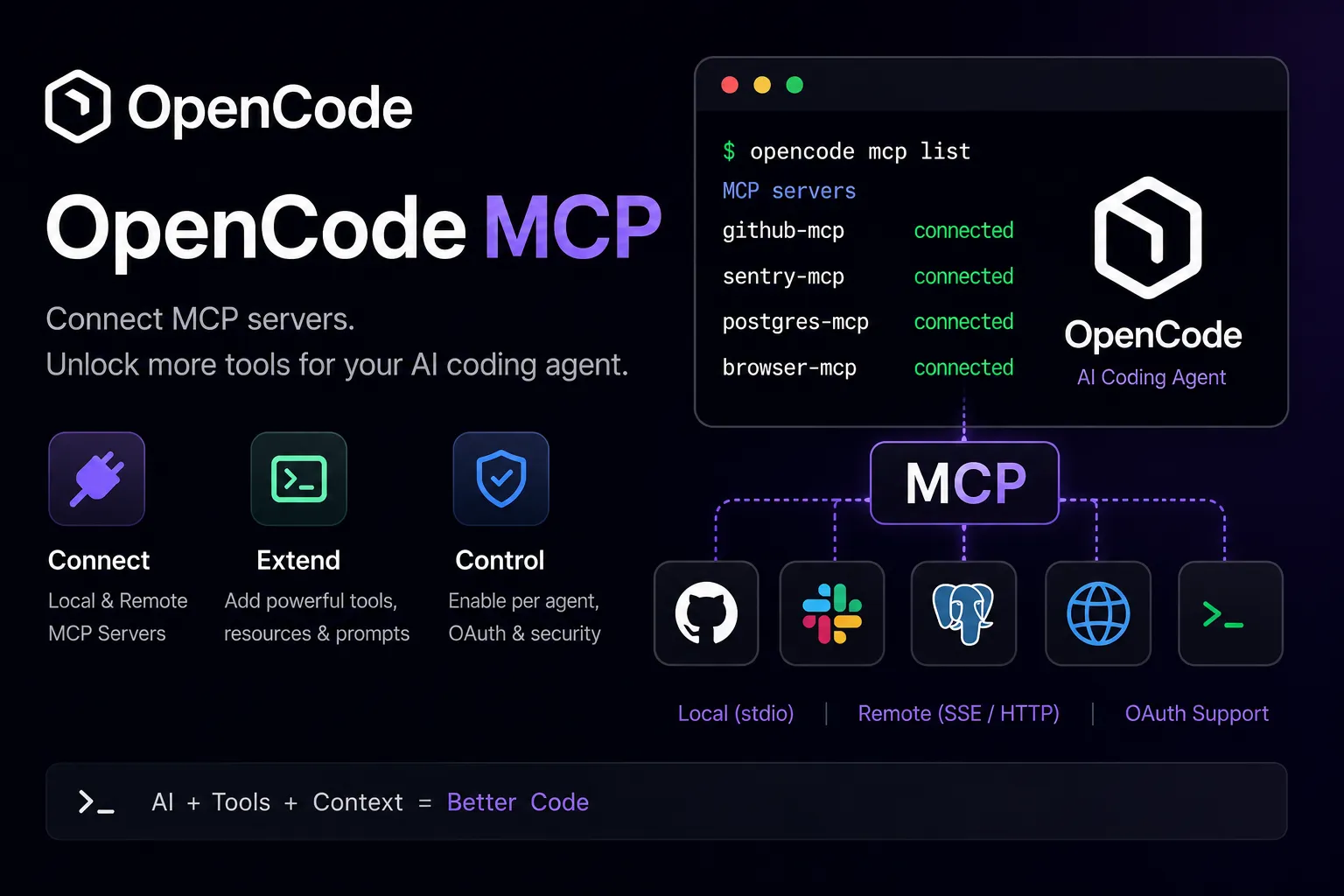
OpenCode is an open-source AI coding agent with MCP client support. It can connect to local and remote MCP servers and expose their tools to the LLM alongside built-in OpenCode tools.
About
OpenCode MCP refers to the Model Context Protocol integration in OpenCode, the open-source AI coding agent for terminal, IDE, and desktop workflows. Official OpenCode documentation describes OpenCode as an MCP host/client that connects to external local and remote MCP servers; it is not documented as a standalone MCP server.
Key Features
- Adds external MCP tools to OpenCode through the
mcpconfiguration object. - Supports local MCP servers started from a command array.
- Supports remote MCP servers configured with a URL and optional headers.
- Automatically makes added MCP tools available to the LLM alongside built-in OpenCode tools.
- Supports enabling and disabling MCP servers globally or per agent through tool configuration.
- Provides CLI commands for adding, listing, authenticating, logging out, and debugging MCP server connections.
- Supports OAuth-enabled remote MCP servers, including automatic OAuth handling and manual authentication commands.
Use Cases
- Add GitHub, Sentry, Cloudflare, database, browser, documentation, or custom internal MCP servers to OpenCode.
- Give OpenCode controlled access to project-specific tools and services while coding in the terminal.
- Use per-agent tool enablement to restrict large or high-token MCP servers to specific OpenCode agents.
- Connect OpenCode to remote MCP services that require OAuth or API-key headers.
Setup or Requirements
OpenCode must be installed and configured with at least one model provider before MCP tools are useful. Local MCP servers are configured with type: "local" and a command array. Remote MCP servers are configured with type: "remote" and a URL. OpenCode also provides opencode mcp add, which guides users through adding either a local or remote MCP server.
Compatibility
Official documentation describes OpenCode connecting to both local and remote MCP servers. Local MCP servers are command-based subprocesses. Remote MCP servers are configured by URL and may use headers or OAuth. The documentation does not describe OpenCode itself as exposing a Model Context Protocol server endpoint.
Limitations
MCP servers add tool schemas and context to the model, so OpenCode recommends enabling only the MCP servers you need. Some MCP servers can add many tokens and may exceed context limits. Exact tool names, prompts, and resources depend on each configured MCP server, not on OpenCode itself.
Sources
- OpenCode MCP servers docs: https://opencode.ai/docs/mcp-servers/
- OpenCode CLI docs: https://opencode.ai/docs/cli/
- OpenCode config docs: https://opencode.ai/docs/config/
- OpenCode official website: https://opencode.ai/
- OpenCode GitHub repository: https://github.com/anomalyco/opencode
- OpenCode download page: https://opencode.ai/download
MCP Setup
Prerequisites
- OpenCode installed locally using an official install method such as the install script, npm, Bun, Homebrew, Paru, Scoop, Chocolatey, mise, or Nix
- At least one model provider configured through OpenCode auth or environment variables
- One or more MCP servers to connect to
- For local MCP servers, the required runtime or package manager for that server, such as npx, bun, Docker, uvx, or a local executable
- For remote MCP servers, a reachable MCP server URL
Access requirements
- OpenCode itself is open source under the MIT license
- LLM usage depends on the configured model provider or subscription
- Third-party MCP servers may require their own API keys, headers, OAuth authorization, paid plan, or service account
- OAuth-enabled remote MCP servers can be authenticated through
opencode mcp auth
Companion app or plugin
Name: OpenCode Install URL: https://opencode.ai/download
- Install OpenCode using an official method such as
curl -fsSL https://opencode.ai/install | bash,npm i -g opencode-ai,bun add -g opencode-ai,brew install anomalyco/tap/opencode, orparu -S opencode. - Run
opencode auth loginto configure a model provider. - Use
opencode mcp addto add a local or remote MCP server interactively, or edit OpenCode config manually. - Run
opencode mcp listto check configured MCP servers and connection status.
OpenCode is the MCP host/client in this entry. Official documentation describes it connecting to MCP servers rather than being a standalone MCP server.
Client setup
OpenCode
Transport: stdio
opencode mcp add
{
  "$schema": "https://opencode.ai/config.json",
  "mcp": {
    "my-local-mcp-server": {
      "type": "local",
      "command": ["npx", "-y", "my-mcp-command"],
      "enabled": true,
      "environment": {
        "MY_ENV_VAR": "my_env_var_value"
      }
    }
  }
}
- Install and authenticate OpenCode.
- Install or prepare the local MCP server command.
- Run
opencode mcp addand choose a local MCP server, or add atype: "local"MCP entry to OpenCode config. - Use
opencode mcp listto check connection status. - Refer to the MCP server by name in prompts when you want the LLM to use its tools.
Auth:
- Pass local server credentials through the
environmentobject when the MCP server requires environment variables. - Avoid hardcoding long-lived secrets when they can be referenced through environment variables.
OpenCode documentation calls this a local MCP server. The local command is an array used to start the MCP server subprocess; this corresponds to command-based local MCP operation.
OpenCode
Transport: HTTP
opencode mcp add
{
  "$schema": "https://opencode.ai/config.json",
  "mcp": {
    "my-remote-mcp": {
      "type": "remote",
      "url": "https://my-mcp-server.com",
      "enabled": true,
      "headers": {
        "Authorization": "Bearer MY_API_KEY"
      }
    }
  }
}
- Install and authenticate OpenCode.
- Confirm the remote MCP server URL.
- Run
opencode mcp addand choose a remote MCP server, or add atype: "remote"MCP entry with a URL to OpenCode config. - Add headers if the remote MCP server requires API-key or bearer-token authentication.
- Use
opencode mcp listto check connection status.
Auth:
- For API-key based servers, configure headers in the remote MCP server entry.
- For OAuth-enabled servers, run
opencode mcp auth <name>or let OpenCode prompt for authentication when first used. - Use
opencode mcp logout <name>to remove stored OAuth credentials.
OpenCode documentation describes remote MCP servers by URL and headers. It does not label the remote transport as SSE or Streamable HTTP on the public MCP servers page, so HTTP is used here as the documented URL-based remote transport.
Authorization flow
- Run
opencode auth loginto configure model-provider credentials for OpenCode. - Add a remote OAuth-capable MCP server with
type: "remote"and its URL. - Run
opencode mcp auth <server-name>to authenticate manually, or allow OpenCode to prompt when the server first requires authentication. - OpenCode opens the browser for OAuth authorization.
- After authorization, OpenCode stores MCP OAuth tokens in
~/.local/share/opencode/mcp-auth.json. - Use
opencode mcp auth listto view OAuth-capable servers and their authentication status. - Use
opencode mcp debug <server-name>to diagnose remote MCP OAuth connection issues.
Environment variables
OPENCODE_INSTALL_DIR — Optional. Custom installation directory for the official install script.XDG_BIN_DIR — Optional. XDG-compliant binary installation directory for the official install script.OPENCODE_CONFIG — Optional. Custom OpenCode config file path.OPENCODE_CONFIG_CONTENT — Optional. Inline OpenCode config content for runtime overrides.OPENCODE_SERVER_PASSWORD — Optional. Enables HTTP basic auth foropencode serveoropencode web.MCP server-specific environment variables — Optional. Local MCP server credentials can be passed through each server'senvironmentobject.
Setup docs: https://opencode.ai/docs/mcp-servers/
Tags
Alternatives
Comparable tools and resources explicitly connected to OpenCode MCP.
Related Entries
Keep exploring similar tools and resources in this category.






Related Reads
Background, tutorials, and protocol context connected to this entry.