Railway Agent Sandbox: The Practical Guide to Running AI Coding Agents Safely in the Cloud
Key Takeaways
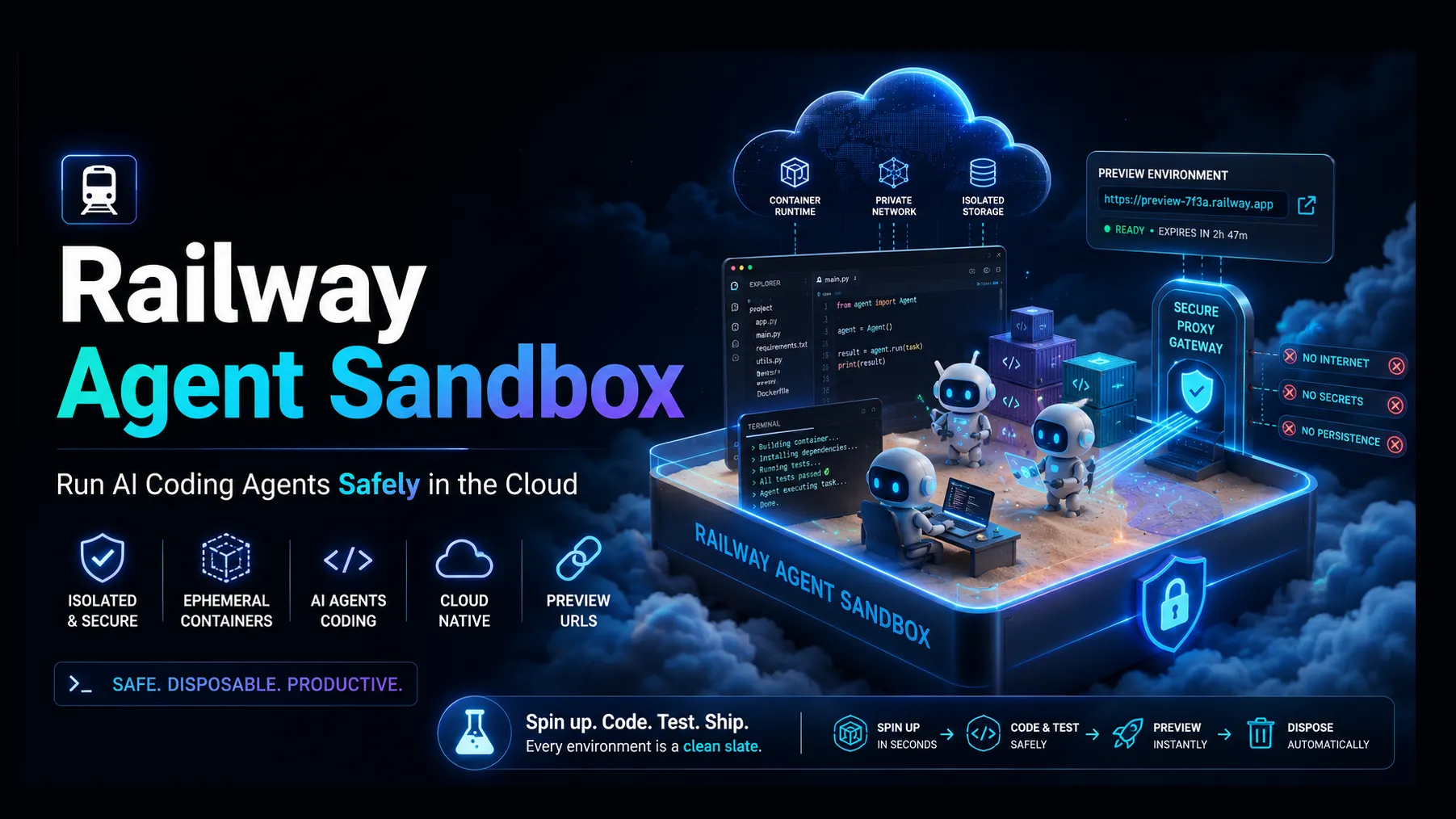
- Railway Agent sandbox refers to a practical pattern for running AI coding agents in isolated, disposable cloud environments on Railway, not just a single product checkbox.
- The most relevant Railway-native implementation is the Background Agent template, which creates per-session sandbox services, stores session state in Postgres, and proxies HTTP/WebSocket traffic through signed links. ([Railway][1])
- Railway’s broader agent stack now includes the dashboard-based Railway Agent, Agent Skills, local MCP, and hosted Remote MCP, giving teams multiple ways to let AI assistants deploy, inspect, and operate infrastructure. ([Railway Docs][2])
- The sandbox model is strongest for AI coding agents, preview environments, support reproduction, customer-specific demos, and short-lived development workspaces.
- The main risks are not the concept itself, but token scope, cost sprawl, stale sandbox cleanup, proxy exposure, untrusted code execution, and weak tenant isolation.
What Is a Railway Agent Sandbox?
A Railway Agent sandbox is an isolated execution environment that allows an AI agent, developer, or user session to run code, preview an app, test changes, or debug infrastructure without touching production.
In Railway’s ecosystem, the term usually maps to two overlapping ideas:
- Agent-controlled infrastructure — Railway Agent, MCP, CLI, and Agent Skills let AI assistants operate Railway projects.
- Ephemeral sandbox services — a backend provisions short-lived Railway services for each agent session, then routes browser traffic to the correct container.
The most concrete example is Railway’s Background Agent deployment template. It provisions per-session sandbox services on Railway, tracks session state in Postgres, and uses a proxy layer to route HTTP and WebSocket traffic to each sandbox over Railway’s internal network. ([Railway][1])
That makes it especially relevant for modern coding agents such as Claude Code, Codex, OpenCode, Cursor, and other tools that need a safe place to clone a repository, install dependencies, run commands, open preview URLs, and submit pull requests.
Why Railway Is Becoming Relevant for AI Agent Sandboxes
AI coding agents are moving from “suggest code in a chat box” to “perform multi-step software work.” That shift creates a new infrastructure requirement: agents need somewhere to execute.
A useful agent sandbox must provide:
- Process isolation so one session does not affect another.
- Network routing so previews can be opened in a browser.
- Secrets management without leaking credentials to untrusted code.
- Lifecycle controls to create, pause, expire, and delete sandboxes.
- Observability for logs, failures, deployment status, and cost.
Railway is well positioned for this pattern because it already provides project-level services, managed databases, environment variables, domains, deployments, logs, and a GraphQL/CLI-driven control plane. Railway documentation also describes isolated environments for development workflows, including persistent staging environments and temporary PR environments. ([Railway Docs][3])
The newer agent layer expands that foundation. Railway exposes a CLI, local MCP server, hosted Remote MCP server, and open Agent Skills format so AI coding agents can deploy services, manage environments, and operate Railway projects on behalf of a user. ([Railway Docs][4])
How the Background Agent Architecture Works
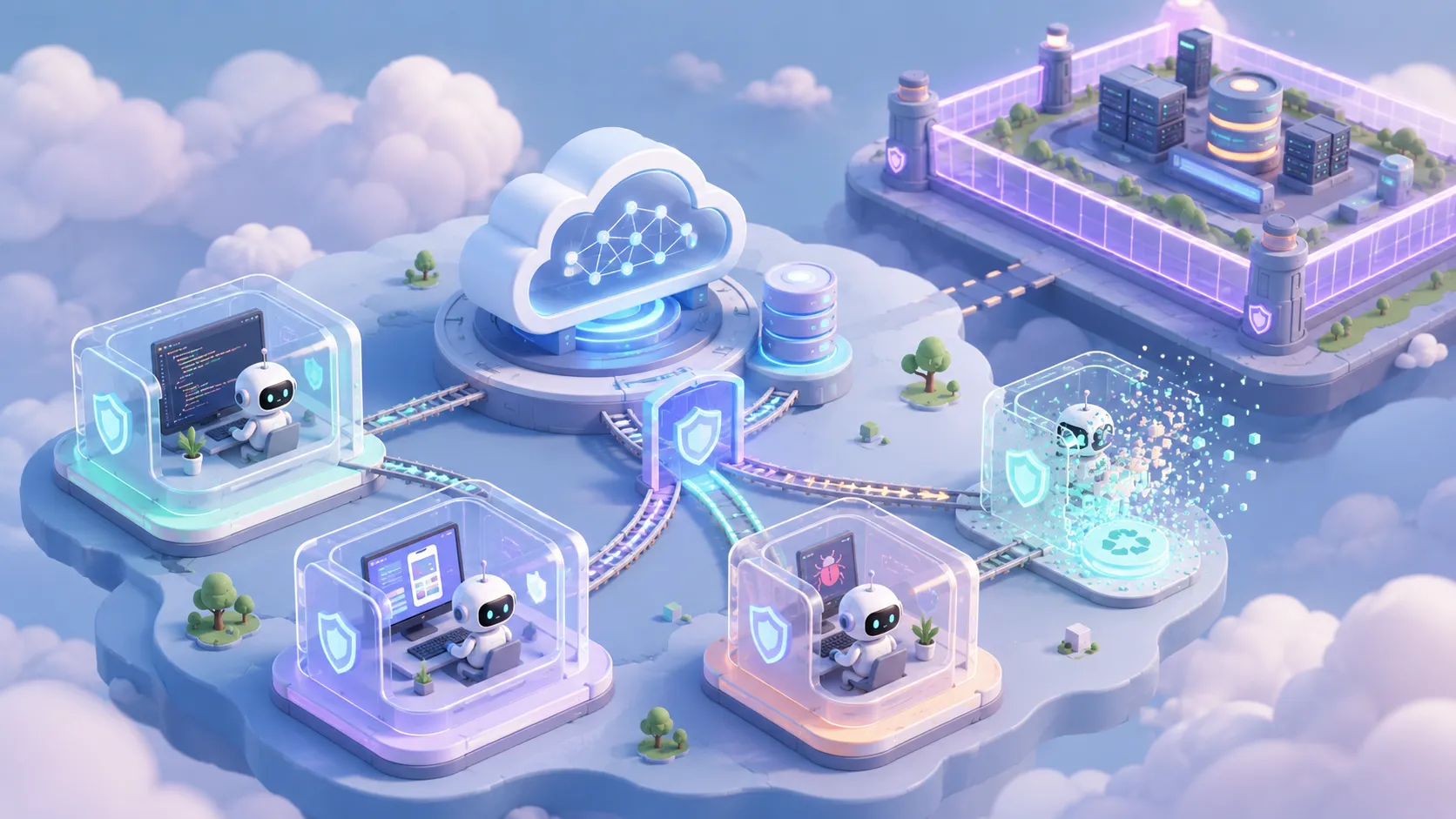
Railway’s Background Agent template is a strong reference architecture because it separates the control plane from the untrusted workspace.
A typical deployment includes:
- API service: handles session creation, authorization, proxy routing, and Railway API calls.
- Web dashboard: provides an interface to create, inspect, and retire sandboxes.
- Postgres database: stores session metadata, sandbox service IDs, tokens, and status.
- Sandbox services: disposable Railway services created from a sandbox container image.
- Proxy hostname: forwards browser traffic to the correct sandbox instance.
- Direct API/dashboard hostname: separates control operations from sandbox preview traffic.
When a user creates a session, the API calls the Railway GraphQL API to create a new service from the sandbox image. The API then reverse-proxies traffic to that service through Railway’s internal network and protects access with a signed token.
This design matters because the AI agent does not need direct access to the production app. It receives a controlled workspace where it can run commands, edit files, test builds, and expose a preview URL.
Railway Agent vs. Railway Sandbox vs. Railway MCP
These terms are related, but they are not interchangeable.
| Concept | Primary Role | Best Use Case |
|---|---|---|
| Railway Agent | Chat-based assistant inside the Railway dashboard | Debug deployments, configure services, inspect infrastructure |
| Railway Agent Skills | Instruction bundles that guide AI coding assistants | Teach tools like Claude Code, Codex, Cursor, or OpenCode how to use Railway correctly |
| Railway MCP Server | Tool bridge between AI clients and Railway workflows | Let IDE agents create projects, deploy templates, manage environments, or pull variables |
| Railway Remote MCP | Hosted MCP endpoint at Railway | Use Railway tools via browser OAuth without relying on a local CLI |
| Railway sandbox | Isolated runtime created for an agent/session | Run code, preview apps, execute tests, and isolate agent activity |
Railway’s documentation describes the Railway Agent as a dashboard assistant that can create and configure services, inspect deployments, diagnose failures, and open pull requests to fix broken builds.
The Remote MCP documentation positions the railway-agent tool as the strongest entry point for tasks that need more than a simple CRUD operation, such as debugging a failing deployment or setting up a database end to end.
Core Use Cases for Railway Agent Sandboxes
1. AI Coding Agent Workspaces
A sandbox gives an AI coding agent a cloud workspace where it can:
- Clone a repository.
- Install dependencies.
- Run tests and linters.
- Start a dev server.
- Generate a preview URL.
- Commit changes or open a pull request.
This is safer than letting an agent operate directly on a developer’s local machine or a production deployment.
2. Per-Ticket Development Environments
Engineering teams can create one sandbox per issue, pull request, or customer bug. The sandbox becomes a reproducible environment for investigation.
This is useful when a bug depends on environment variables, database state, or deployment configuration that is hard to recreate locally.
3. Customer-Specific Demo Environments
Sales engineering and support teams can create temporary sandboxes for demos without polluting staging or production.
Each demo can have its own database seed, feature flags, and preview URL.
4. Secure Browser Previews
A signed-token proxy can expose only the required preview session instead of making every sandbox publicly discoverable.
For agent-generated UI changes, this is essential. Reviewers need to inspect output in a browser, but the environment should expire after the task.
5. Onboarding and Education
A Railway sandbox can provide a “click to launch” workspace for tutorials, templates, or coding labs.
The advantage is consistency: every learner starts from the same container image and environment configuration.
Technical Setup: What Teams Need
A production-ready Railway Agent sandbox usually requires the following components:
`bash
Typical variables for a Railway-hosted agent sandbox control plane
RAILWAY_API_TOKEN=... RAILWAY_PROJECT_ID=... RAILWAY_ENVIRONMENT_ID=... API_DIRECT_HOST=... API_PROXY_HOST=... GH_TOKEN=... DATABASE_URL=... `
The Background Agent template specifically requires a Railway API token plus project and environment IDs so the API can create and destroy sandbox services. It also uses a GitHub token for repository access and pull request workflows.
A minimal architecture should also include:
- A hardened sandbox image with only required tools installed.
- A cleanup worker that deletes expired sessions.
- Quota controls for maximum runtime, memory, CPU, and concurrent sessions.
- Audit logging for sandbox creation, command execution, and deletion.
- Secret boundaries so sandboxes receive only the credentials they truly need.
- Network rules that block access to internal services unless explicitly required.
Example Flow: From Prompt to Preview URL
A well-designed Railway Agent sandbox workflow looks like this:
- A user asks an AI coding agent to fix a bug or build a feature.
- The control API creates a sandbox session.
- Railway provisions a new service from a predefined sandbox image.
- The agent clones the repository into the sandbox.
- The agent installs dependencies and runs tests.
- The sandbox starts a dev server on an internal port.
- The proxy returns a signed preview URL.
- The user reviews the app in a browser.
- The agent opens a pull request.
- The cleanup job deletes the sandbox after completion or timeout.
ComputeSDK’s Railway sandbox guide demonstrates a similar pattern: create a sandbox, run commands, write files, start a Vite dev server, and retrieve a secure preview URL through a tunnel.
Security Considerations
Agent sandboxes reduce risk, but they do not remove it. The security model must assume that code running inside the sandbox may be untrusted.
Token Scope
The Railway API token should be scoped as narrowly as possible. A sandbox control plane that can create and delete services should not also have unrestricted access to unrelated projects.
GitHub Permissions
The GitHub token should be limited to the repositories and actions needed by the workflow. For many teams, read/write contents and pull request permissions are enough. Broad organization-wide tokens create unnecessary blast radius.
Proxy Abuse
Preview URLs should be signed, expiring, and tied to a session. A predictable proxy path can become an accidental public hosting surface.
Egress Control
Agents can run arbitrary commands. Without network restrictions, a compromised dependency or prompt-injected task may attempt data exfiltration.
Secret Injection
Never mount production secrets into a general-purpose sandbox. Use test credentials, short-lived tokens, or task-specific variables.
Cleanup Guarantees
A sandbox that is not deleted becomes a cost and security liability. Expiration should be enforced by backend logic, not merely by UI convention.
Cost and Scaling Pitfalls
Railway makes it easy to create services, which is exactly why sandbox cost control matters.
Common mistakes include:
- Creating one service per session but never deleting it.
- Running dev servers indefinitely after a user closes the browser.
- Allowing agents to run package installs repeatedly instead of using a warmed image.
- Giving every sandbox a database when a lightweight file-based store would be enough.
- Using high-resource containers for short-lived preview tasks.
A mature setup should enforce:
- Max session lifetime: for example, 30–120 minutes.
- Idle timeout: delete or pause after no traffic or command activity.
- Concurrent session cap: prevent runaway agent loops.
- Per-user quota: stop one user or integration from consuming the entire workspace budget.
- Image pre-baking: reduce cold-start and dependency install time.
Railway Sandbox vs. Alternatives
Railway is not the only way to run agent sandboxes. The best choice depends on the workload.
| Platform Pattern | Strength | Limitation |
|---|---|---|
| Railway sandbox services | Simple full-stack deployment model, managed services, preview routing, strong developer experience | Requires custom lifecycle and security controls for agent workloads |
| E2B-style code sandboxes | Purpose-built for isolated code execution | Less natural for full-stack app deployment patterns |
| Modal-style ephemeral compute | Strong for Python, batch jobs, and ML-style workloads | May require more work for web app previews |
| Kubernetes namespaces | Maximum control and enterprise policy integration | Higher operational complexity |
| Local Docker sandboxes | Cheap and fast for individual developers | Harder to share, audit, and secure for teams |
Analysis shows Railway’s strongest angle is full-stack agent work: web apps, APIs, databases, previews, logs, templates, and deployments in one platform. For pure code interpretation or highly restricted execution, a dedicated sandbox provider may be simpler.
Best Practices for Building a Railway Agent Sandbox
Use a Control Plane, Not Direct Agent Access
The agent should request actions from a backend API. The backend decides whether to create a sandbox, inject variables, expose a port, or delete a service.
Prebuild the Sandbox Image
Install common tools in advance:
`Dockerfile FROM node:22-bookworm
RUN apt-get update && apt-get install -y
git
curl
ripgrep
jq
python3
build-essential
&& rm -rf /var/lib/apt/lists/*
WORKDIR /workspace `
This reduces repeated setup time and improves reliability.
Separate Control Traffic from Preview Traffic
Use separate hostnames for the dashboard/API and sandbox proxy traffic. Railway’s Background Agent template follows this pattern with separate direct and proxy host variables. ([Railway][1])
Store Session State in a Database
Do not rely on in-memory state. Store:
- Session ID
- User ID
- Railway service ID
- Token hash
- Created time
- Last activity
- Expiration time
- Status
- Repository and branch metadata
Add a Cleanup Worker
A simple cleanup loop can prevent most cost leaks:
`ts async function cleanupExpiredSandboxes() { const expired = await db.sessions.findMany({ where: { expiresAt: { lt: new Date() }, status: "active" } });
for (const session of expired) { await railway.deleteService(session.railwayServiceId); await db.sessions.update({ where: { id: session.id }, data: { status: "deleted" } }); } } `
Default to Least Privilege
The sandbox should start with no production database access, no broad cloud credentials, and no long-lived tokens.
Log Agent Actions
For debugging and compliance, record high-level agent actions:
- Repository cloned
- Command executed
- Port exposed
- File changed
- Pull request opened
- Sandbox deleted
Avoid storing sensitive command output without redaction.
Common Failure Modes
The Sandbox Starts but the Preview URL Fails
Likely causes:
- App is listening on
localhostinstead of0.0.0.0. - Wrong port is exposed.
- Dev server uses strict host checks.
- Proxy hostname is misconfigured.
- WebSocket upgrade handling is missing.
For Vite-style apps, the dev server often needs host: "0.0.0.0" and explicit allowed hosts when accessed through a tunnel or Railway domain.
The Agent Works Locally but Fails in the Sandbox
Likely causes:
- Missing system packages.
- Different Node, Python, or package manager version.
- Environment variables not injected.
- Private registry token missing.
- Build scripts assume local filesystem paths.
Sandboxes Keep Running Forever
This is a lifecycle bug, not a Railway bug. Add server-side expiration, idle detection, and retryable deletion.
The Agent Can See Too Much
This usually means secrets were injected at the project or environment level without separating sandbox services from production services. Create dedicated sandbox variables and avoid copying production values.
Who Should Use Railway Agent Sandboxes?
Railway Agent sandboxes are a strong fit for:
- AI coding tools and developer platforms.
- SaaS teams building preview-per-task workflows.
- Agencies that need disposable client demo environments.
- Support teams reproducing customer issues.
- Internal platform teams standardizing agent execution.
- Template marketplaces that need live previews.
They may be less suitable for:
- Highly regulated workloads without strict network isolation controls.
- Long-running compute-heavy jobs.
- Workloads requiring GPU isolation.
- Teams that cannot tolerate usage-based sandbox cost variance.
- Environments where arbitrary code execution must be formally verified before running.
The Strategic Value: Agents Need Infrastructure, Not Just Prompts
The rise of Railway Agent sandbox patterns reflects a broader shift in software development. Coding agents are no longer judged only by code suggestions. They are judged by whether they can complete a task safely:
- Understand the repo.
- Run the app.
- See the failure.
- Modify the code.
- Verify the result.
- Produce a reviewable pull request.
That workflow requires infrastructure. Railway’s advantage is that it already combines deployment, databases, variables, logs, templates, environments, and now agent-facing interfaces such as MCP and Agent Skills.
The result is a practical middle ground: more capable than a local-only coding assistant, but simpler than building a full internal platform on Kubernetes.
Conclusion
Railway Agent sandbox is best understood as an emerging architecture for giving AI coding agents a safe, isolated, browser-accessible place to work.
Railway’s Background Agent template shows the core pattern clearly: a dashboard and API create per-session sandbox services, Postgres tracks state, and a proxy exposes signed preview links. Railway’s Agent, MCP, Remote MCP, CLI, and Agent Skills then extend that model into a broader agent-native infrastructure workflow.
For teams building AI coding platforms, internal developer tools, or preview-per-task systems, the opportunity is clear: use Railway to reduce infrastructure complexity, but design the sandbox layer carefully. The winning implementation will not be the one that simply spins up containers. It will be the one that enforces lifecycle cleanup, least-privilege secrets, reliable proxying, strong observability, and predictable cost controls.
Start with a small proof of concept, define strict sandbox boundaries, measure cold-start and cleanup behavior, then expand toward production-grade agent workflows once the security and cost model is proven.
Continue Reading
More articles connected to the same themes, protocols, and tools.

How to Use Claude Fable 5: Complete 2026 Guide to Anthropic’s Most Powerful Public AI Model
Ostris AI Toolkit Guide: The Practical LoRA Training Suite for FLUX, Qwen, Z-Image, Wan, and Modern Diffusion Models

Javii Tools Review: The Tiny Browser Suite Behind Pixel-Perfect Creator Visuals
Referenced Tools
Browse entries that are adjacent to the topics covered in this article.