
Ostris AI Toolkit Guide: The Practical LoRA Training Suite for FLUX, Qwen, Z-Image, Wan, and Modern Diffusion Models
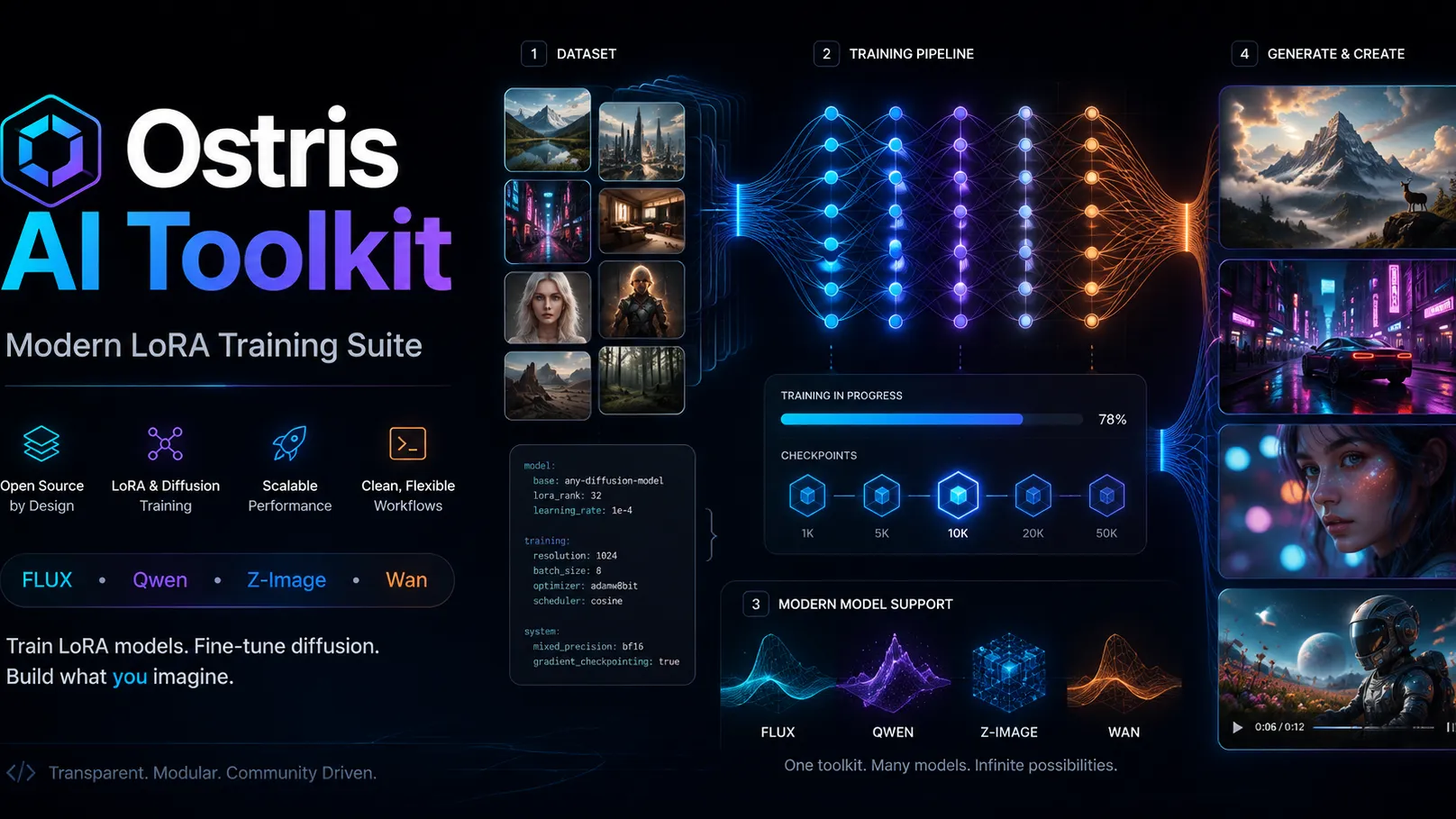
Key Takeaways
- Ostris AI Toolkit is an open-source diffusion model training suite built for LoRA and fine-tuning workflows across image, video, edit, and audio model families.
- Its biggest advantage is model coverage: current documentation lists FLUX.1, FLUX.2, FLUX.2 Klein, Qwen-Image, Z-Image, SDXL, SD 1.5, Wan 2.1/2.2, LTX 2/2.3, and Ace Step among supported targets. ([GitHub][1])
- It can run through CLI, a modern web UI, or a Gradio training UI, making it useful for both technical trainers and creators who prefer a guided interface. ([GitHub][1])
- The toolkit is powerful, but not frictionless. VRAM, dataset quality, dependency pinning, checkpoint handling, and Windows build issues are the main failure points.
- For most users, the best starting point is LoRA training, not full fine-tuning. LoRA keeps training cheaper, faster, and easier to iterate while still producing strong character, product, and style adapters.
What Is Ostris AI Toolkit?
Ostris AI Toolkit is a free, MIT-licensed training toolkit for fine-tuning diffusion models. The project describes itself as an all-in-one training suite for diffusion models, with support for both image and video models and the option to run through a GUI or CLI. ([GitHub][2])
In practical terms, it is best understood as a power-user LoRA training environment for the modern diffusion ecosystem. Instead of focusing only on Stable Diffusion 1.5 or SDXL, it tracks newer model families such as FLUX, Qwen-Image, Z-Image, Wan, LTX, HiDream, Chroma, and others. That makes it especially relevant for creators who need custom adapters for newer backbones before mainstream training tools catch up. ([GitHub][1])
The project has also gained notable community traction: the public GitHub repository shows roughly 10.5k stars, 1.3k forks, and dozens of open issues as of May 2026, indicating both strong adoption and an actively evolving codebase. ([GitHub][3])
Why Ostris AI Toolkit Matters
Diffusion training has moved beyond a simple “Stable Diffusion LoRA” workflow. Newer models are larger, more specialized, and often have unique training adapters, tokenizer behavior, captioning assumptions, and VRAM requirements.
Analysis shows that Ostris AI Toolkit matters because it solves three common problems:
- Fast support for new model families: The README lists current-generation models such as FLUX.2, Qwen-Image-2512, Z-Image, Wan 2.2, and LTX 2.3, which are not always covered by older LoRA trainers. ([GitHub][1])
- Multiple operation modes: The toolkit supports command-line config files, a web UI for starting and monitoring jobs, and a Gradio UI for image upload, captioning, training, and publishing. ([GitHub][1])
- Practical deployment paths: The project documents local installation, RunPod usage, Modal training, DGX instructions, and macOS experimental support. ([GitHub][1])
The deeper advantage is not just convenience. It is iteration speed. A strong LoRA workflow depends on repeatedly adjusting data, captions, trigger tokens, learning rate, rank, sampling prompts, and checkpoint selection. A tool that exposes these controls while still offering a UI reduces the distance between experiment and result.
Supported Model Categories
Ostris AI Toolkit is unusually broad for a training tool. The current README organizes support across several categories.
Image Models
Supported image model families include:
- FLUX.1-dev
- FLUX.2-dev
- FLUX.2 Klein 4B and 9B
- Flex.1 and Flex.2 preview
- Chroma
- Lumina Image 2.0
- Qwen-Image and Qwen-Image-2512
- HiDream
- OmniGen2
- Z-Image Turbo, Z-Image, and Z-Image De-Turbo
- SDXL and Stable Diffusion 1.5
- ERNIE-Image and Nucleus-Image ([GitHub][1])
Instruction and Edit Models
The toolkit also lists support for edit/instruction-oriented models such as:
- FLUX.1 Kontext dev
- Qwen-Image-Edit variants
- HiDream E1 ([GitHub][1])
Video Models
For video workflows, the README lists Wan and LTX model families, including:
- Wan 2.1 T2V and I2V variants
- Wan 2.2 T2V, I2V, and TI2V variants
- LTX 2 and LTX 2.3 ([GitHub][1])
Audio Models
The toolkit also lists Ace Step 1.5 and Ace Step 1.5 XL under audio support. ([GitHub][1])
This breadth is the main reason the toolkit is often discussed alongside newer LoRA workflows rather than only legacy Stable Diffusion training.
Ostris AI Toolkit vs Kohya, FluxGym, and One-Click Trainers
Ostris AI Toolkit is not the only LoRA training option, but it sits in a different lane from many alternatives.
| Tool | Best For | Strength | Trade-Off |
|---|---|---|---|
| Ostris AI Toolkit | Modern diffusion LoRA training across many model families | Broad model support, CLI + UI, strong config depth | Setup and VRAM requirements can be demanding |
| Kohya SS | SD 1.5, SDXL, classic LoRA workflows | Mature ecosystem, many tutorials | Slower to adopt some new model architectures |
| FluxGym | Easier FLUX-focused training | Beginner-friendly for supported FLUX workflows | Narrower model coverage |
| One-click hosted trainers | Fastest path for casual users | Minimal setup | Less control, recurring cost, platform lock-in |
| ComfyUI training nodes | Node-based creators | Integrated visual pipeline | Can become complex and less reproducible |
Community feedback suggests the key decision is not “which trainer is best,” but which trainer fits the target model and desired control level. For FLUX.2, Qwen-Image, Z-Image, and experimental backbones, Ostris AI Toolkit often becomes attractive because it keeps pace with model diversity.
Installation Requirements
The official README lists the core requirements as:
- Python 3.10 or newer, with Python 3.12 recommended
- Nvidia GPU with enough VRAM for the chosen model
- Python venv
- Git ([GitHub][1])
A typical Linux setup follows this pattern:
bash git clone https://github.com/ostris/ai-toolkit.git cd ai-toolkit python3 -m venv venv source venv/bin/activate pip3 install --no-cache-dir torch==2.9.1 torchvision==0.24.1 torchaudio==2.9.1 --index-url https://download.pytorch.org/whl/cu128 pip3 install -r requirements.txt
The README currently recommends installing Torch first and pins CUDA 12.8 wheels for the documented install path. ([GitHub][1])
Running the Web UI
Ostris AI Toolkit includes a web interface for starting, stopping, and monitoring jobs. The UI requires Node.js greater than 20 and can be launched from the ui directory. ([GitHub][1])
bash cd ui npm run build_and_start
By default, the UI is available at:
text http://localhost:8675
On a server, it can also be accessed through the machine IP and port 8675. The README notes that the UI does not need to remain running after a job starts; it is mainly needed to start, stop, and monitor jobs. ([GitHub][1])
Security Warning for Cloud Servers
If the UI is exposed on a cloud machine, authentication should be enabled with AI_TOOLKIT_AUTH. The official documentation explicitly recommends setting an auth token when hosting on an insecure network. ([GitHub][1])
bash AI_TOOLKIT_AUTH=replace_with_a_strong_token npm run build_and_start
This matters because training dashboards can expose model paths, job controls, cached assets, and server resources. A public unauthenticated training UI is a real operational risk.
Basic LoRA Training Workflow
The standard CLI workflow is simple in structure:
- Copy an example config, such as
config/examples/train_lora_flux_24gb.yaml. - Rename it inside the
configfolder. - Edit the dataset path, model target, training settings, sampling prompts, and output name.
- Run the config with
python run.py config/your_config.yml.
The README notes that the training output folder stores checkpoints and images, and that interrupted training can resume from the last checkpoint. It also warns that interrupting during checkpoint saving may corrupt the checkpoint. ([GitHub][1])
bash python run.py config/my-lora-job.yml
Recommended LoRA Settings by Use Case
The best settings depend on the model, dataset, and target behavior. Still, strong starting points can be defined.
Character LoRA
Use this when the goal is identity consistency across prompts.
- Dataset: 15–40 clean images
- Resolution: 1024px for modern image models when VRAM allows
- Captions: Describe clothing, pose, lighting, background, and non-identity details
- Trigger token: Unique and unlikely to collide with normal language
- LoRA rank: 8–16 for most character adapters
- Learning rate: Start conservative, often around
5e-5to1e-4 - Sampling: Fixed seeds with varied scenes to detect overfitting
Style LoRA
Use this when the goal is a visual language rather than a specific person or object.
- Dataset: 30–100 images with consistent style but varied subjects
- Captions: Emphasize content separately from style
- LoRA rank: 16–32 if fine style detail matters
- Risk: Over-captioning style terms can make the adapter too literal
Product or Object LoRA
Use this for a branded product, prop, toy, package, or industrial object.
- Dataset: 20–60 images across angles, focal lengths, and lighting setups
- Captions: Include shape, material, color, logo placement, and scale cues
- Trigger token: Pair a unique token with a generic object class
- Pitfall: Too many identical studio shots make the object fail in real-world contexts
Z-Image Turbo LoRA
A Hugging Face engineering write-up on Z-Image Turbo training with Ostris AI Toolkit describes a compact workflow using a small high-quality dataset, 1024×1024 images, fixed sampling prompts, and LoRA rank values such as 8 or 16. It also notes that nine 1024×1024 images were enough for one rapid personalization experiment and that a 3,000-step run on an RTX 5090 completed in roughly an hour under that setup. ([Hugging Face][4])
That does not mean nine images are universally enough. The better lesson is that dataset cleanliness can beat dataset size when the target concept is visually coherent.
Dataset Design: The Part Most Users Underestimate
Most failed LoRA runs are not caused by the trainer. They are caused by weak datasets.
A good dataset has:
- Visual diversity: Multiple angles, crops, expressions, environments, and lighting setups.
- Concept consistency: The subject or style should remain recognizable across images.
- Caption discipline: Captions should separate the concept from incidental details.
- No near-duplicates: Repeated frames can make the LoRA memorize instead of generalize.
- No watermark pollution: Text artifacts, logos, and compression blocks often leak into outputs.
For character LoRAs, the common trap is using only beautiful close-up portraits. That produces strong facial similarity but weak full-body, action, and environment performance. A better dataset includes headshots, half-body shots, full-body shots, indoor scenes, outdoor scenes, and different clothing.
For style LoRAs, the common trap is mixing style with subject matter. If every image is a cyberpunk woman in neon rain, the LoRA may learn “woman + neon + rain” instead of the broader cyberpunk rendering style.
Captions and Trigger Tokens
Captions control what the model treats as flexible versus essential.
A useful captioning rule:
- Put the unique trigger token near the beginning.
- Describe the image content accurately.
- Caption variable attributes such as clothing, background, pose, and lighting.
- Avoid repeating the same generic quality tags in every caption.
Example:
text skswoman, young woman with auburn hair, wearing a black jacket, standing in a city street at night, soft neon lighting, shallow depth of field
Why this works:
skswomananchors the identity.- Clothing and setting are described so they can change later.
- Lighting and camera cues teach context rather than silently binding them to the identity.
For object LoRAs, pair the trigger token with the object class:
text zbxshoe, a white running shoe with orange sole accents, side view, product photo on gray background
This helps the base model understand that the learned concept is still a shoe, not an abstract token with no semantic category.
VRAM Planning
VRAM requirements vary dramatically by model family. Smaller or distilled models can be trained on more modest GPUs, while large modern models may require cloud GPUs.
Community reports and training write-ups suggest that Z-Image Turbo is comparatively approachable, while Qwen-Image and FLUX.2-class training can demand substantially more VRAM depending on settings. One 2026 LoRA training report found Qwen-Image pushing toward roughly 40GB VRAM and FLUX.2 Dev requiring an 80GB RunPod instance for a successful run in that workflow. ([Medium][5])
Practical guidance:
- 12GB VRAM: Treat as experimental for modern models; use low VRAM modes and smaller targets.
- 16GB VRAM: Feasible for some smaller or optimized workflows, but expect compromises.
- 24GB VRAM: A practical baseline for many serious LoRA runs.
- 32–48GB VRAM: Better for Qwen-style or higher-resolution workflows.
- 80GB VRAM: Often needed for heavy FLUX.2-class experiments or less optimized settings.
The important point is not a single magic number. The training target, optimizer, precision, resolution, batch size, rank, caching strategy, and checkpoint cadence all affect memory pressure.
Advanced Tips for Better Results
1. Sample During Training With Fixed Seeds
Periodic samples reveal whether the model is learning, drifting, or collapsing. Fixed seeds make progress comparable across checkpoints.
Use 3–6 sample prompts:
- One close-up identity prompt
- One full-body prompt
- One prompt in a new environment
- One prompt with different clothing or material
- One negative stress test, such as unusual lighting or angle
2. Save More Than One Checkpoint
The final checkpoint is not always the best checkpoint. A character LoRA may peak before the last step, while a style LoRA may benefit from longer training.
Common checkpoint strategy:
yaml save_every: 500 sample_every: 250
Then compare outputs at 1,500, 2,000, 2,500, and 3,000 steps.
3. Lower Learning Rate Before Increasing Dataset Size
When results look overcooked, many users add more images. Often, the better fix is reducing learning rate or steps first.
Symptoms of too-aggressive training:
- Same face or pose appears in every image
- Background from training images leaks into unrelated prompts
- Clothing becomes hard to change
- Style overwhelms composition
- Prompt adherence declines
4. Use Trigger Tokens That Do Not Already Mean Something
A trigger like redgirl or cyberstyle already carries semantic baggage. A token like skswoman, zbxstyle, or another rare string is safer because it avoids fighting the base model’s vocabulary.
5. Keep a Training Log
Record:
- Model checkpoint
- Dataset version
- Captioning method
- Image count
- Resolution
- Steps
- Batch size
- Learning rate
- Rank
- Optimizer
- Sample prompts
- Best checkpoint
Without a log, LoRA training becomes guesswork.
Common Pitfalls and Fixes
Pitfall: Windows Installation Fails
A GitHub issue from March 2026 reports Windows install friction around pip3 install -r requirements.txt, including compiler, CMake, Fortran, pkg-config, and OpenBLAS-related errors when building dependencies. ([GitHub][6])
Fix: Prefer Linux, WSL, a cloud template, or the easy-install path referenced in the README when Windows dependency builds become a blocker. ([GitHub][1])
Pitfall: Dataset Not Visible in the UI
Recent open issues include reports such as “Dataset not visible,” Docker schema initialization failures, model download problems, and Apple Silicon caption jobs falling back to CUDA. ([GitHub][3])
Fix: Confirm dataset path structure, file permissions, working directory, Docker volume mounts, and whether the UI and backend are reading from the same environment.
Pitfall: Checkpoint Corruption After Stopping Training
The README warns that pressing Ctrl+C while a checkpoint is saving can corrupt that checkpoint. ([GitHub][1])
Fix: Stop only between save events. Keep multiple checkpoint intervals so one corrupted file does not ruin the entire run.
Pitfall: Overfitting a Character
Signs include rigid facial expression, repeated outfits, repeated backgrounds, and poor pose flexibility.
Fix: Add varied images, caption variable details, reduce steps, lower learning rate, or test an earlier checkpoint.
Pitfall: Underfitting a Style
Signs include weak style transfer, base-model look dominating, or only partial adoption of texture and color language.
Fix: Increase rank, train longer, improve style consistency, remove off-style images, and test stronger LoRA weights during inference.
Pitfall: Treating LoRA Strength as a Fixed Value
A LoRA that works at strength 1.0 in one model pipeline may need 0.6, 0.8, or 1.2 elsewhere.
Fix: Evaluate multiple strengths with the same prompt and seed:
text 0.6, 0.8, 1.0, 1.2
Use lower strengths for subtle style influence and higher strengths for identity-heavy character work.
Best Practices for Production LoRAs
A production-quality LoRA should pass three tests.
1. Identity or Style Retention
The LoRA should preserve the target concept across different prompts, camera distances, and environments.
2. Prompt Flexibility
The adapter should not lock the model into training-image backgrounds, clothing, poses, or lighting.
3. Inference Portability
The exported .safetensors file should behave predictably in target tools such as ComfyUI, Diffusers pipelines, or hosted inference environments.
A useful QA checklist:
- Test at least 20 prompts.
- Test 4 LoRA strengths.
- Test 3–5 seeds per prompt.
- Test close-up, medium, and wide compositions.
- Test both simple and complex prompts.
- Compare against the base model without the LoRA.
When Not to Use Ostris AI Toolkit
Ostris AI Toolkit is powerful, but not always the simplest choice.
Consider another route when:
- The user only needs a quick SDXL LoRA and already has a working Kohya setup.
- The workflow must be fully beginner-proof with no dependency management.
- The available GPU has too little VRAM for the target model.
- The project requires a locked-down enterprise training pipeline with formal support contracts.
- The target model is not yet supported and no custom adapter path exists.
For serious custom training on newer diffusion models, however, Ostris AI Toolkit is one of the most flexible options currently available.
Practical Starting Configuration
For a first character or product LoRA on a modern image model, this conservative template is a sensible baseline:
yaml training_goal: character_or_product_lora image_count: 20-40 resolution: 1024 batch_size: 1 lora_rank: 8 learning_rate: 0.0001 steps: 2000-3000 sample_every: 250 save_every: 500 caption_strategy: trigger_token_plus_descriptive_captions validation: fixed_seed_samples_across_multiple_contexts
This is not a universal recipe. It is a controlled starting point. The goal is to create a run that is easy to diagnose before changing multiple variables.
Final Verdict: Who Should Use Ostris AI Toolkit?
Ostris AI Toolkit is best for:
- AI artists training custom characters, styles, products, or concepts
- Developers building repeatable diffusion fine-tuning pipelines
- ComfyUI and Diffusers users who need portable LoRA adapters
- Creators working with newer model families such as FLUX, Qwen-Image, Z-Image, Wan, or LTX
- Advanced users who want UI convenience without giving up config-level control
It is less ideal for users who want a completely managed, no-setup training product. The toolkit rewards users who understand datasets, VRAM limits, captions, checkpoints, and inference testing.
Conclusion
Ostris AI Toolkit has become a major training option because it targets the real direction of diffusion workflows: more model families, larger backbones, specialized adapters, and faster LoRA iteration. Its combination of CLI control, web UI monitoring, broad model support, and open-source licensing makes it unusually capable for creators and technical teams training custom adapters.
The best results come from treating it as an experimental training system, not a magic button. Start with a clean dataset, use a rare trigger token, sample frequently, compare checkpoints, and document every run. For teams building repeatable LoRA pipelines, the next step is to create a standardized dataset checklist and a small benchmark prompt suite before scaling to larger models or cloud GPUs.
Continue Reading
More articles connected to the same themes, protocols, and tools.



Referenced Tools
Browse entries that are adjacent to the topics covered in this article.



Hyper3D MCP
MCP ServersHyper3D MCP is Hyper3D's hosted Rodin MCP server for creating 3D assets from natural-language instructions or supported references, checking asynchronous generation progress, and retrieving model download links inside AI coding clients. Official setup is documented for Codex, Claude Code, and Kimi Code CLI.


