OpenAI GPT-5.5 Prompt Guide: Step-by-Step Tutorial
Prerequisites
Before diving in, ensure you have:
- OpenAI API key with access to
gpt-5.5(sign up at platform.openai.com if needed). - Python 3.10+ installed.
- The latest OpenAI Python SDK: run
pip install openai. - Basic API knowledge (chat completions or Responses API).
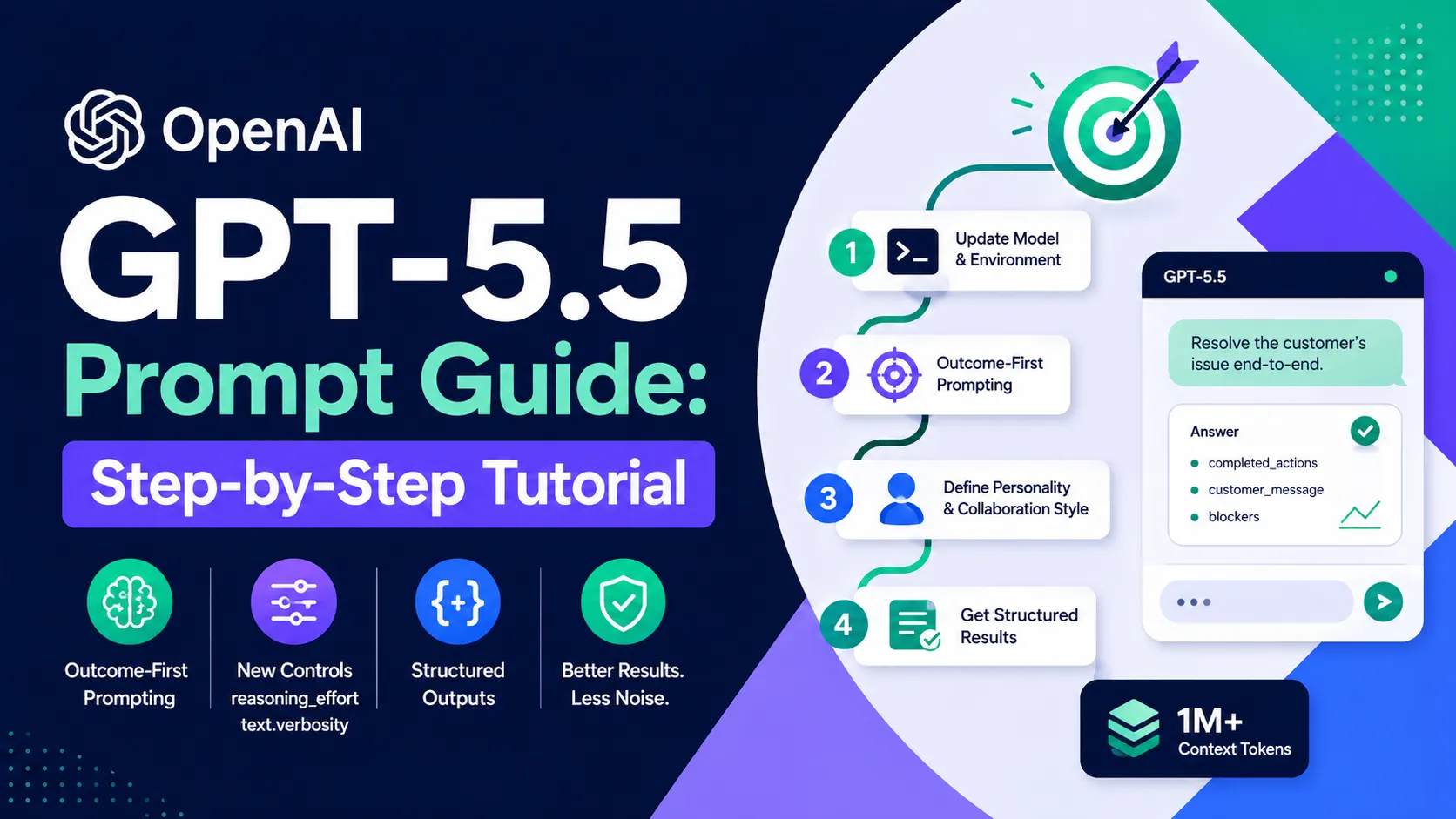
GPT-5.5 is available in the API and supports up to 1M+ context tokens, structured outputs, and new controls like reasoning_effort and text.verbosity.
Step 1: Update Your Model and Environment
Switch to gpt-5.5 and set up a basic client. Legacy prompts from GPT-5 or earlier often underperform—start fresh.
pip install --upgrade openai
from openai import OpenAI
client = OpenAI(api_key="your-api-key-here")

response = client.chat.completions.create(
    model="gpt-5.5",
    messages=[{"role": "user", "content": "Test prompt"}]
)
print(response.choices[0].message.content)
Expected output: A concise, direct response. No fluff.
Step 2: Learn the Core Principle – Outcome-First Prompting
GPT-5.5 excels when you describe the desired outcome, success criteria, constraints, and available evidence—then let the model choose the path. Ditch long step-by-step chains.
Bad (legacy style):
First read the policy, then check account data, then compare fields, then decide...
Good (GPT-5.5 style):
Resolve the customer's issue end-to-end.

Success means:
- Eligibility decision uses only available policy and account data
- Any allowed action completes before responding
- Final answer includes: completed_actions, customer_message, blockers
- If evidence missing, ask for the smallest field needed
Test this pattern immediately—it reduces noise and improves accuracy.
Step 3: Define Personality and Collaboration Style
GPT-5.5 defaults to efficient and task-oriented. For conversational apps, add short personality blocks.
# Personality
You are a capable collaborator: approachable, steady, and direct. Assume the user is competent. Stay concise without being curt. Match the user's tone within professional bounds.
Insert this at the start of your system prompt. Keep it under 150 words. For expressive assistants, add warmth or curiosity explicitly.
Step 4: Add Preambles for Better User Experience
For multi-step or tool-using tasks, tell the model to send a short visible update first:
Before any tool calls for a multi-step task, send a short user-visible update that acknowledges the request and states the first step. Keep it to one or two sentences.
This improves perceived speed in streaming apps. Combine with the Responses API for stateful workflows.
Step 5: Leverage New Parameters for Control
Use these in your API calls:
reasoning_effort:none(fastest),low,medium(default),high,xhigh.text.verbosity:lowfor concise output,medium(default) for balanced.
Example code:
from openai import OpenAI
client = OpenAI()

response = client.chat.completions.create(
    model="gpt-5.5",
    messages=[{
        "role": "system",
        "content": "You are a helpful coding assistant."
    }, {
        "role": "user",
        "content": "Implement a fast Fibonacci function in Python."
    }],
    reasoning_effort="low",      # Faster for simple tasks
    temperature=0.7,
    max_tokens=500
)
print(response.choices[0].message.content)
Expected behavior: Shorter, direct code with minimal explanation unless you set higher verbosity.
Step 6: Add Stopping Conditions and Evidence Rules
Prevent overthinking with explicit stop rules:
Resolve in the fewest useful steps.
After each tool result, ask: "Can I answer the core request now with evidence?" If yes, output the final answer immediately.
Use minimum evidence sufficient; cite precisely.
This is critical for agents or long-running tasks.
Step 7: Test, Iterate, and Use Structured Outputs
Always benchmark:
- Run 10 representative prompts with old vs. new style.
- Measure output quality, token usage, and latency.
- Prefer
response_format={ "type": "json_schema", ... }over prompt-described JSON for guaranteed structure.
Example structured output call:
response = client.responses.create(
    model="gpt-5.5",
    input="Extract name and email from this text: ...",
    text_format={"type": "json_schema", "schema": {...}}
)
Common Issues & Troubleshooting
- Worse results than GPT-5? Your old prompt is too detailed. Strip process steps and keep only outcomes.
- Overthinking / high latency? Lower
reasoning_efforttolowand strengthen stopping conditions. - Responses too short? Set
text.verbosity: "medium"or add "explain your reasoning briefly". - Tool calls failing? Move guidance into tool descriptions, not the main prompt.
- Date awareness issues? Remove any "current date" lines—GPT-5.5 knows UTC by default.
Run evals on a small test set before production rollout.
Next Steps
- Explore the full official guide in your OpenAI dashboard.
- Try the Codex migration skill:
$openai-docs migrate this project to gpt-5.5. - Build a small agent using the Responses API and test preambles + personality.
- Monitor token costs—GPT-5.5 rewards minimal prompts.
Apply these patterns today and watch your workflows become faster, cheaper, and more reliable.
Continue Reading
More articles connected to the same themes, protocols, and tools.


Referenced Tools
Browse entries that are adjacent to the topics covered in this article.

openaiDeveloperDocs
MCP ServersOpenAI Developer Docs MCP is an OpenAI-hosted, read-only server that lets MCP clients search and fetch documentation from developers.openai.com, platform.openai.com, and learn.chatgpt.com. It uses a public streamable HTTP endpoint and does not call the OpenAI API on the user's behalf.