Workspace Agents
Codex-powered shared AI agents in ChatGPT for teams. Automate complex, long-running workflows across tools like Slack, Google Drive, and CRM—running in the cloud with enterprise controls.
Overview
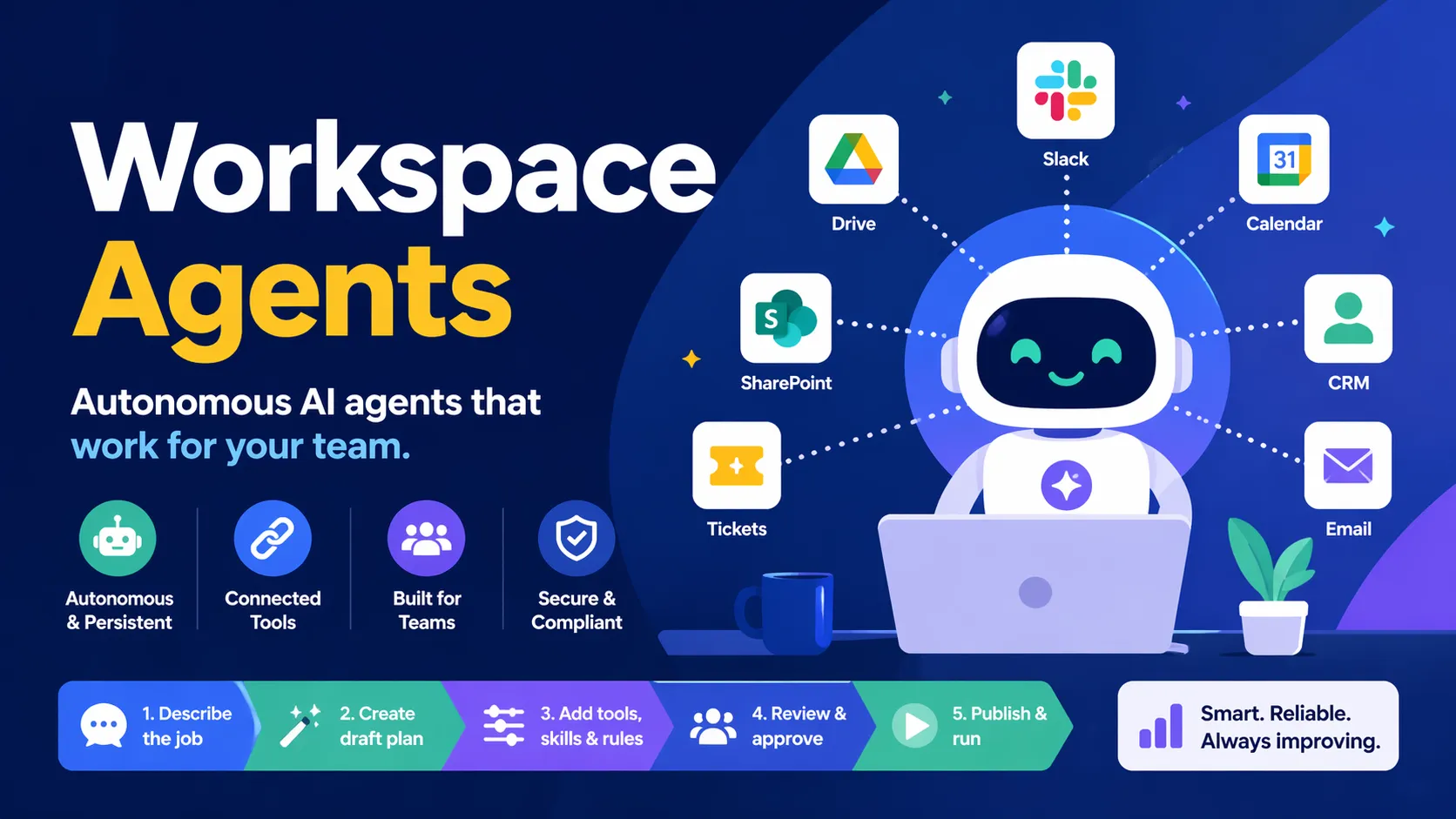
Workspace Agents are an evolution of Custom GPTs in ChatGPT, designed specifically for teams and organizations. They are Codex-powered autonomous AI agents that can handle complex, multi-step, long-running workflows—running persistently in the cloud even when team members are offline.
Built for repeatability and collaboration, they operate within your organization's permissions, gather context from connected tools and files, follow defined processes, and improve over time through conversation and feedback.
Key Features
- Persistent & Autonomous: Run on schedules, triggers, or in Slack; continue working across sessions with built-in memory.
- Tool & App Integrations: Connect to Slack, Google Calendar, Google Drive, SharePoint, CRM systems, ticketing tools, and more. Agents can read/write (with approval options), edit spreadsheets, send emails, update records, and more.
- Shared Team Directory: Publish agents to your workspace so colleagues can discover, use, and improve them.
- Conversational Builder: Describe a job in plain English (or start from a template); ChatGPT drafts the plan, adds tools/skills, and lets you refine before publishing.
- Enterprise Controls: Role-based access, admin approval workflows, usage analytics, version history, suspension/deletion, and compliance monitoring.
- Skills & Memory: Add reusable skills (e.g., briefing, triage, analysis) and attach files or knowledge for consistent outputs.
- Slack Integration: Agents can monitor channels, respond to mentions, or run automatically in specific workspaces.
- Safety & Approvals: Configurable approval settings for write actions; built-in safeguards against prompt injection and data exfiltration.
How to Build a Workspace Agent
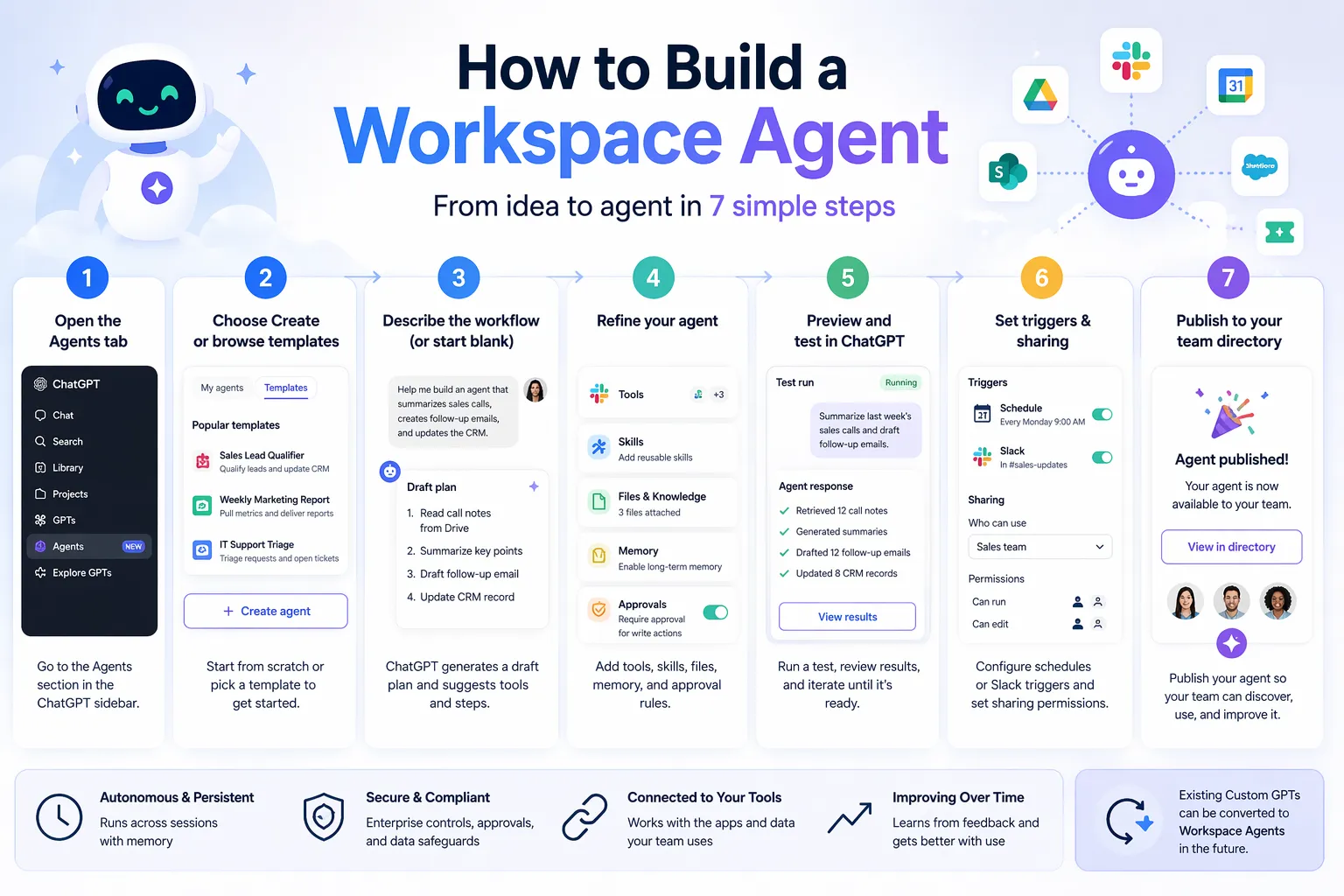
- Open the Agents tab in ChatGPT sidebar.
- Choose Create or browse templates.
- Describe the workflow or start blank → ChatGPT generates a draft plan.
- Refine: add tools, skills, files, memory, and approval rules.
- Preview and test in ChatGPT.
- Set triggers (schedule or Slack) and sharing permissions.
- Publish to your team directory.
Existing Custom GPTs can be converted to Workspace Agents in the future.
Use Cases
- Sales: Qualify leads from call notes, draft outreach emails, and update CRM.
- Product Teams: Route feedback from Slack/forums, prioritize issues, and create weekly action items.
- Marketing/Reporting: Pull weekly metrics, generate charts and narratives, and deliver reports.
- Support/IT: Triage incoming requests, enforce policies, open tickets, and respond in channels.
- Finance: Automate month-end close tasks like journal entries and reconciliations.
- General: Any repeatable workflow involving data gathering, analysis, content creation, routing, or coordination across tools.
Integrations & Tools
Agents support dozens of business apps (availability depends on your workspace). Common examples include:
- Slack (full channel monitoring and responses)
- Google Calendar, Google Drive, SharePoint
- CRM and ticketing systems
- Custom MCPs and other connected apps
Authentication options: end-user or agent-owned (service accounts recommended for shared agents).
Availability & Pricing
- Research Preview (launched April 22, 2026).
- Free for ChatGPT Business, Enterprise, Edu, and Teachers plans until May 6, 2026.
- Credit-based pricing begins after the free period.
- Enterprise/Edu admins must enable via role-based controls (not available for EKM customers).
Getting Started
Visit the official announcement or the help center guide to start building your first agent today.
Tags
Related Entries
Keep exploring similar tools and resources in this category.




OpenClaw Chrome MCP
AI AgentsOpenClaw's powerful Chrome DevTools MCP integration. Attach your local AI agent to your real signed-in Chrome browser (with cookies, tabs, and logins intact) for full web control — click, type, read pages, take snapshots, and automate any task directly in your live browser.


Related Reads
Background, tutorials, and protocol context connected to this entry.