

LottieFiles MCP Server
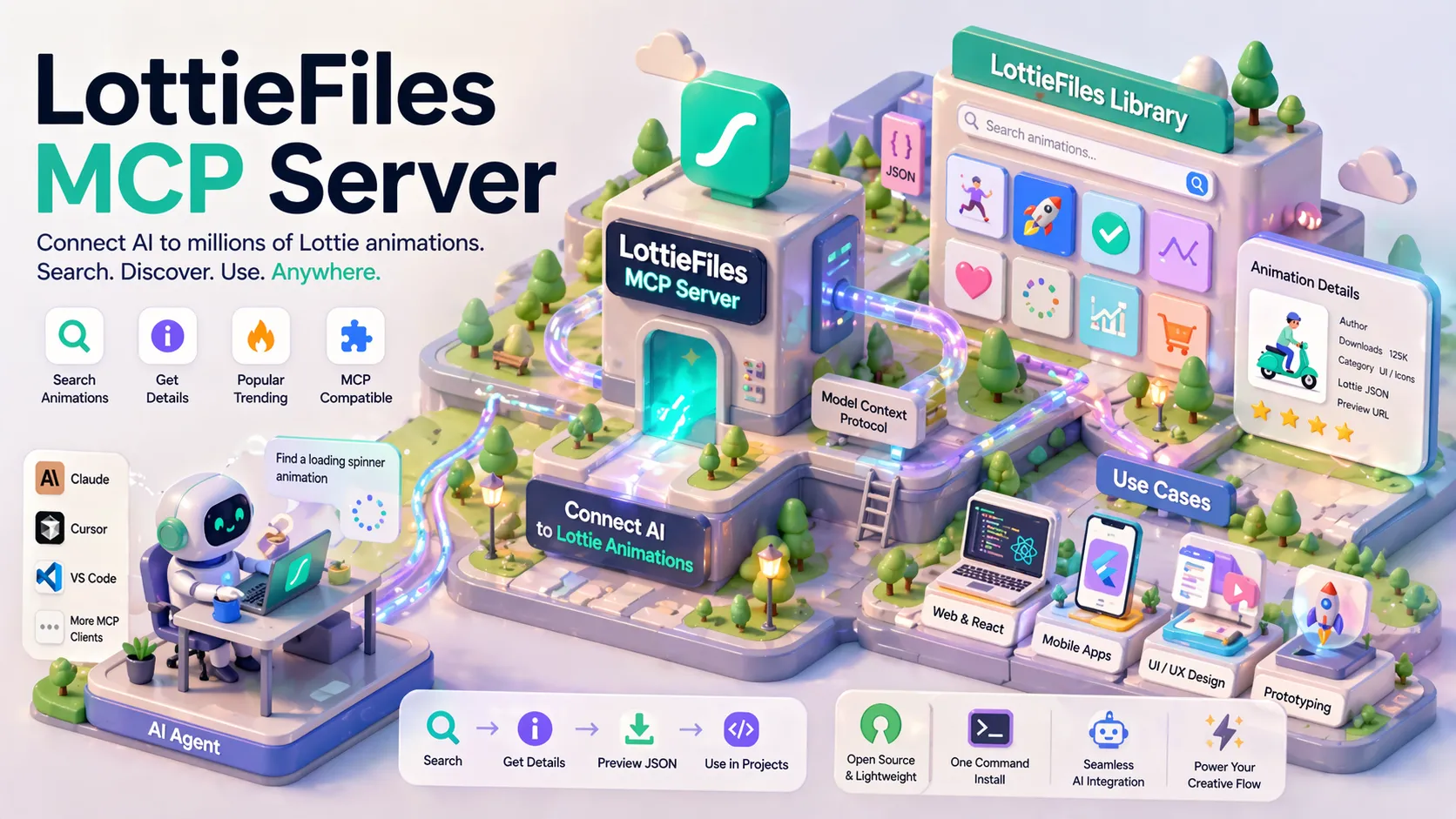
An open-source Model Context Protocol (MCP) server that enables AI agents to search, retrieve details, and access popular Lottie animations directly from LottieFiles, seamlessly integrating motion graphics into AI workflows.
Overview
LottieFiles MCP Server (often referred to as "Lottie MCP") is a lightweight, open-source Model Context Protocol (MCP) server that bridges AI agents with the vast library of Lottie animations on LottieFiles. It allows large language models and AI coding assistants to discover, preview metadata, and retrieve high-quality vector animations without leaving the conversation or building custom API integrations.
Lottie is a popular open format for vector-based animations originally created by Airbnb, widely used in web, mobile, and UI/UX design. This MCP server makes the entire LottieFiles catalog accessible as tools for agentic AI workflows.
Features
- Search Lottie Animations: Query the LottieFiles database using keywords or descriptions.
- Get Animation Details: Retrieve comprehensive metadata including JSON structure info, author, downloads, categories, and preview URLs.
- Popular Animations List: Access trending or highly-rated Lottie files for quick inspiration.
- MCP Standard Compliance: Fully compatible with any MCP client, including Claude Desktop, Cursor, VS Code extensions, and more.
- Easy Installation: Supports one-command install via Smithery or npm.
Use Cases
- AI-Powered Motion Design: Let Claude or Cursor search for existing Lottie animations and incorporate them into UI prototypes, websites, or apps.
- Rapid Prototyping: Agents can find suitable loading spinners, icons, illustrations, or complex UI animations during code generation.
- Design System Automation: Integrate Lottie assets into generated React, Flutter, or web projects with proper metadata.
- Creative Workflows: Combine with tools like Lottie Creator's own MCP bridge for end-to-end animation generation and editing.
- Education & Exploration: AI assistants can explain and demonstrate Lottie animations by pulling real examples on demand.
Installation & Setup
Via Smithery (Recommended for Claude Desktop)
npx -y smithery install mcp-server-lottiefiles --client claude
Manual Installation
npm install -g mcp-server-lottiefiles
# or clone the repo and run locally
Once installed, configure your MCP-compatible client (Claude, Cursor, etc.) to connect to the server. The server runs locally or can be hosted remotely and provides standardized tools for searching and fetching animations.
How It Works
- Your AI agent (via MCP) calls the server with a search query.
- The server queries the LottieFiles public API.
- Results are returned in a structured format the AI can understand and act upon (e.g., download URLs, JSON data, previews).
- The AI can then reference, embed, or modify the animation in generated code or designs.
This keeps the AI context-rich and tool-augmented without requiring the model to have built-in knowledge of thousands of assets.
Related Tools
- Lottie Creator MCP Bridge: Official integration from LottieFiles allowing AI agents to directly read, edit layers, and generate variants inside the Lottie Creator editor.
- Broader Lottie ecosystem including
lottie-web,lottie-react, and dotLottie format.
The LottieFiles MCP Server is actively maintained and listed on major MCP directories like Smithery, MCP.so, and PulseMCP.
Tags
Related Entries
Keep exploring similar tools and resources in this category.

PaidSync.ai
MCP ServersPaidSync.ai is a hosted MCP server for paid advertising that exposes 610+ tools across 14 advertising, analytics, tagging, and commerce platforms. It supports read/write workflows from AI clients including ChatGPT, Claude, Gemini, Cursor, Claude Code, and Codex, with a free plan.

Hyper3D MCP
MCP ServersHyper3D MCP is Hyper3D's hosted Rodin MCP server for creating 3D assets from natural-language instructions or supported references, checking asynchronous generation progress, and retrieving model download links inside AI coding clients. Official setup is documented for Codex, Claude Code, and Kimi Code CLI.




Related Reads
Background, tutorials, and protocol context connected to this entry.


