PaidSync.ai
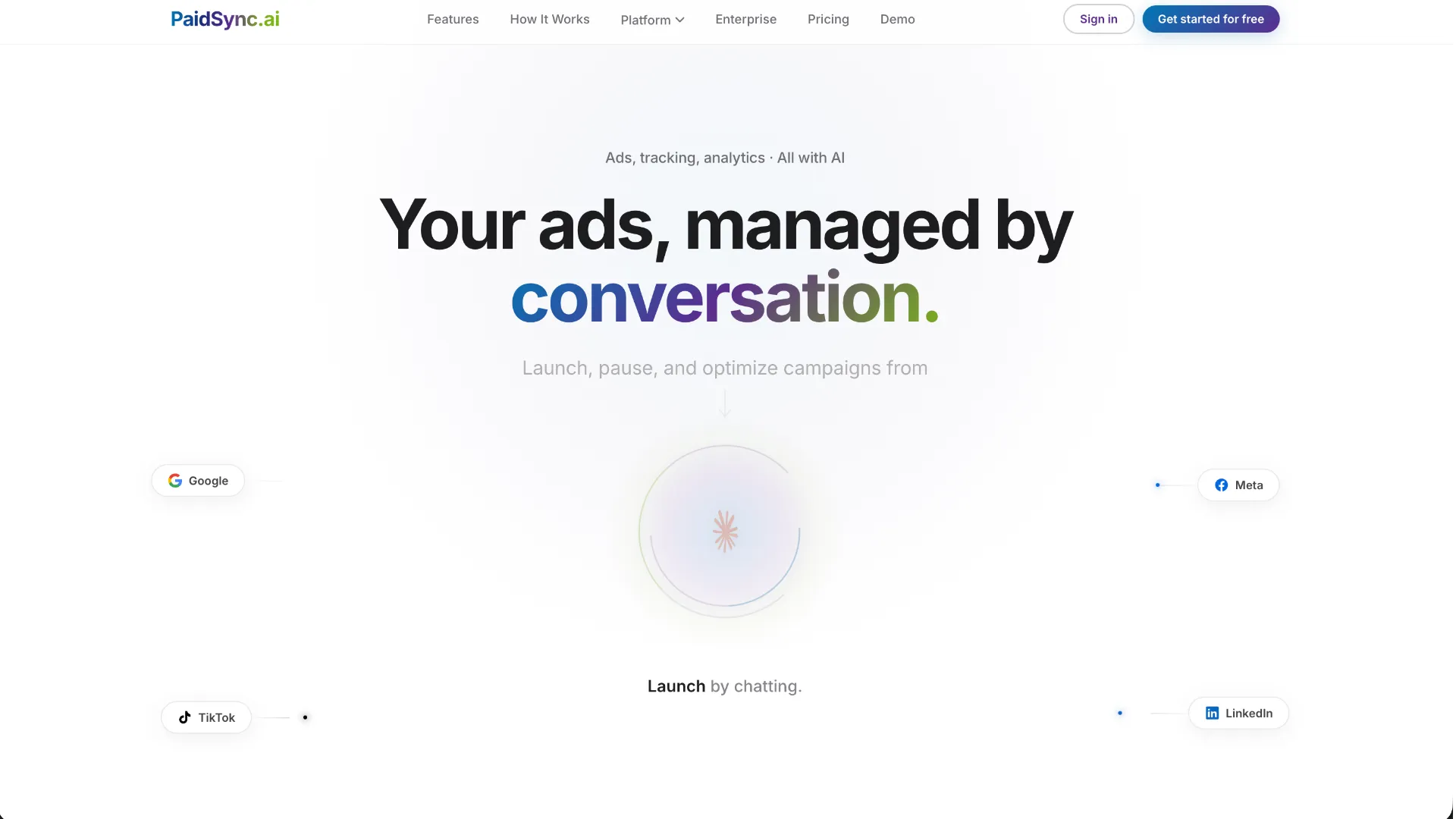
PaidSync.ai is a hosted MCP server for paid advertising that exposes 610+ tools across 14 advertising, analytics, tagging, and commerce platforms. It supports read/write workflows from AI clients including ChatGPT, Claude, Gemini, Cursor, Claude Code, and Codex, with a free plan.
About
PaidSync.ai is a hosted MCP server for paid advertising: a Google Ads MCP, Meta Ads MCP, LinkedIn Ads MCP and TikTok Ads MCP in one. It gives ChatGPT, Claude, Gemini and Cursor 610+ tools across 14 platforms, including Microsoft, Snapchat, Reddit, Pinterest, X, ChatGPT Ads and GA4. Unlike read-only connectors, it makes changes: audits, wasted spend, negative keywords, budgets, bids and new campaigns, with a preview first. Best for PPC agencies. Free plan.
Key Features
- One hosted MCP endpoint covers 610+ tools across 14 connected platforms.
- Google Ads, Meta Ads, LinkedIn Ads, and ChatGPT Ads support campaign creation as well as management.
- Microsoft Ads, TikTok Ads, Snapchat Ads, Reddit Ads, Pinterest Ads, and X Ads support reporting and management of existing campaigns.
- GA4, Google Tag Manager, Merchant Center, and Search Console extend the same session into analytics, tagging, product feeds, and search reporting.
- PaidSync documents account audits, wasted-spend analysis, search-term and negative-keyword workflows, budget and bid changes, audience operations, and cross-platform reporting.
- Most creates use a dry-run preview before applying; destructive actions such as deletes, pauses, and budget changes require explicit confirmation flags.
Use Cases
PaidSync is aimed at teams that want an AI assistant to do more than read advertising reports. PPC agencies can connect manager and business accounts, switch between client accounts, compare performance across channels, identify wasted spend, prepare negative keywords, adjust budgets and bids, and create campaigns on supported build-tier platforms. Founders and in-house marketers can use the same MCP endpoint for campaign audits, optimization, reporting, and measurement workflows.
Compatibility
The hosted server uses Streamable HTTP at https://mcp.paidsync.ai/mcp. PaidSync documents integrations with ChatGPT, Claude, Claude Code, Gemini, Cursor, Codex, Perplexity, Microsoft Copilot Studio, Windsurf, and other MCP-compatible clients. OAuth is the primary sign-in path for the MCP connection and for supported ad-platform connections.
Limitations
- Campaign creation is not available on every ad network. PaidSync documents creation for Google Ads, Meta Ads, LinkedIn Ads, and ChatGPT Ads; Microsoft Ads, TikTok Ads, Snapchat Ads, Reddit Ads, Pinterest Ads, and X Ads manage existing campaigns.
- Search Console is read-only.
- Over MCP, the client application's own tool-approval behavior is part of the human confirmation layer. PaidSync's web-workspace approval cards do not automatically apply to external MCP clients.
- The free plan is limited to 15 tasks per month. A single user prompt can consume multiple tasks if it triggers multiple tool calls.
Sources
- Official website: https://paidsync.ai/
- MCP server overview: https://paidsync.ai/mcp-server
- Connection guides: https://paidsync.ai/connect
- Security and controls: https://paidsync.ai/security
- Claude Code setup: https://paidsync.ai/connect/google-ads-to-claude-code
- ChatGPT setup: https://paidsync.ai/connect/google-ads-to-chatgpt
- Gemini setup: https://paidsync.ai/connect/google-ads-to-gemini
- Cursor setup: https://paidsync.ai/connect/ads-to-cursor
- Codex setup: https://paidsync.ai/connect/ads-to-codex
MCP Setup
Prerequisites
- PaidSync account
- An account on each advertising, analytics, or commerce platform you want to connect
- An MCP-compatible AI client
Access requirements
- Free plan is available with 15 tasks per month and no credit card
- OAuth 2.0 is the primary authentication path for the PaidSync MCP connection
- Each connected ad or analytics platform must be authorized separately
- Write access and campaign-creation scope vary by platform
Companion app or plugin
PaidSync is hosted; no local companion app is required for the standard MCP setup.
Client setup
Claude Desktop
Transport: http
- Open Claude or Claude Desktop, go to Connectors, search for PaidSync, and choose Connect.
- Alternatively add https://mcp.paidsync.ai/mcp as a custom connector when supported.
Auth:
- Sign in with your PaidSync account when the OAuth flow opens.
- Authorize the ad platforms you want PaidSync to access.
PaidSync documents its Claude connector as working on Claude plans including Free.
Claude Code
Transport: http
claude mcp add --transport http paidsync https://mcp.paidsync.ai/mcp
{
  "mcpServers": {
    "paidsync": {
      "type": "http",
      "url": "https://mcp.paidsync.ai/mcp"
    }
  }
}
- Run the documented claude mcp add command.
- Start a Claude Code session and run /mcp.
Auth:
- Select paidsync in /mcp and sign in with your PaidSync account in the browser.
Hosted Streamable HTTP server; no Google Ads developer token is required for the PaidSync route.
ChatGPT
Transport: http
- In ChatGPT, open Plugins, search PaidSync, and install the plugin when available.
- If the directory is unavailable for the workspace, enable Developer mode and add https://mcp.paidsync.ai/mcp as a remote MCP server with OAuth.
Auth:
- Sign in with your PaidSync account when prompted.
PaidSync states that ChatGPT availability depends on plan, region, workspace, role, model, and interface.
Gemini CLI
Transport: http
gemini mcp add --transport http paidsync https://mcp.paidsync.ai/mcp
- Run the documented gemini mcp add command.
- Run /mcp auth paidsync.
Auth:
- Sign in with your PaidSync account in the browser.
PaidSync also documents Gemini app, Gemini Code Assist, Antigravity, and Gemini Enterprise connection paths.
Cursor
Transport: http
{
  "mcpServers": {
    "paidsync": {
      "url": "https://mcp.paidsync.ai/mcp"
    }
  }
}
- Add the config to .cursor/mcp.json for a project or ~/.cursor/mcp.json for all projects.
- Open Cursor Settings, then MCP.
Auth:
- Sign in with your PaidSync account when Cursor prompts for OAuth.
Cursor asks before tool execution unless auto-run is enabled.
Codex
Transport: http
codex mcp add paidsync --url https://mcp.paidsync.ai/mcp
[mcp_servers.paidsync]
url = "https://mcp.paidsync.ai/mcp"
default_tools_approval_mode = "writes"
- Run the documented codex mcp add command.
- Run codex mcp login paidsync.
Auth:
- Complete the PaidSync OAuth sign-in in the browser.
The same Codex MCP entry is documented for the Codex CLI, IDE extension, and Codex in the ChatGPT desktop app.
Windsurf
Transport: http
PaidSync documents Windsurf compatibility and says it uses an MCP config at ~/.codeium/windsurf/mcp_config.json with serverUrl. Exact full public config was not extracted here.
Other
Transport: http
- Add https://mcp.paidsync.ai/mcp as a remote Streamable HTTP MCP server.
- Choose OAuth when the client supports it.
Auth:
- Sign in with your PaidSync account.
- Authorize each advertising or analytics platform separately.
PaidSync also documents Perplexity and Microsoft Copilot Studio, and states that other clients supporting MCP over Streamable HTTP can connect to the same endpoint.
Authorization flow
- Create or sign in to a PaidSync account.
- Add the hosted MCP endpoint https://mcp.paidsync.ai/mcp to the AI client.
- Authenticate the MCP client to PaidSync with OAuth 2.0 when prompted.
- Authorize each advertising, analytics, tagging, or commerce platform separately.
- Keep the AI client's approval prompts enabled for write operations when human confirmation is required.
Environment variables
PAIDSYNC_API_KEY (optional for documented headless/API-key setups; OAuth is the primary path, and Google Ads changes still require OAuth)
Setup docs: https://paidsync.ai/mcp-server
Tags
Alternatives
Comparable tools and resources explicitly connected to PaidSync.ai.
Related Entries
Keep exploring similar tools and resources in this category.




Hyper3D MCP
MCP ServersHyper3D MCP is Hyper3D's hosted Rodin MCP server for creating 3D assets from natural-language instructions or supported references, checking asynchronous generation progress, and retrieving model download links inside AI coding clients. Official setup is documented for Codex, Claude Code, and Kimi Code CLI.


Related Reads
Background, tutorials, and protocol context connected to this entry.