What Is Oh My Claude Code? The Multi-Agent Plugin That Turns Claude Code Into a Full Development Team
Key Takeaways
- oh-my-claudecode (OMC) is an open-source plugin that transforms Anthropic’s Claude Code into a multi-agent orchestration system with up to 32 specialized agents and 40+ skills.
- It introduces execution modes like Autopilot, Ultrapilot (3-5x parallel speed), Swarm, Ralph, and Ecomode for token optimization.
- Built on Claude Code’s native hooks and plugin system, it requires no new subscriptions or ToS violations.
- Community benchmarks and feedback suggest 3-5x productivity gains on complex tasks through intelligent task delegation and parallel execution.
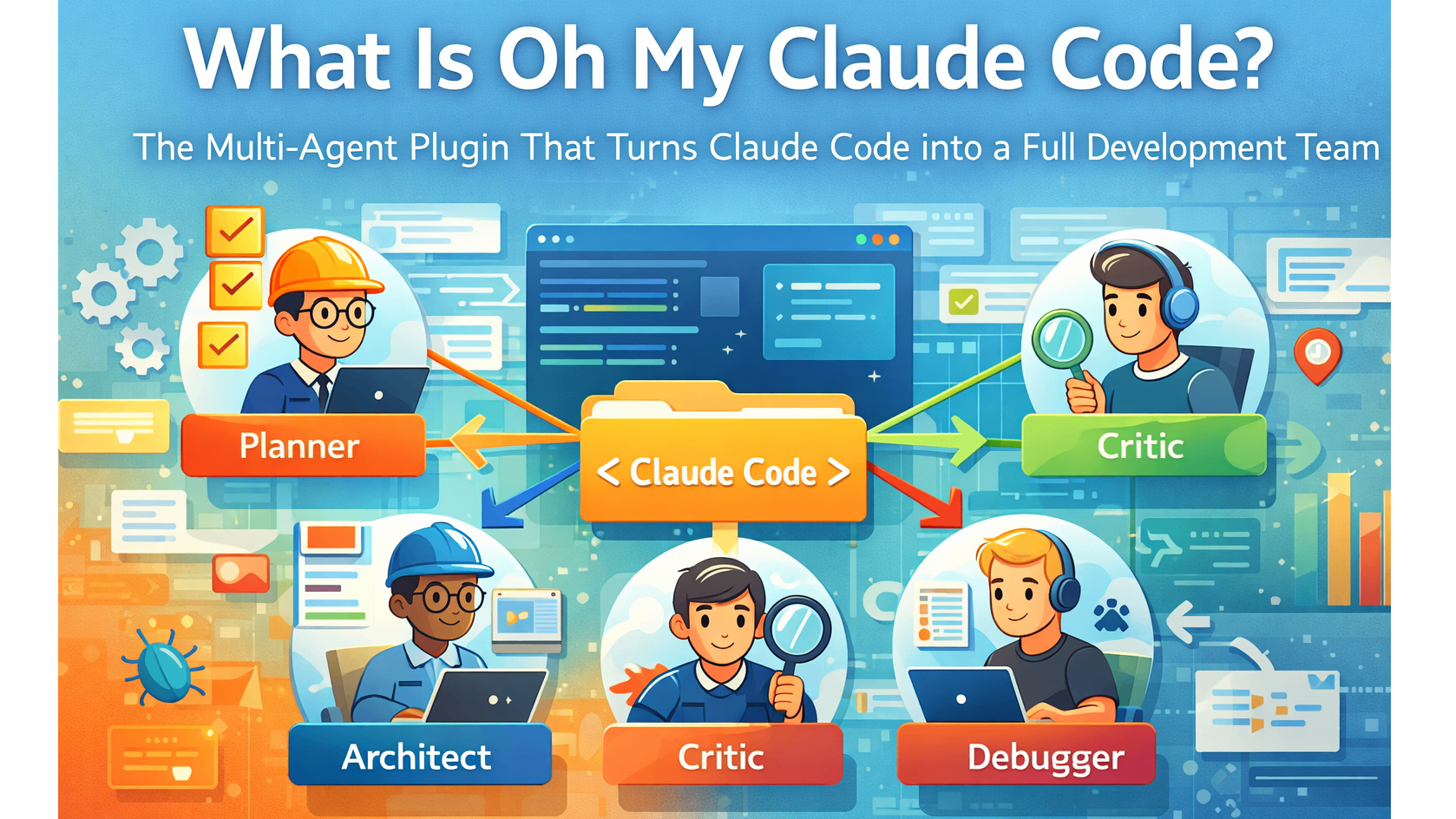
- Originally named oh-my-claude-sisyphus, it rebranded in v3.0 with intuitive agent roles (Planner, Architect, Critic, etc.).
What Is Claude Code?
Claude Code is Anthropic’s official terminal-based AI coding agent. It understands entire codebases, edits multiple files, runs tests, commits changes, and handles complex development workflows autonomously.
Unlike chat-based interfaces, Claude Code operates directly in the terminal with deep tool integration, making it one of the most capable single-agent coding tools available in 2026.
However, as a single-agent system, it processes tasks sequentially. This creates bottlenecks on large projects involving research, planning, implementation, review, and debugging.
Introducing oh-my-claudecode: The “Oh My Zsh” for Claude Code
oh-my-claudecode is a teams-first multi-agent orchestration layer developed by Yeachan Heo. It layers on top of Claude Code to coordinate multiple specialized AI agents that collaborate like a real engineering team.
Community descriptions often compare it to Oh My Zsh — install once, and the experience feels instantly more powerful without needing to learn complex new commands.
The plugin installs directly via Claude Code’s marketplace:
/plugin marketplace add https://github.com/Yeachan-Heo/oh-my-claudecode
/plugin install oh-my-claudecode
After setup (often via /oh-my-claudecode:omc-setup), users gain access to advanced orchestration without changing their existing Claude Code workflow.
Core Features and How They Work
Specialized Agents and Skills
oh-my-claudecode provides 32 specialized agents with roles such as:
- Planner: Breaks down high-level tasks into actionable steps
- Architect: Designs system structure and file organization
- Critic: Reviews code for bugs, edge cases, and improvements
- Explorer / Librarian: Searches and analyzes the codebase
- Executor: Handles file edits, testing, and Git operations
These agents come with 40+ skills that handle everything from documentation generation to security audits and zero-hallucination technical writing.
Agents communicate through Claude Code’s native hook system (shell scripts), ensuring compatibility and avoiding direct API manipulation.
Execution Modes
The plugin unlocks seven powerful modes:
- Autopilot: Describe the task and walk away — fully autonomous execution until completion.
- Ultrapilot: Spins up 3–5 agents in parallel for dramatic speed improvements (community reports 3-5x faster on suitable tasks).
- Swarm: Intelligent task division across a team of agents with dynamic coordination.
- Ralph: Persistent deep-work loops that continue until subtasks are resolved.
- Ecomode: Smart model routing and optimization that can reduce token usage by 30-50%.
- Ultrawork and Pipeline: Additional modes for background tasks and structured workflows.
Analysis of community discussions indicates these modes excel on multi-step projects like feature implementation, large refactors, or full-stack application scaffolding.
Zero Learning Curve Design
One of the plugin’s standout advantages is its philosophy: “Don’t learn Claude Code. Just use OMC.”
Users type natural language prompts, and the orchestration layer automatically delegates, coordinates, and iterates. Magic keywords and context injection (e.g., auto-including AGENTS.md or README.md) further streamline the process.
Why oh-my-claudecode Matters: The “Why” Behind Multi-Agent Coding
Single-agent systems like base Claude Code are powerful but limited by sequential thinking and context window constraints on very large tasks.
Multi-agent orchestration addresses this by mimicking human team dynamics:
- Parallelization — Multiple agents handle independent subtasks simultaneously.
- Specialization — Each agent focuses on its expertise, reducing errors from context switching.
- Critique and Iteration — Dedicated critic agents catch issues early, improving output quality.
- Persistence — Modes like Ralph ensure tasks continue until truly complete, reducing the “Sisyphus effect” of repeated manual prompting.
Benchmarks shared in developer communities suggest significant gains in velocity for complex software engineering, where traditional prompting requires constant human oversight.
Comparison: oh-my-claudecode vs. Alternatives
| Tool | Base System | Agent Count | Parallel Support | Key Strength | Best For |
|---|---|---|---|---|---|
| Claude Code (native) | Claude Code | 1 | Limited | Official stability & quality | Simple to medium tasks |
| oh-my-claudecode | Claude Code | 32 | Strong (Ultrapilot) | Zero-learning multi-agent | Complex, team-like workflows |
| oh-my-opencode | OpenCode | Varies | Strong | Multi-model flexibility | Cost optimization & experimentation |
| Other plugins | Claude Code | Fewer | Varies | Niche features | Specific custom needs |
oh-my-claudecode stands out for users already invested in the official Claude Code ecosystem who want maximum performance without switching tools or providers.
Installation and Setup Guide
Recommended Method (Claude Code Plugin Marketplace):
- Open Claude Code in your terminal.
- Run:
/plugin marketplace add https://github.com/Yeachan-Heo/oh-my-claudecode - Then:
/plugin install oh-my-claudecode - Execute the setup command:
/oh-my-claudecode:omc-setup
Alternative (npm): Deprecated methods exist but the plugin marketplace approach is currently recommended for best compatibility.
After installation, the plugin integrates seamlessly. Users can trigger modes with natural prompts or specific keywords (e.g., “ultrapilot: implement user authentication”).
Advanced Tips and Edge Cases
- Token Management: Ecomode helps, but complex swarms can still consume significant tokens. Monitor usage with Claude Code’s built-in tools and start with smaller scopes when testing.
- Workflow Hijacking: Some users report that OMC’s agents can override custom plugins or preferred workflows. Test in a separate directory first.
- Model Lobotomization / Quality Fluctuations: Anthropic model updates occasionally affect performance. Community feedback recommends waiting for stable releases before heavy reliance on parallel modes.
- Security: The plugin uses native hooks only. Always review generated code and changes, especially in production repositories.
- Large Codebases: Leverage Explorer and Librarian agents early for better context awareness before triggering full Autopilot or Swarm.
Common Pitfall: Over-reliance on full autonomy without initial planning prompts can lead to suboptimal task breakdown. Starting with a clear “planner-first” approach often yields better results.
Real-World Use Cases
Developers report success with:
- Full feature implementation from specification to tests and documentation
- Large-scale codebase refactoring with consistency checks
- Bug hunting across multiple files with automated reproduction and fixes
- Generating comprehensive technical documentation with traceability
- Building and iterating on prototypes with parallel research and implementation streams
Conclusion
oh-my-claudecode represents a significant evolution in agentic coding by turning Claude Code’s powerful single agent into a coordinated development team. Its combination of specialized agents, flexible execution modes, and seamless integration makes it one of the most compelling enhancements available for serious AI-assisted development in 2026.
For developers looking to push beyond sequential prompting and achieve team-level output from a single terminal session, oh-my-claudecode offers a practical, open-source solution.
Ready to supercharge your Claude Code workflow? Install the plugin via the marketplace today and experiment with Ultrapilot on your next complex task.
Explore the official repository for the latest updates and community contributions.
Continue Reading
More articles connected to the same themes, protocols, and tools.
Referenced Tools
Browse entries that are adjacent to the topics covered in this article.

PaidSync.ai
MCP ServersPaidSync.ai is a hosted MCP server for paid advertising that exposes 610+ tools across 14 advertising, analytics, tagging, and commerce platforms. It supports read/write workflows from AI clients including ChatGPT, Claude, Gemini, Cursor, Claude Code, and Codex, with a free plan.

Hyper3D MCP
MCP ServersHyper3D MCP is Hyper3D's hosted Rodin MCP server for creating 3D assets from natural-language instructions or supported references, checking asynchronous generation progress, and retrieving model download links inside AI coding clients. Official setup is documented for Codex, Claude Code, and Kimi Code CLI.