Cursor MCP
Cursor MCP is Cursor's Model Context Protocol client support for connecting the Cursor editor and Cursor CLI agent to external MCP servers. Official docs cover stdio, SSE, Streamable HTTP, mcp.json configuration, OAuth, Marketplace plugins, and CLI management commands.
About
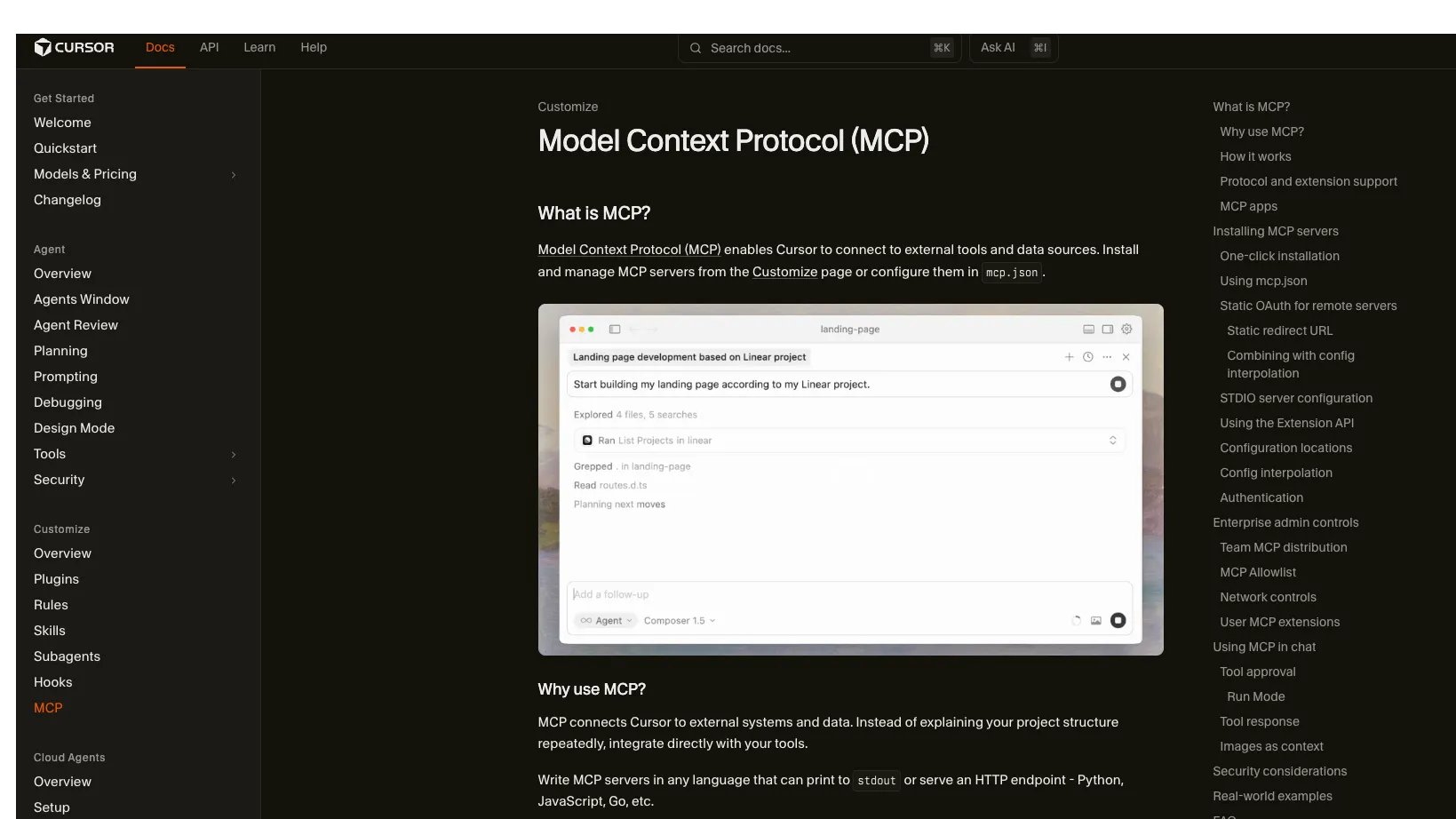
Cursor MCP is Cursor's built-in Model Context Protocol client support, not a standalone MCP server. It lets the Cursor editor and Cursor CLI agent connect to external MCP servers for tools, prompts, resources, roots, elicitation, and MCP Apps.
Key Features
- Supports stdio, SSE, and Streamable HTTP MCP transports.
- Can install official plugins from Cursor Marketplace or configure custom MCP servers in mcp.json.
- Supports tools, prompts, resources, roots, elicitation, and MCP Apps.
- Supports project-level and global configuration files.
- Cursor CLI uses the same MCP configuration as the editor and provides commands to list servers, inspect tools, login, enable, and disable servers.
Use Cases
- Connect coding agents to GitHub, Figma, Linear, Datadog, Slack, databases, internal docs, or custom services through MCP servers.
- Keep project-specific tools in .cursor/mcp.json and personal or global tools in ~/.cursor/mcp.json.
- Let teams distribute approved MCP servers and plugins through Cursor's team marketplace and admin controls.
Setup or Requirements
Cursor is the MCP host and client. Server-specific install commands, API keys, OAuth scopes, and required runtimes depend on the MCP server you add; use the mcpSetup field for the documented Cursor configuration pattern.
Compatibility
Cursor documents stdio, SSE, and Streamable HTTP for the editor. Cursor CLI documents MCP management through the agent mcp command and uses the same configuration as the editor.
Limitations
Cursor MCP does not expose a fixed set of tools by itself; tools come from the configured MCP servers. MCP servers can access external systems or execute code, so Cursor recommends verifying sources, reviewing permissions, limiting API keys, and auditing code for sensitive integrations.
Sources
- Cursor MCP docs: https://cursor.com/docs/mcp
- Cursor CLI MCP docs: https://cursor.com/docs/cli/mcp
- Cursor Marketplace: https://cursor.com/marketplace
- Cursor plugins repository: https://github.com/cursor/plugins
- MCP introduction: https://modelcontextprotocol.io/docs/getting-started/intro
MCP Setup
Prerequisites
- Cursor Desktop or Cursor CLI installed
- For local stdio servers, the server command and runtime must be available on the system path or specified with a full path
- For remote servers, a reachable HTTP or SSE endpoint is required
- Server-specific credentials may be required depending on the MCP server
Access requirements
- Cursor does not document a single universal MCP API key; authentication is configured per MCP server
- API keys and tokens can be passed through env or headers in mcp.json
- OAuth is supported for remote servers that require it
- Static OAuth client credentials can be configured for providers that require fixed client IDs or whitelisted redirect URLs
Companion app or plugin
Name: Cursor Marketplace Install URL: https://cursor.com/marketplace
- Browse official plugins in Cursor Marketplace or from Customize inside Cursor.
- Use Add to Cursor on a marketplace entry when available.
- Authenticate with OAuth when the server or marketplace flow prompts for it.
Marketplace plugins can include MCP server definitions. Cursor also points users to cursor.directory for community plugins and MCP servers.
Client setup
Cursor
Transport: stdio
{
  "mcpServers": {
    "server-name": {
      "type": "stdio",
      "command": "npx",
      "args": ["-y", "mcp-server"],
      "env": {
        "API_KEY": "value"
      }
    }
  }
}
- Create .cursor/mcp.json in a project for project-specific tools or ~/.cursor/mcp.json for global tools.
- Add the local server under mcpServers with type, command, args, and any env values required by that server.
- Save the file and enable or disable the server from Customize in Cursor.
Auth:
- Pass server-specific API keys or tokens through env.
- Use environment variable interpolation such as ${env:API_KEY} instead of hardcoding secrets when possible.
This is Cursor's documented local stdio configuration pattern; the actual command and arguments depend on the MCP server being added.
Cursor
Transport: Streamable HTTP
{
  "mcpServers": {
    "server-name": {
      "url": "https://api.example.com/mcp",
      "headers": {
        "API_KEY": "value"
      }
    }
  }
}
- Create .cursor/mcp.json in a project or ~/.cursor/mcp.json globally.
- Add the remote server under mcpServers with its URL and any required headers.
- Save the file and use Cursor chat after the server connects and exposes tools.
Auth:
- Pass API keys or bearer tokens through headers when the server documents them.
- Use OAuth for remote servers that require OAuth.
Cursor documents remote MCP servers through a url field for HTTP endpoints.
Cursor
Transport: SSE
{
  "mcpServers": {
    "server-name": {
      "url": "https://api.example.com/sse",
      "headers": {
        "API_KEY": "value"
      }
    }
  }
}
- Create .cursor/mcp.json in a project or ~/.cursor/mcp.json globally.
- Add the SSE server under mcpServers with its SSE endpoint URL and required headers.
- Save the file and verify the server appears as connected in Cursor.
Auth:
- Use server-specific headers or OAuth as documented by the MCP provider.
Cursor documents SSE as a supported MCP transport for local or remote servers.
Other
Transport: other
agent mcp list
- Configure MCP servers in the same mcp.json used by the Cursor editor.
- Run agent mcp list to view configured servers and their status.
- Run agent mcp list-tools <server> to inspect tools from a server.
- Run agent mcp enable <server> or agent mcp disable <server> to control loading.
Auth:
- Run agent mcp login <server> to authenticate with a configured MCP server when login is required.
This platform entry covers Cursor CLI. Cursor CLI uses the same MCP configuration as the editor and automatically discovers project, global, and nested configurations.
Authorization flow
- For stdio servers, pass credentials through env or envFile as documented by the server.
- For remote HTTP or SSE servers, pass credentials through headers or use OAuth when the server supports it.
- For static OAuth, configure CLIENT_ID, optional CLIENT_SECRET, and optional scopes under auth for the remote server entry.
- Register Cursor's documented OAuth callback URLs with providers that require whitelisted redirect URLs: https://www.cursor.com/agents/mcp/oauth/callback and cursor://anysphere.cursor-mcp/oauth/callback.
Environment variables
Server-specific environment variables can be set under env in an mcpServers entry.STDIO servers can use envFile; remote HTTP and SSE servers do not support envFile.Cursor config interpolation supports ${env:NAME}, ${userHome}, ${workspaceFolder}, ${workspaceFolderBasename}, ${pathSeparator}, and ${/}.
Setup docs: https://cursor.com/docs/mcp
Tags
Alternatives
Comparable tools and resources explicitly connected to Cursor MCP.
Related Entries
Keep exploring similar tools and resources in this category.

PaidSync.ai
MCP ServersPaidSync.ai is a hosted MCP server for paid advertising that exposes 610+ tools across 14 advertising, analytics, tagging, and commerce platforms. It supports read/write workflows from AI clients including ChatGPT, Claude, Gemini, Cursor, Claude Code, and Codex, with a free plan.

Hyper3D MCP
MCP ServersHyper3D MCP is Hyper3D's hosted Rodin MCP server for creating 3D assets from natural-language instructions or supported references, checking asynchronous generation progress, and retrieving model download links inside AI coding clients. Official setup is documented for Codex, Claude Code, and Kimi Code CLI.




Related Reads
Background, tutorials, and protocol context connected to this entry.