Claude Code
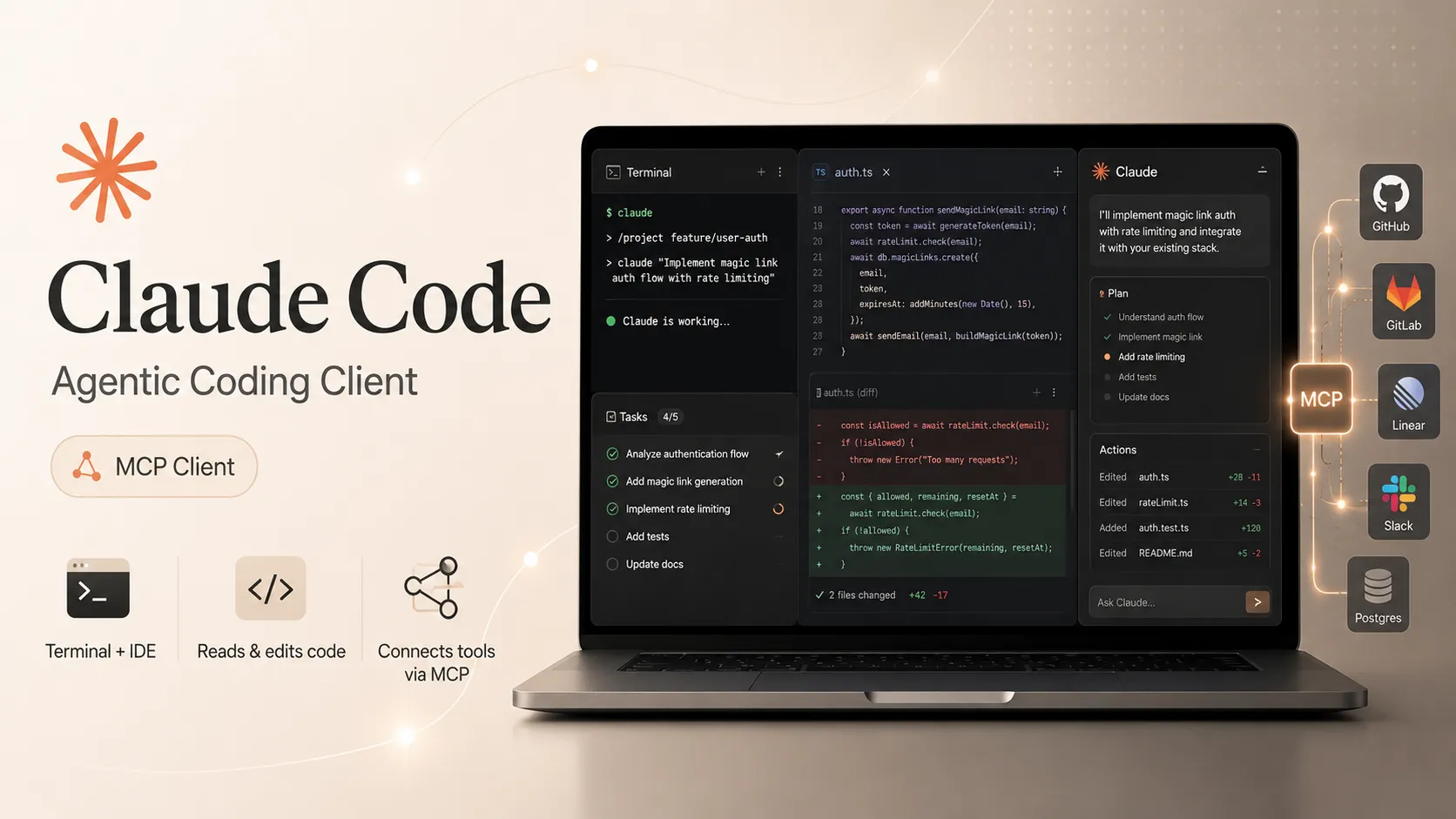
Claude Code is Anthropic’s official agentic coding assistant. It works across terminal CLI, IDEs, desktop app, and browser to read codebases, edit files, run commands, manage Git workflows, and connect to external tools via MCP.
Overview
Claude Code is Anthropic’s official agentic coding assistant that helps you build features, fix bugs, and automate development tasks. It understands your entire codebase and can work across multiple files and tools.
Claude Code is deeply integrated with the Model Context Protocol (MCP), allowing it to connect to external tools, issue trackers, monitoring systems, databases, design tools, and more.
Key Features
- Agentic coding across entire codebases: plan, edit multiple files, run commands, and verify changes.
- Git workflows: create commits, branches, pull requests, and resolve merge conflicts.
- Automates tests, lint fixes, dependency updates, and release notes.
- Supports MCP for connecting to Jira, Slack, Sentry, PostgreSQL, Figma, Gmail, and custom tools.
- Runs in terminal CLI, VS Code, JetBrains IDEs, desktop app, and web browser.
- Desktop app includes visual diffs, parallel sessions, live previews, and GitHub PR monitoring.
- Customizable with CLAUDE.md files, plugins, skills, hooks, and agent teams.
MCP Support
Claude Code connects to MCP servers using the claude mcp CLI commands. Supported transports include HTTP (recommended), stdio, and WebSocket. SSE is deprecated—use HTTP instead.
Once connected, Claude Code can interact with issue trackers, databases, monitoring tools, and external APIs directly from coding sessions.
Claude Code also supports importing MCP servers from Claude Desktop (macOS and WSL only) and can itself run as an MCP server for other clients.
Platform Support
| Surface | Status |
|---|---|
| Terminal CLI | Documented |
| VS Code | Documented |
| JetBrains IDEs | Documented |
| Desktop app | Documented (macOS, Windows x64/ARM64) |
| Web browser | Documented |
| Linux | CLI only (no desktop app) |
Pricing and Account Requirements
Most surfaces require a Claude subscription (Pro, Max, Team, or Enterprise) or Anthropic Console account. The desktop app’s Code tab specifically requires a paid plan. Terminal CLI and VS Code also support third-party providers.
Common Use Cases
- Exploring and understanding codebases.
- Implementing features and fixing bugs across multiple files.
- Writing and updating tests, fixing lint errors, and resolving merge conflicts.
- Managing Git workflows with natural language.
- Connecting to external systems (Jira, Slack, databases, design tools) via MCP.
- Running agent teams for complex multi-step coding tasks.
Security and Permissions
Desktop and CLI sessions start in “Ask permissions” mode by default: Claude proposes changes and waits for user approval. File edits are only applied after review via diff view.
Always verify MCP servers before connecting, especially those that fetch external content.
Claude Code vs Claude Desktop
Claude Desktop is the general-purpose native app for Claude chat, Cowork, connectors, and desktop extensions. Claude Code is the dedicated agentic coding experience (available inside the desktop app’s Code tab as well as in CLI/IDE/web).
Use Claude Code for deep software engineering workflows; use Claude Desktop for broader AI assistance and local MCP extensions.
Official Resources
- Claude Code overview
- Setup and installation: https://code.claude.com/docs/en/setup
- MCP documentation: https://code.claude.com/docs/en/mcp
- Desktop quickstart: https://code.claude.com/docs/en/desktop-quickstart
- GitHub repository: https://github.com/anthropics/claude-code
MCP Setup
Prerequisites
- Claude subscription (Pro, Max, Team, or Enterprise) or Anthropic Console account required for most surfaces.
- Desktop app Code tab requires a paid Claude plan.
- Git must be installed for native Windows local sessions in the desktop app.
- Latest version of Claude Code recommended for full MCP support.
Access requirements
- Sign in with your Claude or Anthropic Console account on first launch.
- For MCP servers: verify trust before connecting.
- OAuth-based servers require browser login via
/mcpcommand.
Client setup
Claude Code CLI - Native Install
curl -fsSL https://claude.ai/install.sh | bash
- Run the install command on macOS, Linux, or WSL.
- Navigate to your project directory.
- Run
claudeto start.
Auth:
- Sign in when prompted on first use.
Recommended native installer for macOS, Linux, and WSL.
Claude Code CLI - Windows PowerShell
irm https://claude.ai/install.ps1 | iex
- Run the command in Windows PowerShell.
- Navigate to your project directory.
- Run
claude.
Auth:
- Sign in when prompted.
Recommended for Windows.
Claude Code CLI - Homebrew
brew install --cask claude-code
- Run the Homebrew command.
- Navigate to your project directory.
- Run
claude.
Auth:
- Sign in when prompted.
Use claude-code@latest for the latest channel.
Claude Code CLI - WinGet
winget install Anthropic.ClaudeCode
- Run the WinGet command on Windows.
- Navigate to your project directory.
- Run
claude.
Auth:
- Sign in when prompted.
Windows package manager option.
Claude Code Desktop
- Download and install the desktop app for macOS or Windows.
- Launch Claude Desktop and sign in.
- Open the Code tab.
- Select a local project folder.
- Choose a model and start a coding task.
Auth:
- Sign in with Anthropic account.
- Paid plan required if prompted to upgrade.
Desktop app is available on macOS and Windows only. Linux users should use the CLI.
Claude Code - Add Remote HTTP MCP Server
Transport: http
claude mcp add --transport http <name> <url>
- Run the command with server name and URL.
- Use
claude mcp listto verify.
Auth:
- For OAuth: run
/mcpin Claude Code and complete browser login.
HTTP is the recommended transport. streamable-http is an accepted alias.
Claude Code - Add stdio MCP Server
Transport: stdio
claude mcp add --env KEY=value --transport stdio <name> -- <command> [args...]
- Run the command with
--separator for the server command. - Use
claude mcp listto verify.
Example: Airtable server uses --env AIRTABLE_API_KEY=YOUR_KEY.
Claude Code - Add WebSocket MCP Server
Transport: ws
claude mcp add-json <name> '<json>'
- Use JSON configuration with type "ws".
- Include URL and headers as needed.
--transport flag does not support WebSocket; JSON config required.
Claude Code - Import MCP Servers from Claude Desktop
claude mcp add-from-claude-desktop
- Run the command.
- Select servers in the interactive dialog.
- Use
claude mcp listto verify.
Works on macOS and WSL only.
Authorization flow
- Install Claude Code using an official method.
- Launch in a project directory or open the Code tab in desktop app.
- Sign in with your Claude/Anthropic account.
- Add MCP servers with
claude mcp add,add-json, oradd-from-claude-desktop. - Use
/mcpinside Claude Code to check status and complete OAuth flows. - Review and approve all proposed file edits and tool actions.
Environment variables
[object Object]
Setup docs: https://code.claude.com/docs/en/mcp
Tags
Related Entries
Keep exploring similar tools and resources in this category.



Related Reads
Background, tutorials, and protocol context connected to this entry.