ChatGPT Apps SDK
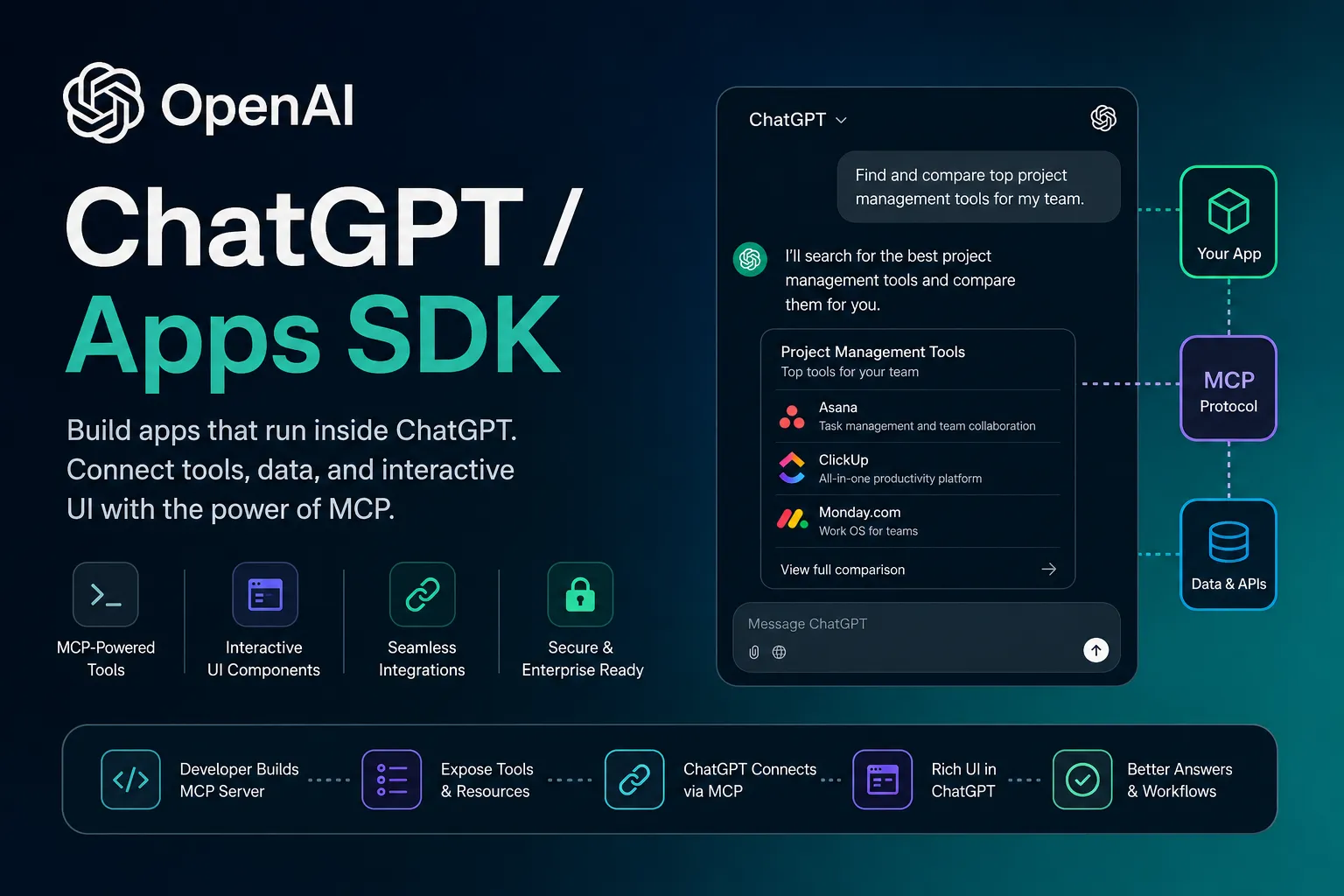
The official OpenAI framework for building interactive apps that run inside ChatGPT. Built on the Model Context Protocol (MCP), it lets developers expose tools, structured data, and rich UI components directly within ChatGPT conversations.
Overview
The ChatGPT Apps SDK is OpenAI’s official framework for building apps that run natively inside ChatGPT. It extends the Model Context Protocol (MCP) to let developers connect external tools, data sources, and interactive UI components directly into user conversations.
Apps built with the SDK combine an MCP server (for tools and capabilities) with optional web-based UI components rendered inline in ChatGPT.
Key Features
- Full MCP integration for exposing tools and capabilities to ChatGPT.
- Support for rich, interactive UI components rendered via iframe inside conversations.
- MCP Apps bridge for secure communication between ChatGPT and embedded UI (JSON-RPC 2.0 over postMessage).
- Structured tool outputs with templates for human-friendly rendering.
- Developer Mode for testing custom apps in ChatGPT (web).
- Submission path to the public ChatGPT Apps directory.
- Official examples repository with ready-to-use UI components and MCP servers.
MCP & UI Support
Every ChatGPT app requires an MCP server that defines tools. The SDK adds support for UI widgets: your MCP server can return structured content and metadata that ChatGPT renders as interactive components (lists, forms, dashboards, maps, etc.).
Supported transports include streaming HTTP and Server-Sent Events. The UI runs in an iframe and uses the standardized MCP Apps bridge.
Platform & Availability
- Preview stage: Available to all developers for building and testing.
- Developer Mode: Required for custom apps; enabled per workspace (Business, Enterprise, Edu).
- Distribution: Submit for review to appear in the public ChatGPT Apps store.
- Runs in ChatGPT web (primary); supports Business, Enterprise, and Edu workspaces with admin controls and RBAC.
Common Use Cases
- Building internal workspace tools and connectors.
- Creating interactive experiences (e.g., forms, dashboards, shopping flows) inside ChatGPT.
- Connecting ChatGPT to external APIs, databases, and services via MCP.
- Delivering structured outputs with rich visual widgets.
- Prototyping and testing MCP-based applications.
Security & Permissions
- Developer Mode and app access are controlled by workspace admins.
- Enterprise/Edu supports RBAC for granular control.
- Apps must follow OpenAI’s safety, privacy, and quality guidelines.
- Review all tool actions and data access before use.
Official Resources
- Apps SDK Home: https://developers.openai.com/apps-sdk
- Quickstart: https://developers.openai.com/apps-sdk/quickstart
- Build ChatGPT UI: https://developers.openai.com/apps-sdk/build/chatgpt-ui
- Examples Repository: https://github.com/openai/openai-apps-sdk-examples
- App Submission Guidelines: https://developers.openai.com/apps-sdk/deploy/submission
MCP Setup
Prerequisites
- An MCP server is required (defines tools and capabilities).
- Optional web UI component for interactive widgets.
- Public HTTPS endpoint for the MCP server (use ngrok for local dev).
- ChatGPT account with Developer Mode enabled for testing.
Access requirements
- Enable Developer Mode in ChatGPT Settings.
- Workspace admin/owner approval for Business/Enterprise/Edu.
- OAuth or authentication handled by the MCP server.
Client setup
ChatGPT - Add Custom App (Developer Mode)
Transport: HTTP / Streaming HTTP / SSE
- Build and deploy your MCP server.
- Expose it via public HTTPS (e.g., ngrok for dev).
- Enable Developer Mode in ChatGPT Settings > Apps & Connectors > Advanced.
- Go to Connectors and click Create.
- Provide your MCP server URL (with /mcp path), name, and description.
- Complete tool scan.
- Add the app to a new chat and test.
Auth:
- Complete any OAuth flow prompted during configuration.
Follow the official quickstart for full details.
Local Development Tunnel
Transport: HTTP tunnel
ngrok http <port>
- Start your local MCP server.
- Run ngrok to get a public HTTPS URL.
- Use the URL + /mcp when adding the connector in ChatGPT.
Recommended by OpenAI for local development.
Authorization flow
- Build and host your MCP server.
- Enable Developer Mode in ChatGPT.
- Create a custom connector/app and provide the MCP endpoint.
- Complete authentication/OAuth if required.
- Test in a new conversation and submit for public distribution if desired.
Setup docs: https://developers.openai.com/apps-sdk/quickstart
Tags
Related Entries
Keep exploring similar tools and resources in this category.

Related Reads
Background, tutorials, and protocol context connected to this entry.