imagine mcp
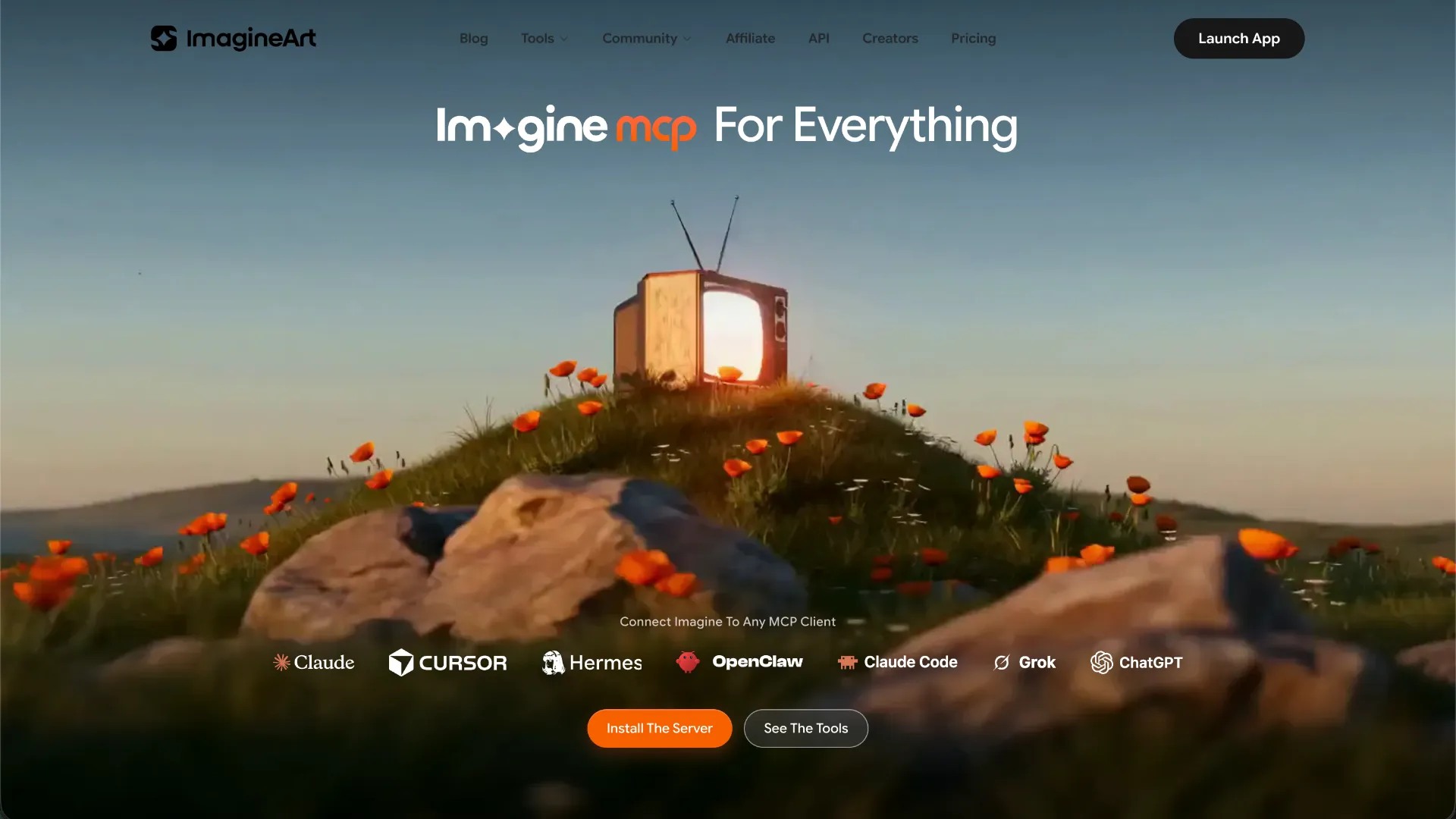
Imagine MCP is ImagineArt's hosted Model Context Protocol server for creating and processing media from MCP-capable agents. It exposes image, video, music, fashion, upscaling, background-removal, credit, and creative workflow tools through an ImagineArt account authenticated with OAuth.
About
Imagine MCP is the official hosted MCP service from ImagineArt. It lets compatible AI agents call ImagineArt creative tools from an existing conversation rather than moving generation work to the ImagineArt web interface. Authentication is tied to an ImagineArt account, and generated work uses the same account credit balance.
The current official MCP page describes 96 native MCP tools. Seven prominently highlighted capabilities cover image generation, video generation, music generation, fashion photoshoots, upscaling, background removal, and credit-balance checks. Additional tools target workflows such as product advertising, UGC avatars, drone-style video, cooking videos, 3D logo animation, interior restyling, social posts, thumbnails, and management of products, avatars, models, and wardrobes.
Key Features
- Text-to-image and image-oriented creative generation.
- Text-to-video and other video-generation workflows.
- Music generation from natural-language descriptions.
- Image upscaling and background removal.
- Fashion, product-ad, avatar, social-content, and other specialized creative workflows.
- Credit-balance access from the connected agent.
- Multiple underlying creative model families are exposed through the ImagineArt platform; the current official page lists examples including Sora, Veo, Kling, Seedance, Runway, Hailuo, Wan, Seedream, Flux, Imagen, and Midjourney.
- Long-running generation work is handled asynchronously, with the agent able to submit and poll jobs before returning results.
Use Cases
Imagine MCP is relevant when an agent needs to create campaign images, product photography, short videos, music or scores, fashion imagery, thumbnails, social assets, background-removed product images, enhanced images, or multi-step creative workflows without leaving the agent session.
It is especially useful for workflows that chain operations together, such as generating an image, upscaling it, removing its background, and then using the resulting asset in another generation task.
Compatibility
ImagineArt states that the hosted server can work with any MCP-compatible client. Its current installer documentation explicitly names Claude, Claude Code, Cursor, Codex, VS Code, Windsurf, Cline, Gemini CLI, Hermes, OpenClaw, and Grok. Claude can also connect through its custom connector interface. ChatGPT uses the ImagineArt plugin-directory integration rather than requiring users to manually paste the MCP endpoint.
Limitations
Generation consumes ImagineArt credits, with usage depending on the selected tool and model. Available models, durations, resolutions, and credit costs can therefore vary with the ImagineArt platform and account plan.
The official page documents broad client compatibility but does not publish a separate low-level configuration snippet for every supported client. Client-specific commands below are included only where the current ImagineArt material documents them.
Do not confuse this service with the separate open-source project named imagine-mcp maintained by n24q02m. That project has a different codebase, installation model, provider configuration, and feature set.
Sources
- Official MCP page: https://www.imagine.art/mcp
- Claude Code and Codex setup guide: https://www.imagine.art/blogs/how-to-add-imagineart-mcp-claude-code-codex-cli
- ImagineArt MCP overview: https://www.imagine.art/blogs/imagineart-mcp-claude-code-image-generation
- MCP endpoint: https://mcp.imagine.art
MCP Setup
Prerequisites
- ImagineArt account
- An MCP-compatible client
- Node.js and npm are needed only when using the documented @imagineartofficial/mcp installer or CLI
Access requirements
- Sign in to an ImagineArt account through the browser-based OAuth flow
- No ImagineArt API key is required for the hosted MCP connection
- Generation uses the same ImagineArt credit balance as the ImagineArt platform
Companion app or plugin
No companion desktop application or source-app plugin is required for a direct MCP connection. ImagineArt also provides a separate ChatGPT plugin-directory integration.
Client setup
Claude Code
Transport: http
claude mcp add imagine --transport http https://mcp.imagine.art
- Run the documented Claude Code command in a terminal.
- Verify the registered server with
claude mcp list.
Auth:
- Complete the ImagineArt sign-in and OAuth authorization in the browser when prompted.
This connects Claude Code directly to the hosted ImagineArt MCP endpoint; no local MCP server process or ImagineArt API key is required.
Claude Desktop
Transport: http
- Open Claude Desktop and go to the Connectors area.
- Add a custom connector named Imagine MCP.
- Set the connector URL to https://mcp.imagine.art.
Auth:
- Select Connect and complete the ImagineArt account sign-in in the browser.
The official ImagineArt material documents a hosted custom-connector setup rather than a local stdio configuration.
Cursor
Transport: http
npx -y @imagineartofficial/mcp install cursor
{
  "mcpServers": {
    "imagine": {
      "url": "https://mcp.imagine.art"
    }
  }
}
- Use the official Cursor installer command, or add the hosted URL to Cursor's MCP configuration.
- Restart or reload Cursor if required for the new MCP configuration to appear.
Auth:
- Complete the ImagineArt browser sign-in when Cursor connects for the first time.
The current official MCP page explicitly documents the Cursor-specific installer command.
Codex
Transport: http
npx -y @imagineartofficial/mcp install
- Run the generic ImagineArt MCP installer. The current official MCP page lists Codex among its supported installer targets.
Auth:
- Complete ImagineArt account authorization when the configured client requests OAuth sign-in.
ImagineArt also publishes a Codex-specific setup article, but the current MCP landing page does not show a client-targeted install codex command, so one is not inferred here.
Windsurf
Transport: http
npx -y @imagineartofficial/mcp install
- Use the generic installer documented on the Imagine MCP page, which explicitly lists Windsurf as a supported target.
Auth:
- Complete ImagineArt OAuth sign-in when prompted by the configured client.
Exact Windsurf-specific command arguments or configuration blocks are not published on the current Imagine MCP landing page.
VS Code
Transport: http
npx -y @imagineartofficial/mcp install
- Use the generic installer documented on the Imagine MCP page, which explicitly lists VS Code as a supported target.
Auth:
- Complete ImagineArt OAuth sign-in when prompted by the configured client.
The current Imagine MCP page confirms VS Code support but does not publish a separate VS Code-specific config block.
Lovable
Lovable is not listed among the explicitly supported Imagine MCP installer targets on the official Imagine MCP page as of 2026-09-14. Exact public setup is not documented.
Other
Transport: http
npx -y @imagineartofficial/mcp install
- For an MCP-compatible client that accepts hosted servers, configure https://mcp.imagine.art as the server URL.
- The official installer additionally names Cline, Gemini CLI, Hermes, OpenClaw, and Grok among its supported targets.
Auth:
- Complete the ImagineArt browser-based OAuth authorization when the client connects.
The official page states that any MCP-capable client can use the hosted service. ChatGPT follows a different path: install ImagineArt from the ChatGPT plugin directory, connect the ImagineArt account, and invoke @ImagineArt.
Authorization flow
- Add the hosted Imagine MCP endpoint directly or configure it with the official installer.
- The client initiates browser-based ImagineArt OAuth authentication.
- Sign in to the ImagineArt account and approve access.
- Return to the MCP client and use the connected ImagineArt account and its existing credit balance.
Setup docs: https://www.imagine.art/mcp
Tags
Alternatives
Comparable tools and resources explicitly connected to imagine mcp.
Related Entries
Keep exploring similar tools and resources in this category.

PaidSync.ai
MCP ServersPaidSync.ai is a hosted MCP server for paid advertising that exposes 610+ tools across 14 advertising, analytics, tagging, and commerce platforms. It supports read/write workflows from AI clients including ChatGPT, Claude, Gemini, Cursor, Claude Code, and Codex, with a free plan.

Hyper3D MCP
MCP ServersHyper3D MCP is Hyper3D's hosted Rodin MCP server for creating 3D assets from natural-language instructions or supported references, checking asynchronous generation progress, and retrieving model download links inside AI coding clients. Official setup is documented for Codex, Claude Code, and Kimi Code CLI.




Related Reads
Background, tutorials, and protocol context connected to this entry.