
Design Bridge MCP
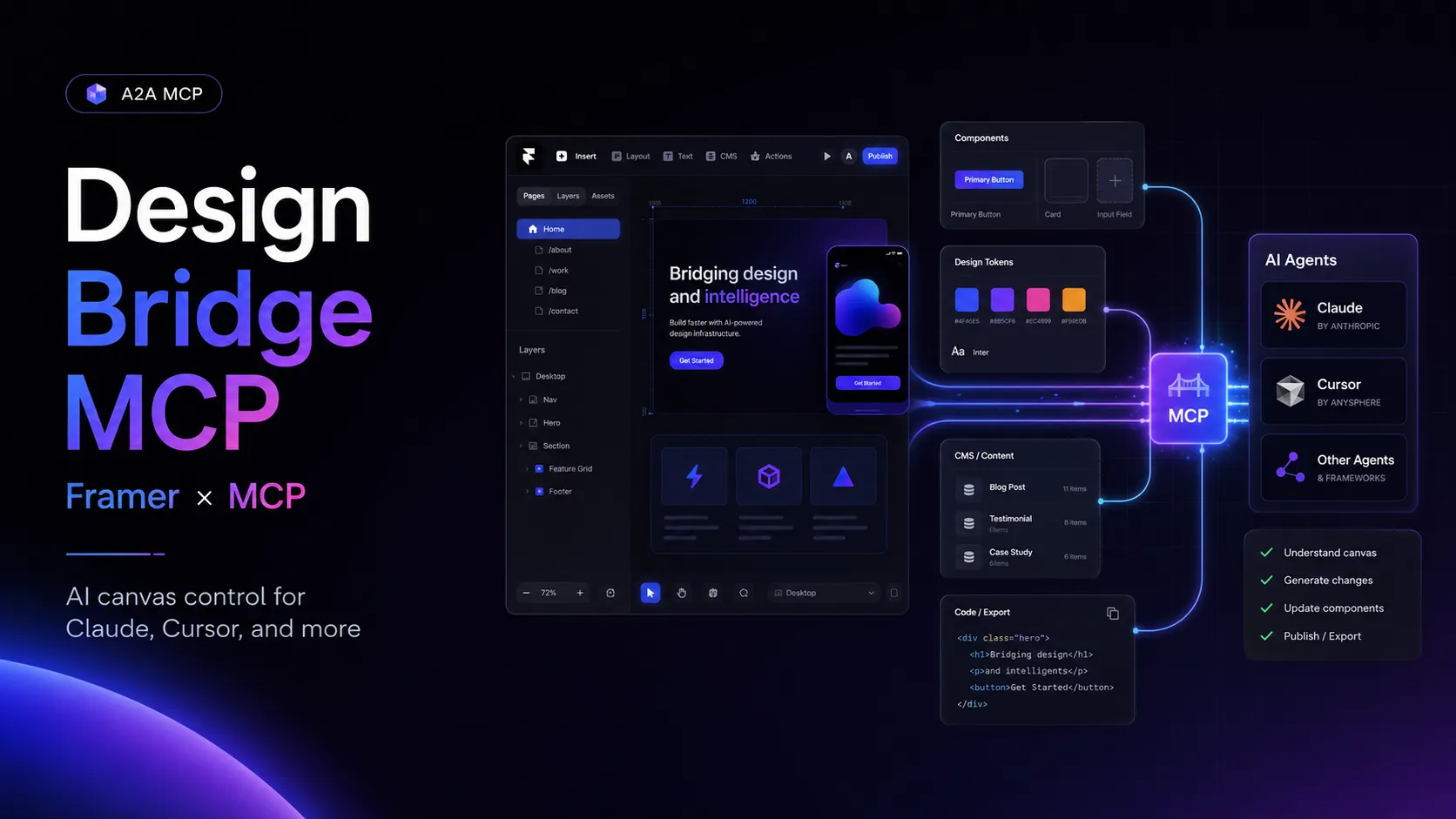
Design Bridge MCP connects Framer projects to Claude, Cursor, and other MCP-compatible assistants for AI-driven canvas and project automation.
About
Design Bridge MCP is a Framer Marketplace Utilities plugin by Jay Wilcox and is listed as built and maintained by Orange Lamp Studio LLC. The Framer listing says it connects a Framer project to AI assistants through the Model Context Protocol and gives Claude, Cursor, and other MCP-compatible tools direct access to the Framer canvas with 70 automation tools.
Key Features
- Canvas operations for creating and editing frames, text, images, and SVGs.
- Layout controls for stack and grid settings, columns, rows, spans, alignment, padding, gap, borders, border radius, opacity, overflow, aspect ratio, and text truncation.
- Node-tree traversal, type queries, parent movement, and bounding-box reads.
- Component operations for listing project components and inserting instances.
- Design-token operations for reading, creating, updating, and deleting color styles and text styles, plus font browsing.
- Page operations for listing and creating design pages and web pages.
- Code-file operations for listing, reading, creating, and updating TypeScript and JSX files.
- CMS operations for collections, items, fields, redirects, enum cases, new collections, and formattedText rich-text fields.
- Localization and project operations for locale settings, translation groups, project info, publish status, locales, and custom code.
Use Cases
- Give an AI assistant controlled access to inspect and modify a Framer canvas.
- Automate Framer page, component, CMS, token, and code-file changes from an MCP-compatible assistant.
- Use Claude Desktop, Claude Code, or Cursor as an AI control layer for Framer projects.
Compatibility
The official listing names Claude, Cursor, Claude Code, and Claude Desktop setup guidance through the plugin. It also says other MCP-compatible tools can connect. The public page documents a connection URL workflow, but does not publicly name the underlying transport as stdio, HTTP, SSE, WebSocket, or another transport.
Limitations
The listing marks text styling, breakpoint-aware editing, background images and gradients on frames, and expanded server API integration as roadmap items. Exact public client setup commands, config blocks, authentication flow, environment variables, and transport protocol are not documented on the public listing.
Sources
- Framer Marketplace: https://www.framer.com/marketplace/plugins/design-bridge-mcp/
- Framer Community Marketplace: https://www.framer.com/community/marketplace/plugins/design-bridge-mcp/
- Jay Wilcox Framer profile: https://www.framer.com/@jay-wilcox/
- FramerJungle listing: https://www.framerjungle.com/plugins/design-bridge-mcp
MCP Setup
Prerequisites
- A Framer project where the plugin can be installed and opened
- An MCP-compatible AI client; the public listing specifically names Claude, Cursor, Claude Code, and Claude Desktop
- Connection URL copied from the open Design Bridge MCP plugin
Access requirements
- Framer Marketplace pricing: Free
- Framer Marketplace license: Limited License
Companion app or plugin
Name: Design Bridge MCP Framer plugin Install URL: https://www.framer.com/marketplace/plugins/design-bridge-mcp/
- Install the plugin from the Framer Marketplace.
- Open the plugin in a Framer project.
- Copy the connection URL shown in the plugin.
- Click Show Setup Guide in the plugin for client-specific instructions.
The public listing documents a Framer plugin connection URL workflow. It does not publicly document whether the MCP server component is hosted, local, Docker-based, or package-manager based beyond the companion Framer plugin workflow.
Client setup
Claude Code
- Install and open the Design Bridge MCP Framer plugin.
- Copy the connection URL shown in the plugin.
- Use the in-plugin Show Setup Guide for Claude Code-specific setup.
Exact public setup is not documented. The public listing names Claude Code and documents an in-plugin setup guide, but does not publish a Claude Code command, args, config block, auth flow, or transport protocol.
Claude Desktop
- Install and open the Design Bridge MCP Framer plugin.
- Copy the connection URL shown in the plugin.
- Use the in-plugin Show Setup Guide for Claude Desktop-specific setup.
Exact public setup is not documented. The public listing names Claude Desktop and documents an in-plugin setup guide, but does not publish a Claude Desktop JSON config block, command, args, auth flow, or transport protocol.
Cursor
- Install and open the Design Bridge MCP Framer plugin.
- Copy the connection URL shown in the plugin.
- Use the in-plugin Show Setup Guide for Cursor-specific setup.
Exact public setup is not documented. The public listing names Cursor and documents an in-plugin setup guide, but does not publish a Cursor command, args, config block, auth flow, or transport protocol.
Other
- Install and open the Design Bridge MCP Framer plugin.
- Copy the connection URL shown in the plugin.
- Add the connection URL to an MCP-compatible client according to the client and the in-plugin setup guide.
Exact public setup is not documented for other clients. The listing says other MCP-compatible tools can connect, but does not publish client-specific commands, config blocks, auth flow, or transport protocol.
Setup docs: https://www.framer.com/marketplace/plugins/design-bridge-mcp/
Tags
Alternatives
Comparable tools and resources explicitly connected to Design Bridge MCP.
Related Entries
Keep exploring similar tools and resources in this category.






Related Reads
Background, tutorials, and protocol context connected to this entry.