
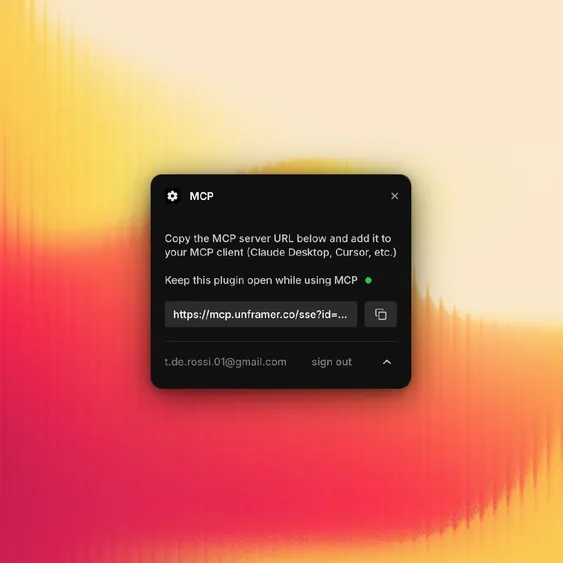
Framer MCP Plugin
The popular Framer Marketplace plugin that bridges Framer projects with MCP-compatible AI assistants like Claude, Cursor, and others, enabling direct design manipulation, content generation, and React code export via a secure tunnel.
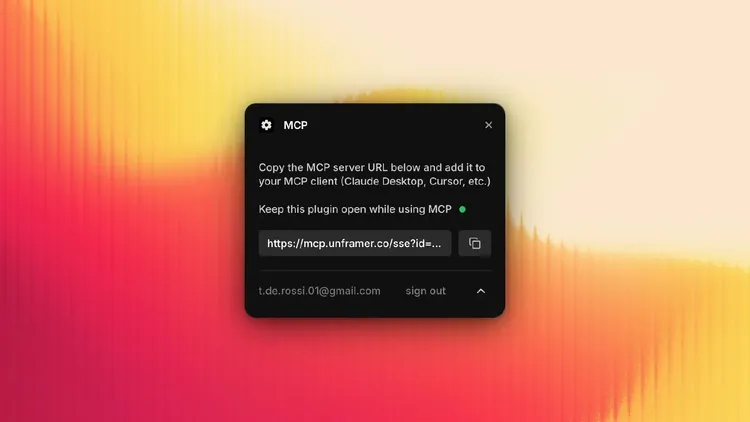
Overview
The Framer MCP plugin (officially titled "MCP: AI Plugin" by Tommy D. Rossi) is a community-developed but widely adopted tool available on the Framer Marketplace. It implements an MCP server endpoint that allows any Model Context Protocol-compatible AI client to interact directly with open Framer projects. Launched around mid-2025, it has become a go-to solution for designers and developers wanting to bring agentic AI workflows into Framer's visual canvas.
By establishing a secure WebSocket tunnel routed through a Cloudflare Worker, the plugin exposes Framer's Plugin API to AI agents, enabling real-time canvas operations without manual copy-paste or custom scripting.
Key Features
- Secure Tunnel Connection: Uses your Framer user ID for authentication and routes requests via Cloudflare Worker to your open plugin instance.
- Canvas Manipulation: Create frames, add text/layers/images, modify styles, reorder/delete elements, zoom to selections — all via natural language.
- Content & Automation: Generate AI-written copy, populate CMS fields, apply design updates automatically.
- React Code Export: Convert selected Framer components or entire pages to clean React/TSX code (often paired with Unframer CLI).
- Multi-Client Support: Works seamlessly with Claude Desktop/Code, Cursor, GitHub Copilot (MCP mode), and other MCP clients.
- No Server Management: Runs in-browser via the plugin; no need to host your own MCP server.
How it works technically: The plugin acts as an MCP server proxy. AI clients connect to a provided URL (e.g., via claude mcp add "framer-mcp" <url>), send JSON-RPC calls over the tunnel, and the plugin executes actions using Framer's runtime API.
Installation & Quick Start
- Open your Framer project.
- Go to Plugins → Marketplace → Search for "MCP" or visit https://www.framer.com/marketplace/plugins/mcp.
- Install and open the plugin in your project (must remain open for the tunnel to stay active).
- Copy the MCP server URL displayed in the plugin widget.
- Add it to your AI client:
- Claude:
claude mcp add "framer-mcp" <your-url> - Cursor/VS Code: Add to
~/.cursor/mcp.jsonor equivalent settings.
- Claude:
- Start prompting: "Create a hero section with a heading 'Welcome' and a blue button" or "Export this frame as React component".
Use Cases
- Rapid Prototyping: Ask AI to generate layouts, iterate on designs conversationally.
- Content Population: Auto-fill marketing copy, product descriptions, or CMS entries from prompts.
- Design-to-Code: Export polished Framer components to React for Next.js/Vercel deployment.
- Automation Workflows: Update multiple pages with new branding, responsive adjustments, or seasonal content.
- Collaborative AI Assistance: Designers use Claude to explore ideas while keeping full visual control in Framer.
Community feedback from 2026 shows 3–6× faster iteration cycles for Framer users leveraging this plugin compared to traditional manual edits or screenshot-based AI prompting.
Advanced Tips & Common Pitfalls
- Keep the plugin window open in Framer — closing it terminates the tunnel.
- Use specific, layered prompts for complex changes (e.g., "Apply dark mode to all frames using #111 background and #eee text").
- Combine with Unframer (https://github.com/remorses/unframer) for CLI-based exports and bulk operations.
- Pitfall: Tunnel security relies on Framer auth — avoid sharing URLs publicly.
- Enterprise-tip: For always-on access, explore Framer's Server API alongside custom MCP servers for headless updates.
Related Tools & Ecosystem
- Official Framer MCP Dictionary entries: https://www.framer.com/dictionary/model-context-protocol
- Unframer CLI for enhanced code export: https://github.com/remorses/unframer
- Design Bridge MCP (alternative plugin with more canvas utilities): https://www.framer.com/marketplace/plugins/design-bridge-mcp
- Framer Server API for production/headless publishing: https://www.framer.com/developers/server-api-introduction
The Framer MCP plugin exemplifies how visual design tools are evolving into agent-native platforms in 2026. Install it today to experience AI truly collaborating inside your Framer canvas.
Tags
Related Entries
Keep exploring similar tools and resources in this category.



Hyper3D MCP
MCP ServersHyper3D MCP is Hyper3D's hosted Rodin MCP server for creating 3D assets from natural-language instructions or supported references, checking asynchronous generation progress, and retrieving model download links inside AI coding clients. Official setup is documented for Codex, Claude Code, and Kimi Code CLI.



Related Reads
Background, tutorials, and protocol context connected to this entry.


