Unreal MCP
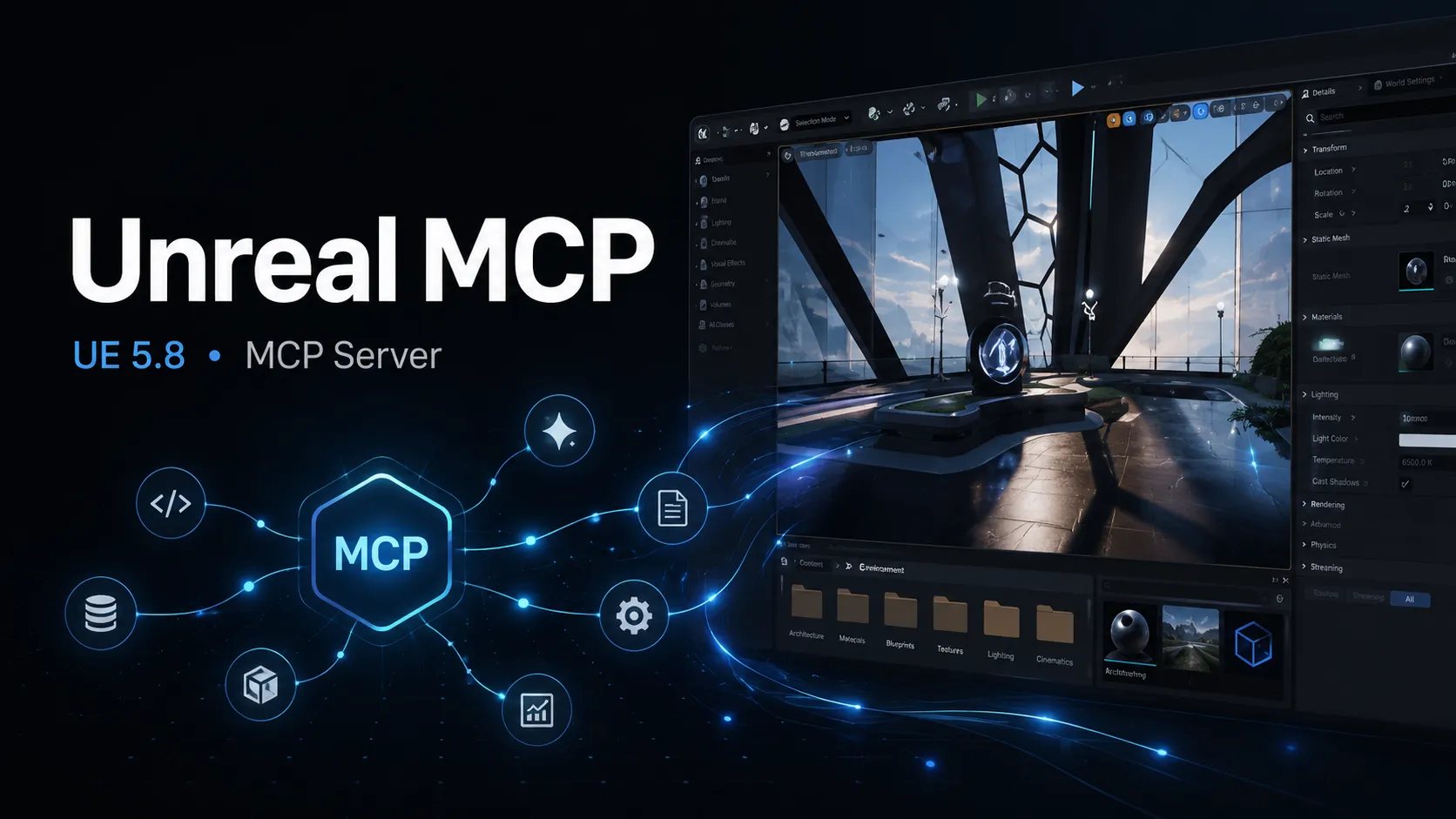
Unreal MCP is Epic’s Experimental MCP plugin in Unreal Engine 5.8. It embeds a local HTTP MCP server in the Unreal Editor so MCP-compatible agents can inspect and operate editor workflows.
About
Unreal MCP is the official Experimental MCP plugin shipped with Unreal Engine 5.8. It embeds a local MCP server inside the Unreal Editor process so MCP-compatible agents can drive editor functionality over HTTP. The plugin identifier in source, .uplugin files, C++ symbols, and console commands is ModelContextProtocol, while the friendly name shown in the Plugin Browser is Unreal MCP.
Key Features
- Local server inside Unreal Editor, binding to http://127.0.0.1:8000/mcp by default when auto-start is enabled.
- Exposes editor capabilities as MCP Tools for actions such as spawning actors, configuring lighting, creating material instances, inspecting Slate widgets, and running automation tests.
- Built-in exposure covers many core Unreal systems, including Blueprints, assets, levels, materials, meshes, and more.
- Tool Search mode returns list_toolsets, describe_toolset, and call_tool meta-tools by default to keep tool discovery payloads small.
- Developers can author additional MCP Tools in Python or C++ through the Toolset Registry, or register advanced C++ tools directly.
Use Cases
- Let an AI coding agent inspect and manipulate an active Unreal project.
- Build or adjust assets, levels, materials, meshes, lighting, Blueprints, and tests from an MCP-compatible client.
- Prototype custom Unreal Editor automation tools that are callable by AI agents.
Setup or Requirements
Setup is done from Unreal Editor: enable the Unreal MCP plugin, optionally enable auto-start, generate a client config from the editor console, and launch the AI agent from the project or workspace root. Detailed setup data is captured in mcpSetup.
Compatibility
The official documentation states that Unreal MCP supports HTTP and Server-Sent Events, not stdio or WebSocket. It documents generated client configs for Claude Code, Cursor, VS Code, Gemini, Codex, and All, plus MCP Inspector usage for debugging. Claude Desktop, Windsurf, and Lovable setup are not documented on the official Unreal MCP page as of 2026-06-18.
Limitations
Unreal MCP is Experimental in Unreal Engine 5.8. The documentation says many features are incomplete or missing, APIs and data formats may change, the local server has no authentication layer, MCP Resources and Prompts are not advertised by shipping toolsets, and clients should not issue overlapping Tool calls because invocations run serially on the Unreal Engine game thread.
Sources
- Official docs: https://dev.epicgames.com/documentation/unreal-engine/unreal-mcp-in-unreal-editor
- UE 5.8 release blog: https://www.unrealengine.com/news/unreal-engine-5-8-is-now-available
- State of Unreal 2026: https://www.unrealengine.com/news/state-of-unreal-2026-top-news-from-the-show
- MCP specification: https://modelcontextprotocol.io/specification/2025-06-18
MCP Setup
Prerequisites
- Unreal Engine 5.8 installed
- An Unreal project opened in Unreal Editor
- MCP-compatible AI client or MCP Inspector
- Toolset Registry plugin dependency, enabled automatically when Unreal MCP is enabled
Access requirements
- No Unreal MCP API key is documented
- No Unreal MCP OAuth flow is documented
- The local server has no authentication layer and is not safe to expose beyond the local machine
- AI-client account or subscription requirements depend on the chosen MCP client and are not specified by Unreal MCP documentation
Companion app or plugin
Name: Unreal Editor Unreal MCP plugin Install URL: https://dev.epicgames.com/documentation/unreal-engine/unreal-mcp-in-unreal-editor
- Install or open Unreal Engine 5.8.
- Open Edit > Plugins, search for Unreal MCP, enable it, and restart the editor when prompted.
- Open Edit > Editor Preferences > General > Model Context Protocol to configure Auto Start Server, port, and URL path.
- Optional: enable the Terminal plugin if you want to run an AI agent CLI inside Unreal Editor.
The friendly plugin name is Unreal MCP. The identifier in engine source, .uplugin files, C++ symbols, and console commands is ModelContextProtocol.
Client setup
Claude Code
Transport: http
{
  "mcpServers": {
    "unreal-mcp": {
      "type": "http",
      "url": "http://127.0.0.1:8000/mcp"
    }
  }
}
- Start the Unreal MCP server through Auto Start Server or the ModelContextProtocol.StartServer console command.
- In the Unreal Editor console, run ModelContextProtocol.GenerateClientConfig ClaudeCode.
- Launch Claude Code from the project or workspace root where .mcp.json was generated.
The official docs show the generated .mcp.json for Claude Code. No separate Claude Code install command is provided by Unreal MCP documentation.
Cursor
Transport: http
- Start the Unreal MCP server through Auto Start Server or the ModelContextProtocol.StartServer console command.
- In the Unreal Editor console, run ModelContextProtocol.GenerateClientConfig Cursor.
- Launch Cursor from the project or workspace root where the generated configuration was written.
The docs list Cursor as a supported generated-client-config target. Exact Cursor file path and full generated config block are not shown.
VS Code
Transport: http
- Start the Unreal MCP server through Auto Start Server or the ModelContextProtocol.StartServer console command.
- In the Unreal Editor console, run ModelContextProtocol.GenerateClientConfig VSCode.
- Launch VS Code from the project or workspace root where the generated configuration was written.
The docs list VSCode as a supported generated-client-config target. Exact VS Code extension or client requirements are not specified by the Unreal MCP page.
Codex
Transport: http
- Start the Unreal MCP server through Auto Start Server or the ModelContextProtocol.StartServer console command.
- In the Unreal Editor console, run ModelContextProtocol.GenerateClientConfig Codex.
- Launch Codex from the project or workspace root where the generated configuration was written.
The docs state that the TOML config used by Codex CLI is write-once; the generator refuses to overwrite an existing file, and a stale config must be removed manually.
Other: Gemini
Transport: http
- Start the Unreal MCP server through Auto Start Server or the ModelContextProtocol.StartServer console command.
- In the Unreal Editor console, run ModelContextProtocol.GenerateClientConfig Gemini.
- Launch the Gemini client from the project or workspace root where the generated configuration was written.
The docs list Gemini as a supported generated-client-config target. Exact Gemini client requirements are not specified by the Unreal MCP page.
Other: MCP Inspector
Transport: http
npx @modelcontextprotocol/inspector
- Start the Unreal MCP server.
- Run npx @modelcontextprotocol/inspector.
- When MCP Inspector opens, point it at http://127.0.0.1:8000/mcp using Streamable HTTP transport.
Documented for debugging advertised tools, schemas, and protocol-level errors.
Claude Desktop
Official Unreal MCP documentation does not list Claude Desktop as a generated-client-config target. Exact public setup is not documented.
Windsurf
Official Unreal MCP documentation does not list Windsurf as a generated-client-config target. Exact public setup is not documented.
Lovable
Official Unreal MCP documentation does not list Lovable as a generated-client-config target. Exact public setup is not documented.
Setup docs: https://dev.epicgames.com/documentation/unreal-engine/unreal-mcp-in-unreal-editor
Tags
Alternatives
Comparable tools and resources explicitly connected to Unreal MCP.
Related Entries
Keep exploring similar tools and resources in this category.

Hyper3D MCP
MCP ServersHyper3D MCP is Hyper3D's hosted Rodin MCP server for creating 3D assets from natural-language instructions or supported references, checking asynchronous generation progress, and retrieving model download links inside AI coding clients. Official setup is documented for Codex, Claude Code, and Kimi Code CLI.





Related Reads
Background, tutorials, and protocol context connected to this entry.