TinyFish
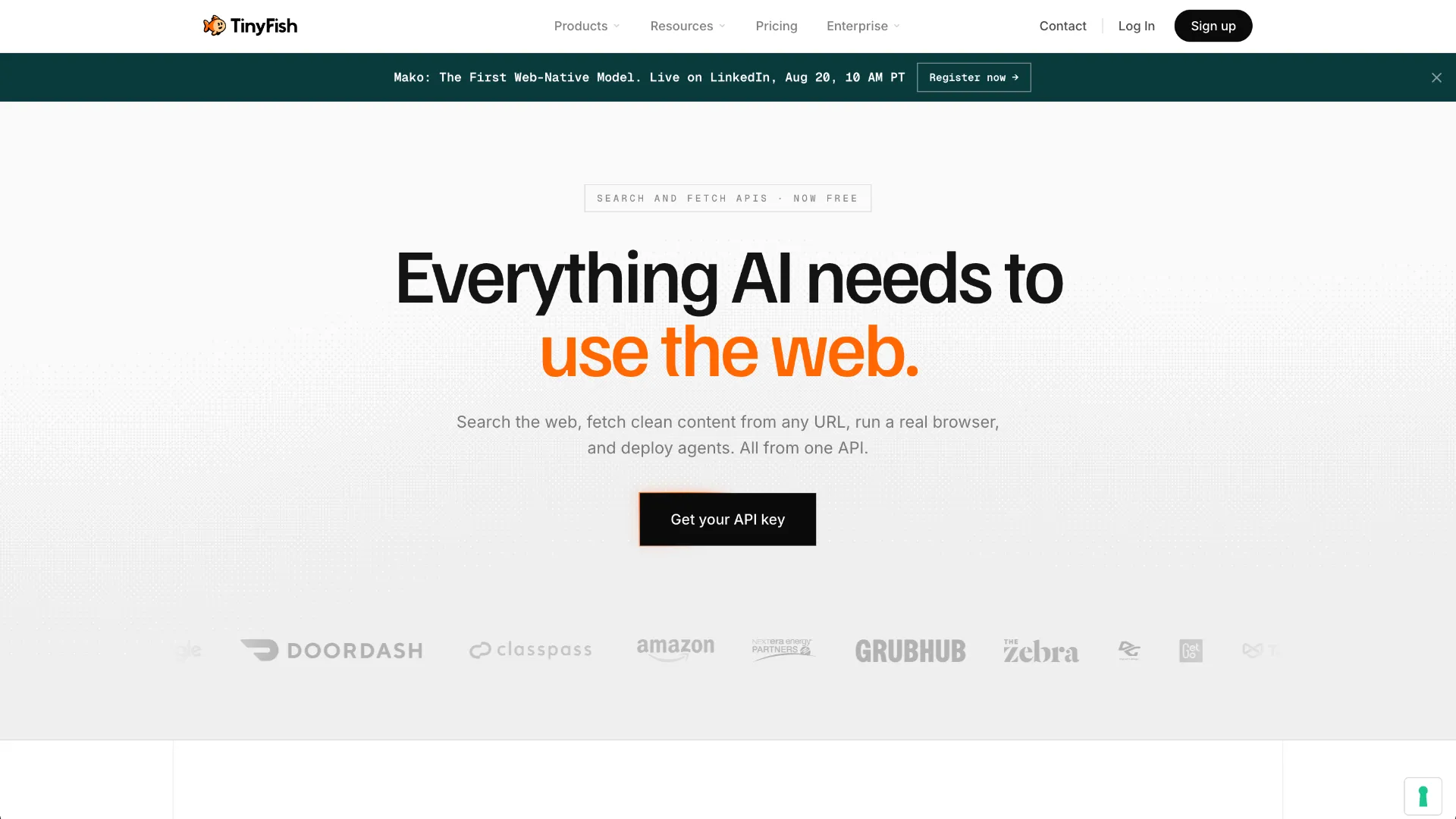
TinyFish is a web infrastructure platform for AI agents that combines live web search, browser-rendered content extraction, goal-based web automation, and managed cloud browser sessions. Developers can access the platform through APIs, SDKs, a CLI, and integrations with agent frameworks and AI coding tools.
About
TinyFish is a developer platform for connecting AI agents and applications to the live web. Rather than being only an MCP server, TinyFish provides several web infrastructure products under one platform: Search for discovering current web sources, Fetch for turning webpages into clean structured content, Web Agent for completing multi-step browser workflows, Browser for managed Chromium sessions, and Mako, TinyFish's web-native model for executing live web workflows.
The products share the same TinyFish account and API-key infrastructure, allowing developers to combine retrieval, extraction, direct browser control, and autonomous web interaction in the same application.
Key Features
- Web Agent: Accepts a natural-language goal and navigates live websites to complete multi-step tasks, including dynamic and authenticated workflows.
- Search: Returns structured live-web search results with URLs, titles, snippets, and metadata for research, monitoring, retrieval, and agent grounding.
- Fetch: Loads webpages and returns cleaned content in markdown, HTML, or JSON, including content from JavaScript-rendered pages.
- Browser: Provides managed cloud Chromium sessions accessible through Playwright, Puppeteer, or CDP for developers that want direct browser control.
- Persistent workflows: Web Agent supports browser profiles that can preserve cookies and session state between runs.
- Structured results: Agent runs can return structured output, while TinyFish also exposes logs, screenshots, and source URLs for inspecting completed workflows.
- Multiple integration surfaces: TinyFish is available through REST APIs, Python and TypeScript tooling, CLI workflows, MCP integrations, and integrations with agent and automation ecosystems.
- Mako: TinyFish also develops Mako, a web-native AI model designed to read pages, act on websites, adapt during execution, and return structured results.
Use Cases
TinyFish is designed for workflows where an AI system needs information or actions from the live web rather than only static model knowledge. Common patterns include researching current information, monitoring changing prices or inventory, extracting structured content from dynamic pages, interacting with vendor portals, filling web forms, navigating authenticated dashboards, collecting information across multiple websites, and running browser-based workflows across many records or accounts.
Search and Fetch are useful when the workflow mainly needs discovery or page content. Web Agent is intended for workflows where the path through a website is dynamic, multi-step, authenticated, or not known in advance. Browser is the lower-level option when developers want to control the browser themselves with Playwright, Puppeteer, or CDP.
Compatibility
TinyFish exposes dedicated Agent, Search, Fetch, and Browser APIs. Official materials also document Python and TypeScript usage, a TinyFish CLI, MCP integration, and integrations with tools and ecosystems including Claude Code, Cursor, Codex, LangChain, n8n, Dify, OpenClaw, and other agent-development environments.
The Browser product returns cloud Chromium sessions that can be controlled through standard CDP-compatible tooling such as Playwright and Puppeteer, making it suitable for existing browser automation code as well as agent-driven applications.
Pricing and Access
TinyFish currently makes Search and Fetch available at zero credits per request or URL, subject to plan-specific rate limits. Web Agent consumes one credit per agent step, while Browser uses one credit per four minutes of browser time. TinyFish offers pay-as-you-go, Starter, Pro, and custom Enterprise plans, with free starting credits advertised for new users.
An API key is used across the TinyFish API products. Rate limits, concurrent Agent runs, concurrent Browser sessions, support options, and enterprise capabilities vary by plan.
Limitations
TinyFish is primarily a managed service, so production workflows depend on TinyFish's hosted infrastructure unless an Enterprise deployment arrangement is used. Agent and Browser workloads are credit-metered, and concurrency limits depend on the selected plan.
Search, Fetch, Browser, and Web Agent solve different layers of the web-access problem, so developers still need to choose the appropriate API for each workflow instead of treating every web task as autonomous browser automation.
Performance figures published on the TinyFish website and benchmark pages should be interpreted according to the individual benchmark methodology. TinyFish distinguishes between public benchmarks and its own internal evaluations.
Sources
- Official website: https://www.tinyfish.ai/
- Web Agent: https://www.tinyfish.ai/agent
- Search: https://www.tinyfish.ai/search
- Fetch: https://www.tinyfish.ai/fetch
- Browser: https://www.tinyfish.ai/browser
- Mako: https://www.tinyfish.ai/mako
- Developer documentation: https://docs.tinyfish.ai/
- Pricing: https://www.tinyfish.ai/pricing
- Comparisons: https://www.tinyfish.ai/compare
- Benchmarks: https://www.tinyfish.ai/benchmarks
Tags
Alternatives
Comparable tools and resources explicitly connected to TinyFish.
Related Entries
Keep exploring similar tools and resources in this category.

PaidSync.ai
MCP ServersPaidSync.ai is a hosted MCP server for paid advertising that exposes 610+ tools across 14 advertising, analytics, tagging, and commerce platforms. It supports read/write workflows from AI clients including ChatGPT, Claude, Gemini, Cursor, Claude Code, and Codex, with a free plan.

Hyper3D MCP
MCP ServersHyper3D MCP is Hyper3D's hosted Rodin MCP server for creating 3D assets from natural-language instructions or supported references, checking asynchronous generation progress, and retrieving model download links inside AI coding clients. Official setup is documented for Codex, Claude Code, and Kimi Code CLI.




Related Reads
Background, tutorials, and protocol context connected to this entry.