page-agent
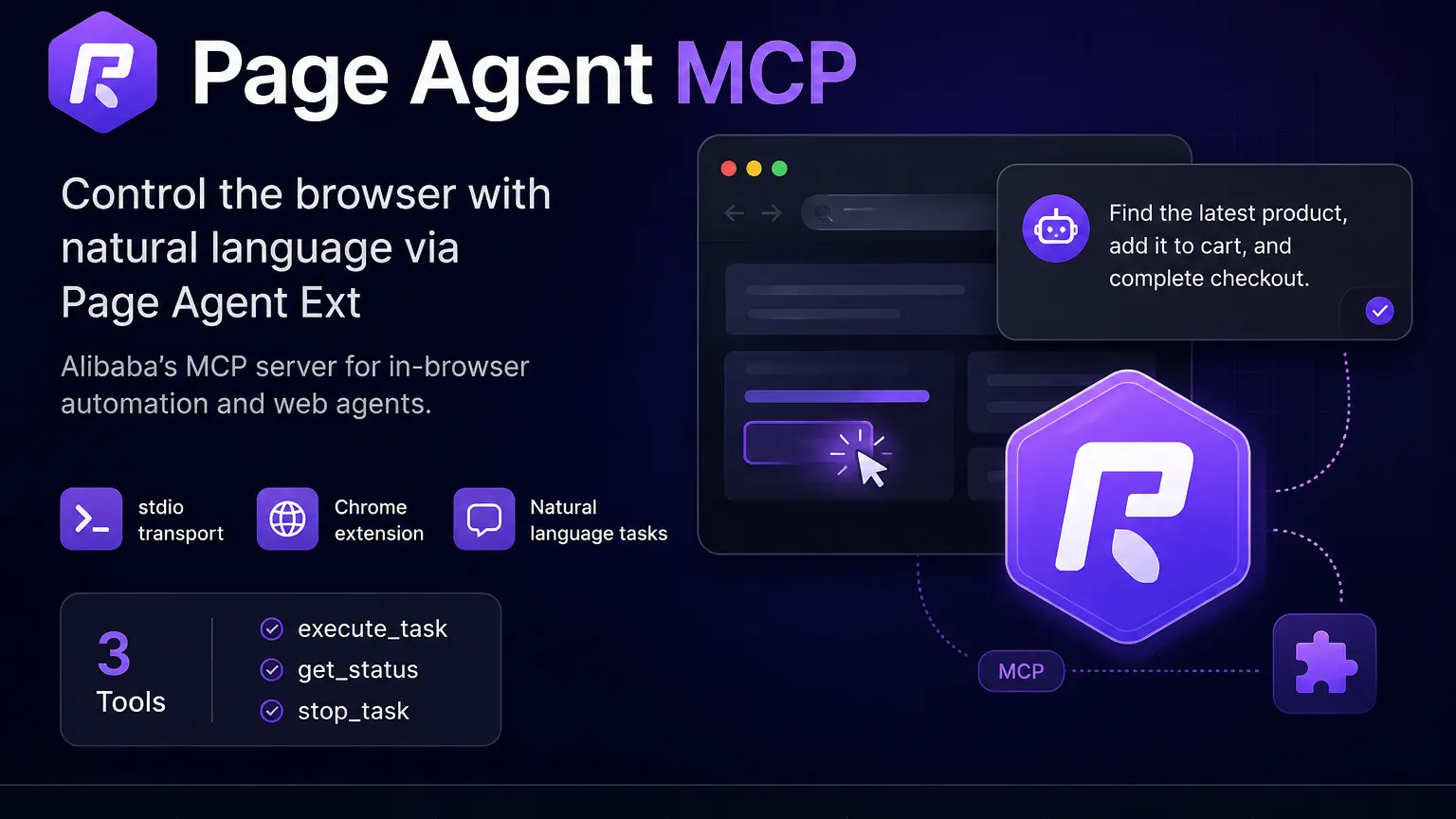
Page Agent MCP is the @page-agent/mcp server from Alibaba's Page Agent project. It lets MCP clients send natural-language browser automation tasks to the Page Agent Chrome extension running in the user's browser.
About
Page Agent MCP is the MCP server package for Alibaba's Page Agent project. The package name is @page-agent/mcp, and its documented purpose is controlling the browser through the Page Agent extension.
The broader Page Agent project is a JavaScript in-page GUI agent for controlling web interfaces with natural language. The MCP server is the external-control path: an MCP client starts the local server, the server opens a localhost launcher, the Page Agent extension opens a hub tab, and MCP tool calls are proxied to that hub.

Key Features
execute_taskaccepts{ task: string }and executes a natural-language browser task.get_statusreturns{ connected, busy }.stop_tasksends a stop signal for the currently running browser automation task.- Uses stdio between the MCP client and the local Node.js MCP server.
- Starts an internal localhost HTTP and WebSocket bridge for the Page Agent extension hub.
- Uses BYO LLM configuration through environment variables for an OpenAI-compatible API base URL, API key, and model name.
- Built as a JavaScript/ESM package distributed as
@page-agent/mcp.
Use Cases
- Let an MCP-compatible assistant execute natural-language browser tasks in the user's active browser context.
- Automate multi-step web workflows such as form filling, navigation, and cross-tab tasks through Page Agent Ext.
- Evaluate in-browser agent behavior without adopting a headless-browser-first stack.
- Add browser control to MCP clients that can run local stdio servers.
Compatibility
Documented setup covers Claude Desktop and the same MCP configuration format for Cursor and Copilot. Release notes also mention support work for Claude Code and Antigravity, but no exact public setup command for those clients was found in the verified package README.
The Chrome extension is required for the MCP path. The package manifest documents Node.js >= 20 for @page-agent/mcp.
Limitations
- The MCP package README describes the server as beta.
- The documented
execute_tasktool is blocking. get_statusreturns onlyconnectedandbusyin the documented MCP tool surface.- No MCP resources or prompts are documented in the package README.
- LLM configuration is environment-variable based in the public MCP README.
- The MCP path depends on a local browser extension hub connection; it is not documented as a hosted remote MCP endpoint.
Sources
- Official MCP docs: https://alibaba.github.io/page-agent/docs/features/mcp-server/
- GitHub repository: https://github.com/alibaba/page-agent
- MCP package README: https://raw.githubusercontent.com/alibaba/page-agent/main/packages/mcp/README.md
- MCP package manifest: https://raw.githubusercontent.com/alibaba/page-agent/main/packages/mcp/package.json
- MCP server source: https://raw.githubusercontent.com/alibaba/page-agent/main/packages/mcp/src/index.js
- Chrome Web Store extension: https://chromewebstore.google.com/detail/page-agent-ext/akldabonmimlicnjlflnapfeklbfemhj
- Release notes: https://github.com/alibaba/page-agent/releases
MCP Setup
Prerequisites
- Node.js >= 20
- Page Agent Ext installed in Chrome
- An OpenAI-compatible LLM API key
Access requirements
- Local package-manager based server launched with npx
- Provide LLM_BASE_URL, LLM_API_KEY, and LLM_MODEL_NAME environment variables for the MCP server
- No Page Agent account requirement is documented
- No Page Agent subscription requirement is documented
- No hosted remote MCP endpoint is documented
Companion app or plugin
Name: Page Agent Ext Install URL: https://chromewebstore.google.com/detail/page-agent-ext/akldabonmimlicnjlflnapfeklbfemhj
- Install Page Agent Ext from the Chrome Web Store.
- Keep the extension updated to the latest version.
- Open the launcher page from the browser where the extension is installed so it can open the Page Agent hub tab.
The MCP package uses the extension hub as the browser-control bridge.
Client setup
Claude Desktop
Transport: stdio
npx -y @page-agent/mcp
{
  "mcpServers": {
    "page-agent": {
      "command": "npx",
      "args": [
        "-y",
        "@page-agent/mcp"
      ],
      "env": {
        "LLM_BASE_URL": "https://dashscope.aliyuncs.com/compatible-mode/v1",
        "LLM_API_KEY": "sk-xxx",
        "LLM_MODEL_NAME": "qwen3.5-plus"
      }
    }
  }
}
- Add the server configuration to ~/Library/Application Support/Claude/claude_desktop_config.json.
- Start Claude Desktop so it launches the local @page-agent/mcp server.
- Use the browser launcher and extension hub opened by the server before running browser tasks.
Auth:
- Configure an LLM provider API key in the LLM_API_KEY environment field.
- Complete any approval or connection prompt shown by the local launcher or Page Agent extension hub.
The package README documents Claude Desktop with this JSON configuration.
Cursor
Transport: stdio
npx -y @page-agent/mcp
{
  "mcpServers": {
    "page-agent": {
      "command": "npx",
      "args": [
        "-y",
        "@page-agent/mcp"
      ],
      "env": {
        "LLM_BASE_URL": "https://dashscope.aliyuncs.com/compatible-mode/v1",
        "LLM_API_KEY": "sk-xxx",
        "LLM_MODEL_NAME": "qwen3.5-plus"
      }
    }
  }
}
- Add the same MCP server configuration format to Cursor's MCP settings.
- Start or reload Cursor so it launches the local @page-agent/mcp server.
- Use the browser launcher and extension hub opened by the server before running browser tasks.
Auth:
- Configure an LLM provider API key in the LLM_API_KEY environment field.
- Complete any approval or connection prompt shown by the local launcher or Page Agent extension hub.
The package README says Cursor uses the same MCP configuration format, but does not document a Cursor-specific UI path.
Claude Code
Release notes mention support for Claude Code, but exact public setup is not documented in the verified package README.
Other
Transport: stdio
npx -y @page-agent/mcp
{
  "mcpServers": {
    "page-agent": {
      "command": "npx",
      "args": [
        "-y",
        "@page-agent/mcp"
      ],
      "env": {
        "LLM_BASE_URL": "https://dashscope.aliyuncs.com/compatible-mode/v1",
        "LLM_API_KEY": "sk-xxx",
        "LLM_MODEL_NAME": "qwen3.5-plus"
      }
    }
  }
}
- Use the same MCP server JSON in an MCP client that supports local stdio servers.
- Start or reload the client so it launches the local @page-agent/mcp process.
- Use the browser launcher and extension hub opened by the server before running browser tasks.
Auth:
- Configure an LLM provider API key in the LLM_API_KEY environment field.
- Complete any approval or connection prompt shown by the local launcher or Page Agent extension hub.
The README names Copilot alongside Claude Desktop and says Cursor / Copilot use the same MCP configuration format; exact Copilot-specific setup steps are not documented.
Authorization flow
- MCP client launches @page-agent/mcp over stdio.
- The server starts localhost HTTP and WebSocket services on PORT, default 38401.
- The server opens a localhost launcher page in the default browser.
- The launcher triggers the Page Agent extension to open a hub tab.
- The hub connects to the local WebSocket bridge.
- MCP tool calls proxy tasks to the hub.
Environment variables
LLM_BASE_URL: LLM API base URLLLM_API_KEY: LLM API keyLLM_MODEL_NAME: model namePORT: local HTTP and WebSocket port, default 38401
Setup docs: https://alibaba.github.io/page-agent/docs/features/mcp-server/
Tags
Alternatives
Comparable tools and resources explicitly connected to page-agent.
Related Entries
Keep exploring similar tools and resources in this category.

Hyper3D MCP
MCP ServersHyper3D MCP is Hyper3D's hosted Rodin MCP server for creating 3D assets from natural-language instructions or supported references, checking asynchronous generation progress, and retrieving model download links inside AI coding clients. Official setup is documented for Codex, Claude Code, and Kimi Code CLI.





Related Reads
Background, tutorials, and protocol context connected to this entry.