

Notion MCP
Official hosted Model Context Protocol (MCP) server by Notion. Securely connects AI tools like Claude, Cursor, and ChatGPT to your Notion workspace for real-time read, search, create, and update operations via OAuth — no API keys or self-hosting required.
Overview
Notion MCP is the official hosted Model Context Protocol (MCP) server provided by Notion. It enables AI assistants and agents to interact securely and efficiently with Notion workspaces using the open MCP standard.
Instead of managing API keys or self-hosting, users connect via simple OAuth 2.0 with PKCE. The server runs at https://mcp.notion.com/mcp (recommended Streamable HTTP transport) and https://mcp.notion.com/sse (fallback).
It is actively maintained by Notion and optimized for modern AI workflows, replacing the legacy open-source notion-mcp-server which is no longer actively maintained.
Key Features
- Secure OAuth Authentication: Granular permission scoping during connection — no long-lived tokens exposed.
- 20+ AI-Optimized Tools: Includes
notion-search(across workspace and connected sources like Slack, Google Drive, Jira), database queries (updated for 2025-09-03 API with data sources), page creation, block appending, property updates, comments, and more. - Real-Time Bidirectional Access: Read rich content (auto-converted to Markdown for token efficiency), create/update pages and databases, add comments.
- Zero Infrastructure: Fully hosted and always up-to-date — no Docker, servers, or maintenance required.
- Streaming Support: Modern transport for faster responses and better agent experience.
- Broad Client Compatibility: Native support in Claude Desktop, Cursor, VS Code, ChatGPT (with tool name adjustments), and custom MCP clients.
How It Works
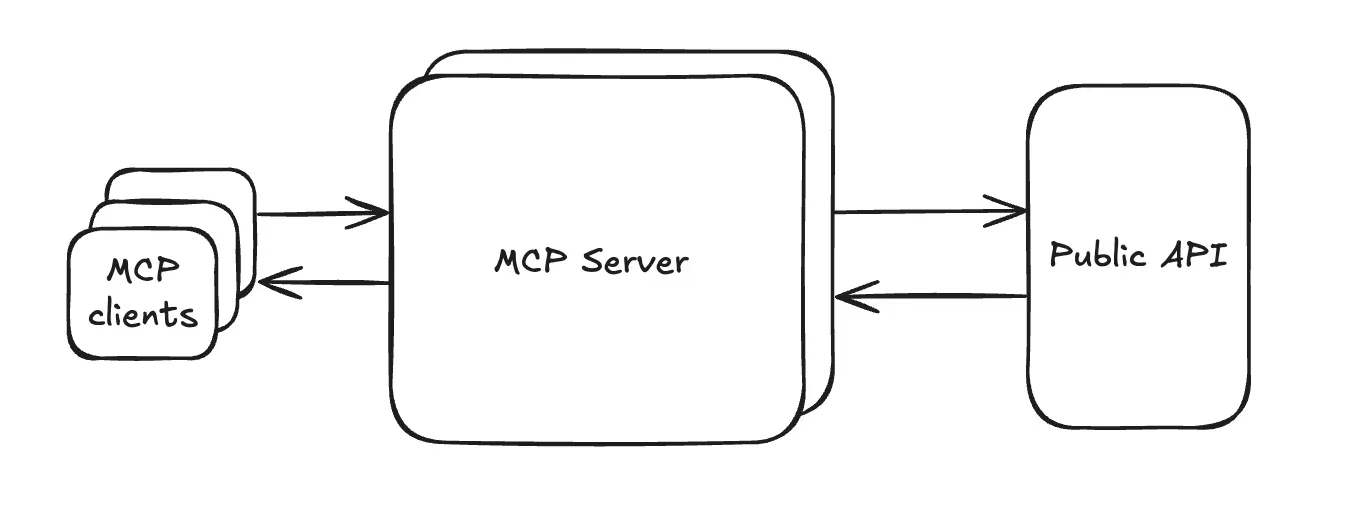
Notion hosts both the MCP server and the underlying Notion API. MCP clients in your AI tools discover available tools automatically, invoke them via natural language, and receive structured results. A code-generation pipeline converts Notion’s OpenAPI schemas into validated MCP tools (using Zod), ensuring high quality and consistency.
Setup Options
- Recommended: One-click gallery connection or direct URL import (
https://mcp.notion.com/mcp). - Claude:
claude mcp add --transport http notion https://mcp.notion.com/mcpthen authenticate via/mcp. - Cursor: Add as global MCP server in settings.
- Custom Clients: Follow Notion’s OAuth + PKCE guide for building your own integrations.
Notion MCP vs Legacy Open-Source Server
The legacy GitHub repository (makenotion/notion-mcp-server) is still available but no longer actively maintained. Notion strongly recommends the hosted version for security, performance, ease of use, and compatibility with the latest API changes.
Use Cases
- Knowledge workers summarizing notes and auto-creating action items.
- Developers referencing Notion specs/databases directly in Cursor or Claude while coding.
- Teams building autonomous agents that manage roadmaps, wikis, tasks, and comments.
- Content creators generating and maintaining living documents with real-time cross-referencing.
Supported Tools (Partial List)
notion-search— powerful full-text search with filters.- Database and data source operations (query, create, update).
- Page and block management (append, update rich text).
- Comments and workspace listing.
Tools are kept current with Notion’s evolving API.
Getting Started
Visit the official documentation at developers.notion.com/guides/mcp/mcp to connect your AI tools today.
Notion MCP represents the standard for seamless, secure AI-to-productivity-tool integration — the “USB-C for AI agents” in the Notion ecosystem.
Tags
Related Entries
Keep exploring similar tools and resources in this category.

Hyper3D MCP
MCP ServersHyper3D MCP is Hyper3D's hosted Rodin MCP server for creating 3D assets from natural-language instructions or supported references, checking asynchronous generation progress, and retrieving model download links inside AI coding clients. Official setup is documented for Codex, Claude Code, and Kimi Code CLI.





Related Reads
Background, tutorials, and protocol context connected to this entry.


