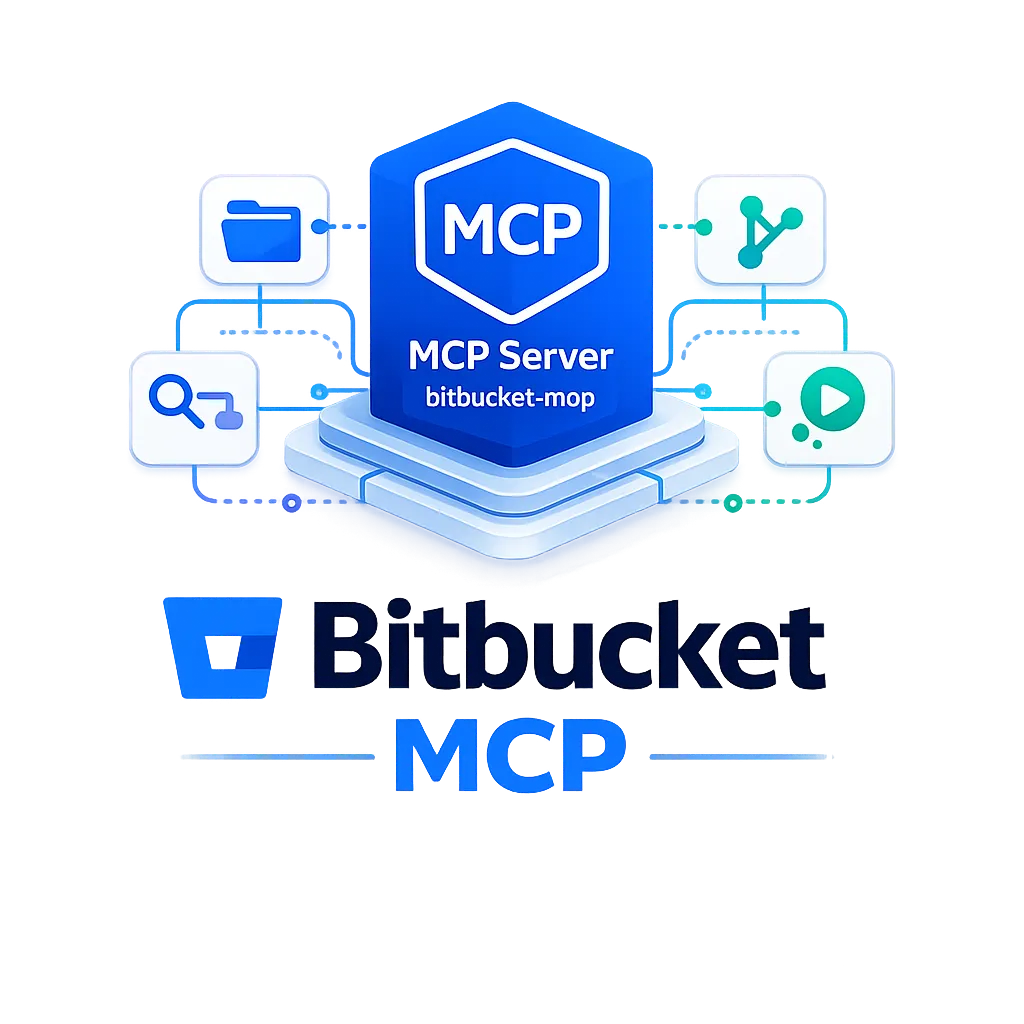
Bitbucket MCP
Bitbucket Cloud 및 Server를 위한 Model Context Protocol (MCP) 서버로, Cursor와 같은 AI 어시스턴트가 자연어를 통해 리포지토리, 풀 리퀘스트, 파이프라인 등을 관리할 수 있게 해줍니다.
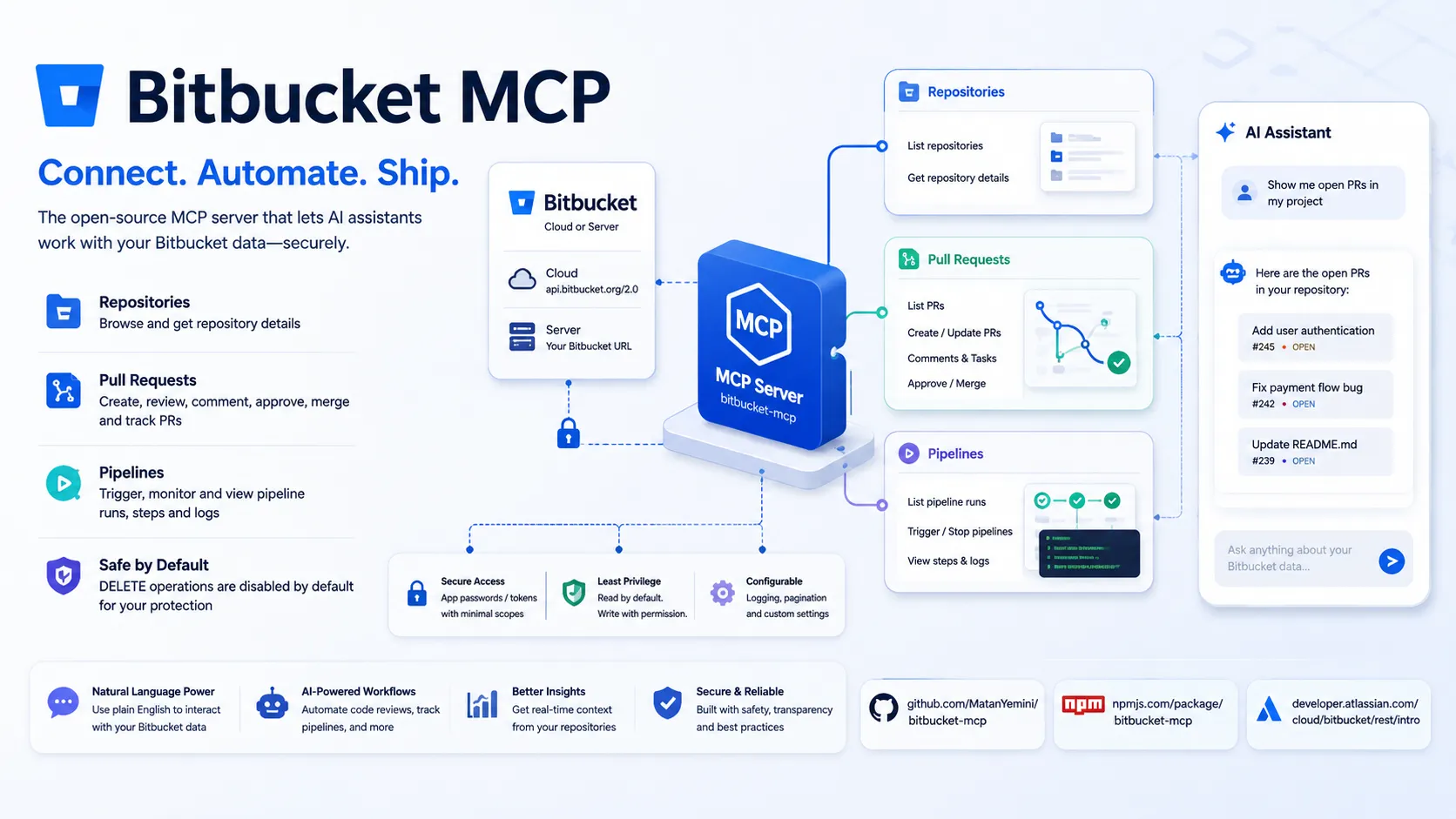
개요
Bitbucket MCP는 Bitbucket Cloud 및 Bitbucket Server/Data Center API와 통합하기 위한 오픈소스 Model Context Protocol (MCP) 서버입니다. 이 서버는 AI 어시스턴트(예: Cursor)가 자연어 프롬프트를 통해 Bitbucket 저장소, 풀 리퀘스트, 파이프라인 및 기타 리소스와 안전하게 상호작용할 수 있도록 지원합니다.
이 서버는 MCP 표준을 구현하며, bitbucket-mcp라는 이름으로 npm에 게시되어 있습니다.
기능
- 저장소 작업: 저장소 목록 조회 및 세부 정보 검색
- 풀 리퀘스트 생명주기: 목록 조회, 가져오기, 생성, 업데이트, 병합, 승인, 거절, 댓글 추가/보기, 차이점(diff) 및 작업(task)
- 파이프라인 작업: 실행 목록 조회, 트리거/중지, 단계 및 로그 보기
- 페이지네이션 지원 (
pagelen,page,all,limit) - 기본적으로 안전한 설계:
BITBUCKET_ENABLE_DANGEROUS=true가 명시적으로 설정되지 않은 경우 DELETE 작업이 비활성화됩니다.
지원되는 작업
이 서버는 저장소 탐색, PR 관리, 코드 리뷰 자동화, 파이프라인 모니터링 등 일반적인 Bitbucket 워크플로우를 위한 도구를 제공합니다. 전체 도구 목록과 API 매핑은 소스 코드에 정의되어 있습니다.
보안 및 모범 사례
- 최소 권한(저장소: 읽기, 풀 리퀘스트: 읽기/쓰기, 파이프라인: 읽기)을 가진 Bitbucket 앱 비밀번호(또는 액세스 토큰)가 필요합니다.
- 기본적으로 DELETE 작업이 활성화되어 있지 않습니다.
- 로깅 구성 가능 (파일 기반 또는 비활성화)
- Bitbucket Cloud (
https://api.bitbucket.org/2.0) 및 자체 호스팅 Bitbucket Server 모두BITBUCKET_URL구성 가능을 통해 지원합니다.
호환성
MCP 호환 AI 런타임과 모두 작동합니다. 주요 통합 예시는 Cursor에 초점을 맞추며, Bitbucket Cloud 및 Server를 지원합니다.
링크
MCP 설정
사전 요구 사항
- Node.js 필요 (npx/npm 사용)
- 앱 비밀번호 또는 액세스 토큰을 가진 Bitbucket 계정
액세스 요구 사항
- Bitbucket 앱 비밀번호 (저장소: 읽기, 풀 리퀘스트: 읽기/쓰기, 파이프라인: 읽기) 또는 액세스 토큰이 환경 변수를 통해 필요합니다.
클라이언트 설정
Cursor
{
  "mcpServers": {
    "bitbucket": {
      "command": "npx",
      "env": {
        "BITBUCKET_URL": "https://api.bitbucket.org/2.0",
        "BITBUCKET_WORKSPACE": "your-workspace",
        "BITBUCKET_USERNAME": "your-username",
        "BITBUCKET_PASSWORD": "your-app-password"
      },
      "args": ["-y", "bitbucket-mcp@latest"]
    }
  }
}
- 프로젝트 루트에
.cursor/mcp.json을 생성하거나 편집합니다. - 위 구성 블록을 붙여넣고
your-workspace,your-username,your-app-password를 실제 값으로 대체합니다.
인증:
- 자격 증명은 MCP 구성의 환경 변수를 통해 전달됩니다. 브라우저 로그인이나 추가 인증 단계가 필요하지 않습니다.
레거시 URL 형식(https://bitbucket.org/your-workspace)도 워크스페이스 자동 감지에 지원됩니다.
Claude Code
문서화되지 않음
Claude Desktop
문서화되지 않음
VS Code
문서화되지 않음
Codex
문서화되지 않음
Windsurf
문서화되지 않음
Lovable
문서화되지 않음
Other
필수 환경 변수(envVars 참조)와 함께 npx -y bitbucket-mcp@latest 명령어로 실행합니다. stdio/command 전송을 사용하여 MCP 클라이언트에 구성하세요.
환경 변수
BITBUCKET_URL (기본값: https://api.bitbucket.org/2.0)BITBUCKET_WORKSPACE (선택 사항, 레거시 모드에서 URL로부터 자동 감지)BITBUCKET_USERNAME (Bitbucket 이메일/사용자 이름)BITBUCKET_PASSWORD (앱 비밀번호 또는 API 토큰)BITBUCKET_TOKEN (사용자 이름/비밀번호 대체)
설정 문서: https://github.com/MatanYemini/bitbucket-mcp
Tags
Related Entries
Keep exploring similar tools and resources in this category.

Hyper3D MCP
MCP ServersHyper3D MCP is Hyper3D's hosted Rodin MCP server for creating 3D assets from natural-language instructions or supported references, checking asynchronous generation progress, and retrieving model download links inside AI coding clients. Official setup is documented for Codex, Claude Code, and Kimi Code CLI.





Related Reads
Background, tutorials, and protocol context connected to this entry.